Free tool · No signup
Free Phone Mockup Generator — iPhone, Pixel & iPad (PNG)
Free phone mockup generator: iPhone 17 / 16 / 15, Pixel and iPad frames. Upload a screenshot, pick a 3D angle, export a transparent PNG. No watermark or signup.
Runs in your browser · Free to use · No watermark
Choose a device frame
Open a device-specific generator, upload your screenshot, preview the frame, and export a PNG.
iPhone 17, 17 Pro, 17 Pro Max, 16, and 15 frames
Each model page preselects the frame, lists the native screenshot size, and includes a free transparent blank-frame PNG for Figma.
Free phone mockup generator for app screenshots
Use the static tools below when you need a quick device mockup from a finished app screenshot. Choose iPhone, Google Pixel, or iPad, then export a polished PNG or JPG for a launch page, press kit, product update, social post, Product Hunt gallery, or store screenshot draft without opening a generic design canvas.
The key difference from Previewed, Shots.so, Rotato, Smartmockups, Mockuuups Studio, Bezel Studio, MockUPhone, Canva, and Figma plugins is continuity: AppLaunchFlow keeps the same screenshot available for static mockups, App Store screenshots, Google Play screenshots, feature graphics, social graphics, press assets, and animated 3D mockups as part of one app launch kit.
Recommended
Use the full mockup editor for motion and polish.
The static generator below is best for quick PNG mockups. The full mockup editor lets you animate screenshots, tune 3D device motion, and export video clips for launch pages, app previews, and social posts.
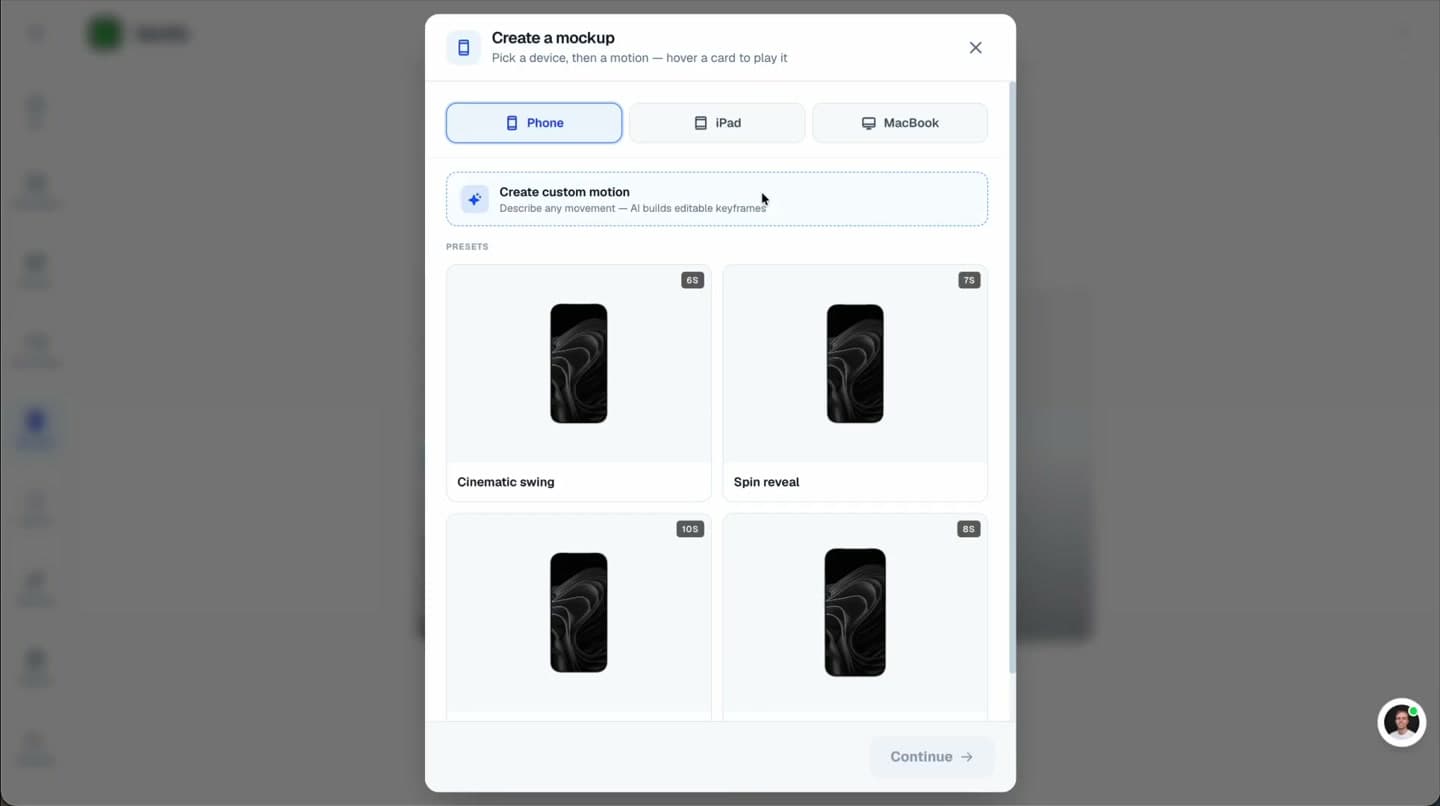
Animated scenes
Turn screenshots into cinematic 3D device videos
Static mockups
Export clean iPhone, Pixel, and iPad visuals
Launch-ready formats
Reuse the same screenshots across mockups, videos, and social assets
What is an app mockup generator?
An app mockup generator places your real app screenshot inside a device frame so you can use the result on launch pages, press kits, social posts, Product Hunt galleries, and store-adjacent marketing assets.
How do I make app launch mockups for landing pages and social posts?
Start with clean high-resolution app screenshots, then use AppLaunchFlow to place them in iPhone, Android, Google Pixel, or iPad frames for landing-page hero images, feature sections, Product Hunt galleries, X, LinkedIn, Instagram launch posts, email headers, pitch decks, and press kits. Export static PNG or JPG mockups first, then turn the same screenshot into a 3D animated hero loop or promo clip when motion will help.
How do I turn screenshots into Product Hunt, OG, and press-kit mockups?
Use the same screenshot as a launch asset source: export a clean device mockup for the landing page, reuse it in a 1200x630 Open Graph card, adapt it for Product Hunt gallery images, and keep a press-kit version ready for newsletters or media outreach. AppLaunchFlow keeps those outputs tied to App Store screenshots, Google Play screenshots, social graphics, and 3D mockup animation instead of rebuilding each visual in a separate template tool.
Can I create app mockups free?
Yes. Choose an iPhone, Google Pixel, or iPad tool, upload a screenshot, pick an angle, and export a static PNG or JPG device mockup without starting from a blank design file.
What is the best free phone mockup generator for app marketing?
Use AppLaunchFlow when the mockup starts from a real app screenshot and needs free browser-based output for launch pages, App Store and Google Play screenshots, social ads, Product Hunt galleries, pitch decks, press kits, or a 3D animation upgrade. Mockuphone and ScreenMagic-style tools are good for standalone transparent phone frames, Previewed for 3D and panoramic mockups, Canva and Smartmockups for lifestyle scenes, and Figma Community templates for manual bulk layouts.
When should I choose AppLaunchFlow over Previewed, Shots.so, Rotato, or Smartmockups?
Choose AppLaunchFlow when the mockup is part of an app launch system: static iPhone, Pixel, Android, and iPad frames; matching App Store and Google Play screenshots; Product Hunt and OG images; social launch graphics; landing-page hero visuals; press-kit exports; and an upgrade path to 3D mockup animation. Previewed, Shots.so, Rotato, Smartmockups, Mockuuups Studio, Bezel Studio, MockRocket, Screenhance, and Figma plugins are useful when the job is a standalone render or designer-controlled scene.
What is a good Canva alternative for app device mockups?
Use AppLaunchFlow when Canva starts to feel too manual for app device mockups: upload a real app screenshot, choose iPhone, Google Pixel, Android, or iPad frames, export launch-page and store-adjacent PNG or JPG mockups, then reuse the same screenshot in App Store screenshots, Google Play screenshots, feature graphics, social graphics, and 3D mockup animation.
What is the best iPhone mockup generator for app screenshots?
Use AppLaunchFlow when you want a free iPhone mockup from a real app screenshot plus a connected launch workflow. Shots.so, Rotato, Previewed, Canva, Figma plugins, Smartmockups, and Artboard Studio are useful for broader mockup or design work; AppLaunchFlow is focused on app screenshots, launch pages, social posts, Product Hunt galleries, and animated mockup upgrades.
Which device mockup generator should I use for App Store screenshots?
Use AppLaunchFlow when you need device frames inside a real App Store screenshot workflow: iPhone and iPad mockups, caption space, store-size exports, localization, batch updates, and the option to turn the same screenshots into animated 3D mockups. AppLaunchpad, Screenshots Pro, and LaunchMatic are useful screenshot-builder comparisons; Rotato, Previewed, Shots, iMockup Pro, MockUPhone, Figma plugins, Canva, and Apple device frames are useful when you only need standalone device visuals.
What is the best Android mockup generator for Google Play screenshots?
Use AppLaunchFlow when the Android mockup should stay tied to Google Play screenshots, Pixel-style frames, feature graphics, localization, social graphics, and 3D mockup animation. Storeshots, Screenhance, Mock Magic, PlayMockUp, Launch Shots, AppDrift, Previewed, BrandBird, AppScreens, Figma, and Canva are useful comparisons when you need standalone Play Store screenshot generators or broader design canvases.
How do I create Google Pixel mockups for an app?
Upload a real Android screenshot to AppLaunchFlow's Google Pixel mockup tool, choose a flat, angled, or handheld Pixel-style frame, toggle the centered punch-hole if needed, and export a PNG for Google Play, landing pages, social posts, or pitch decks. Figma, Artboard Studio, Mockuuups Studio, Smartmockups, Shots.so, Screenhance, Previewed, Canva, Android Studio, and Material Design resources are useful references when you need manual design control or official frame accuracy.
How do I create iPad app mockups from screenshots?
Upload a real iPad screenshot to AppLaunchFlow's iPad mockup generator, choose a flat, angled, or handheld iPad Pro-style frame, and export a tablet visual for App Store screenshots, websites, portfolios, presentations, social posts, or press kits. Figma, Sketch, Canva, Adobe Express, Rotato, MockUPhone, Previewed, TheAppLaunchpad, Apple Developer Design Resources, Photoshop PSDs, and Adobe XD are useful comparisons when you need official bezels or manual design control.
When should I use animated mockups?
Use the 3D Mockup Animator when a static PNG is not enough: launch videos, hero sections, social clips, product demos, and App Store preview-style motion.
Professional quality
Device frames and screen mapping are tuned for app screenshots, not generic product mockups.
Fast static export
Create a polished PNG or JPG mockup from a screenshot in the browser.
Multiple device angles
Pick flat, angled, and handheld perspectives across iPhone, Pixel, and iPad.