Resize finished artwork
Use this generator, AppIcon.co, MakeAppIcon, Asset Catalog Creator, Icon Kitchen, Android Asset Studio, a Figma export plugin, or ImageMagick when the design itself is already approved.
2026 size reference + free all-sizes exporter
Every iOS, iPadOS, macOS, and Android app icon size for 2026 in one table — then upload a finished 1024×1024 icon and export all of them for Xcode or Android Studio. Free, private in-browser processing, no signup.
Runs in your browser · Free to use · No watermark
Quick export workflow
Start with a square 1024×1024 source. Your image stays in this browser tab.
1. Upload · 2. Choose outputs · 3. Export
Size reference
Apple wants one opaque 1024×1024 master with no transparency and no pre-rounded corners; iOS, iPadOS, and macOS apply their own mask. Xcode derives the smaller sizes below from that master, so design at 1024 and check legibility at 48px and 64px before you export. Android uses a 512×512 Play Store listing icon plus density-specific launcher assets; adaptive icons need separate foreground and background layers on a 108 dp canvas with the centre 66 dp kept safe. The exporter above generates all of these files from a single upload.
| Use | Pixels | Points / folder |
|---|---|---|
| App Store | 1024 × 1024 | 1024pt @1x |
| Home screen | 180 × 180 | 60pt @3x |
| Home screen | 120 × 120 | 60pt @2x |
| Spotlight | 120 × 120 | 40pt @3x |
| Spotlight | 80 × 80 | 40pt @2x |
| Settings | 87 × 87 | 29pt @3x |
| Settings | 58 × 58 | 29pt @2x |
| Notification | 60 × 60 | 20pt @3x |
| Notification | 40 × 40 | 20pt @2x |
| Use | Pixels | Points / folder |
|---|---|---|
| Home screen (iPad Pro) | 167 × 167 | 83.5pt @2x |
| Home screen | 152 × 152 | 76pt @2x |
| Home screen | 76 × 76 | 76pt @1x |
| Spotlight | 80 × 80 | 40pt @2x |
| Spotlight | 40 × 40 | 40pt @1x |
| Settings | 58 × 58 | 29pt @2x |
| Settings | 29 × 29 | 29pt @1x |
| Notification | 40 × 40 | 20pt @2x |
| Notification | 20 × 20 | 20pt @1x |
| Use | Pixels | Points / folder |
|---|---|---|
| Google Play listing | 512 × 512 | 32-bit PNG |
| Launcher xxxhdpi | 192 × 192 | mipmap-xxxhdpi |
| Launcher xxhdpi | 144 × 144 | mipmap-xxhdpi |
| Launcher xhdpi | 96 × 96 | mipmap-xhdpi |
| Launcher hdpi | 72 × 72 | mipmap-hdpi |
| Launcher mdpi | 48 × 48 | mipmap-mdpi |
| Adaptive icon layers | 108 × 108 dp | 66 dp safe zone |
| Use | Pixels | Points / folder |
|---|---|---|
| App Store / Finder | 1024 × 1024 | 512pt @2x |
| Finder | 512 × 512 | 512pt @1x / 256pt @2x |
| Finder | 256 × 256 | 256pt @1x / 128pt @2x |
| Finder list | 128 × 128 | 128pt @1x |
| Finder list | 64 × 64 | 32pt @2x |
| Menu / Dock | 32 × 32 | 32pt @1x / 16pt @2x |
| Menu / Dock | 16 × 16 | 16pt @1x |
Still need the icon itself? Generate AI concepts and edit every layer in the AppLaunchFlow App Icon Generator, then come back here for the size pack.
Open the App Icon GeneratorWhen resizing is not enough
Use the free exporter when your artwork is final. Use Icon Composer when you need AI concept generation, editable layers, text, gradients, Default, Dark, and Tinted appearances, Android adaptive-icon planning, or small-size checks before export.
Try the App Icon Generator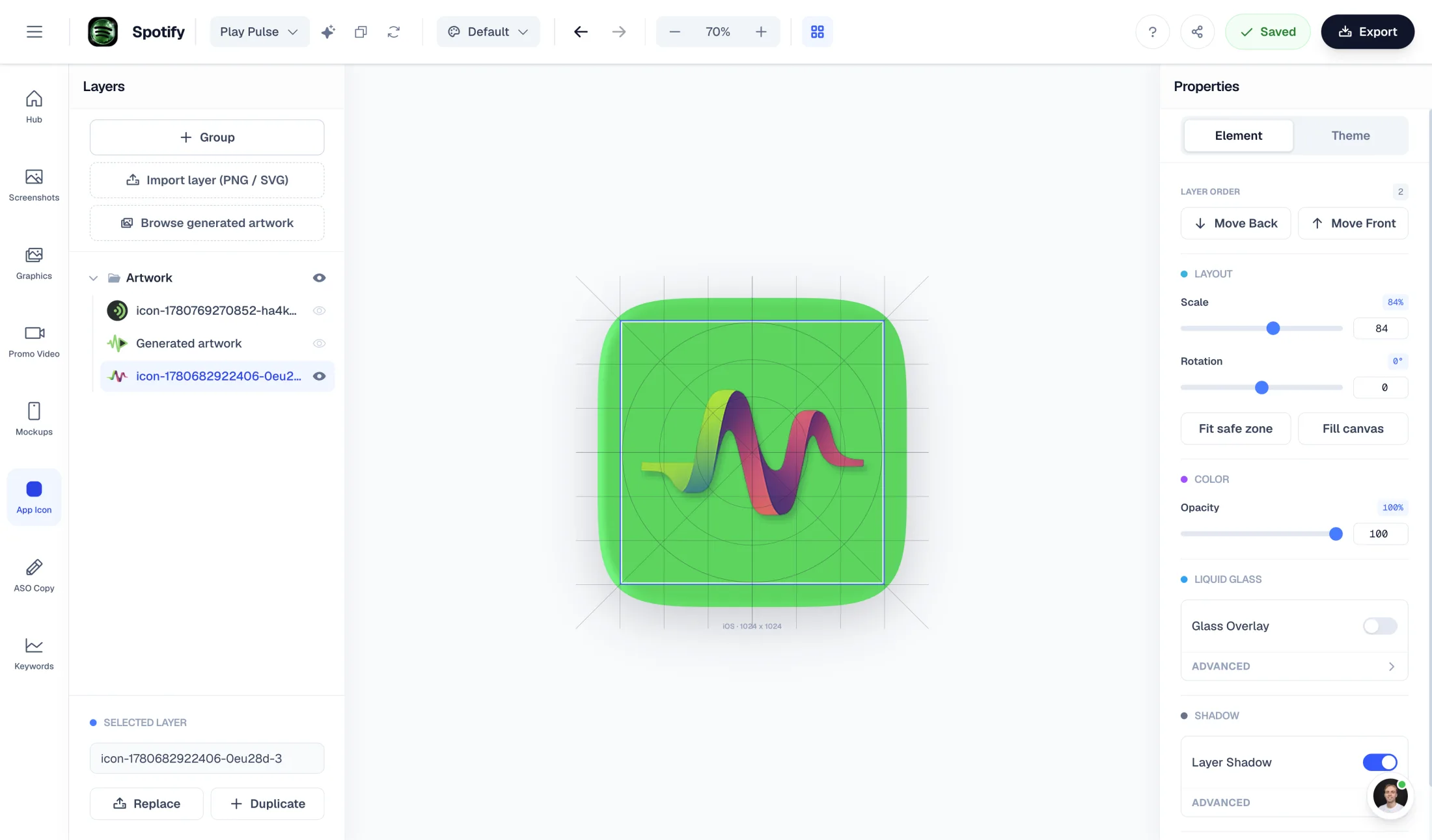
Platform guidance
Upload one square master, choose Apple, Android, or both, then generate a ZIP. Apple packs include iOS, iPadOS, watchOS, and macOS sizes for an Xcode AppIcon.appiconset handoff. Android output includes the Google Play 512px listing icon and mdpi through xxxhdpi launcher assets for Android Studio mipmap folders. Regenerate from the master instead of editing exported files by hand.
Start from an opaque 1024×1024 source. App Store icons must not contain transparency, and you should not bake rounded corners into the artwork because Apple applies the platform mask. Check the mark at 48px and 64px, avoid tiny text, and keep important artwork centered so iOS, iPadOS, watchOS, and macOS variants remain legible. Place the generated assets beside the correct Assets.xcassets catalog and Contents.json workflow in Xcode.
Google Play uses a 512×512 listing icon. Android launchers also use density-specific mipmap resources from mdpi through xxxhdpi. For adaptive icons, keep foreground and background layers separate and respect the adaptive safe zone; this resize tool exports finished flat artwork, while Icon Composer is the better path when the adaptive foreground, background, or crop still needs work.
Treat the 1024px icon as the source of truth and use the generated files as inputs to your framework-specific icon configuration. Flutter, React Native, Expo, and Capacitor projects may rename or copy resources during their own build step. Teams with an existing automation pipeline can use ImageMagick or framework icon scripts; this browser tool is the convenient cross-platform handoff when you want the Apple and Android packs together.
Alternatives and workflow fit
Use this generator, AppIcon.co, MakeAppIcon, Asset Catalog Creator, Icon Kitchen, Android Asset Studio, a Figma export plugin, or ImageMagick when the design itself is already approved.
Use Icon Composer when you need editable concepts, layers, iOS appearance variants, Android adaptive planning, and launch-asset context before resizing.
Figma, Canva, Midjourney, Recraft, and ChatGPT can support concepting or manual cleanup. Keep a square high-resolution master before generating platform resources.
Continue with another launch asset