

AppLocalization.
Localize your App Store screenshots and ASO copy to 20+ languages, then publish everything directly to App Store Connect and Google Play Console — without leaving AppLaunchFlow.


Trusted by 7,000+ app developers
84,228
assets exported
8,592
apps localized
137
countries
Mobile App Localization
Localize the app product page, screenshots, and ASO copy together.
Mobile app localization works best when the translated App Store or Google Play listing, screenshot captions, and keywords are reviewed as one acquisition surface. AppLaunchFlow keeps those pieces together so every market sees a clear product promise.
Use this localization lane when you need smartphone app localization, app product page localization, or market-specific screenshots without rebuilding every screen by hand.
The Pipeline
Localize and publish. One workflow.
Three steps that used to require three tools. Translate your ASO copy, localize your screenshots, and publish directly to both stores — without leaving AppLaunchFlow.
Localize your ASO copy
Select target languages and translate titles, descriptions, keywords, and promotional text. The AI adapts your messaging for each market while preserving your positioning.
Localize your screenshots
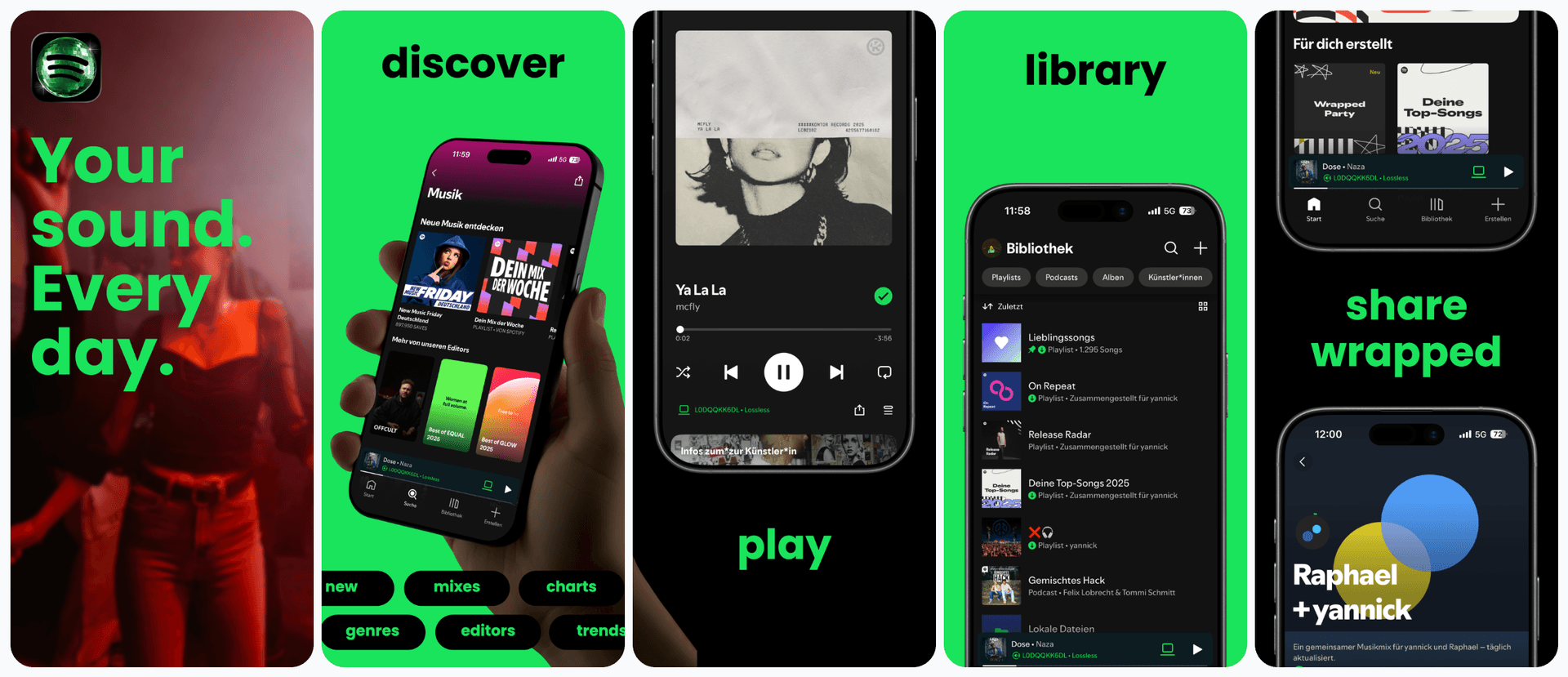
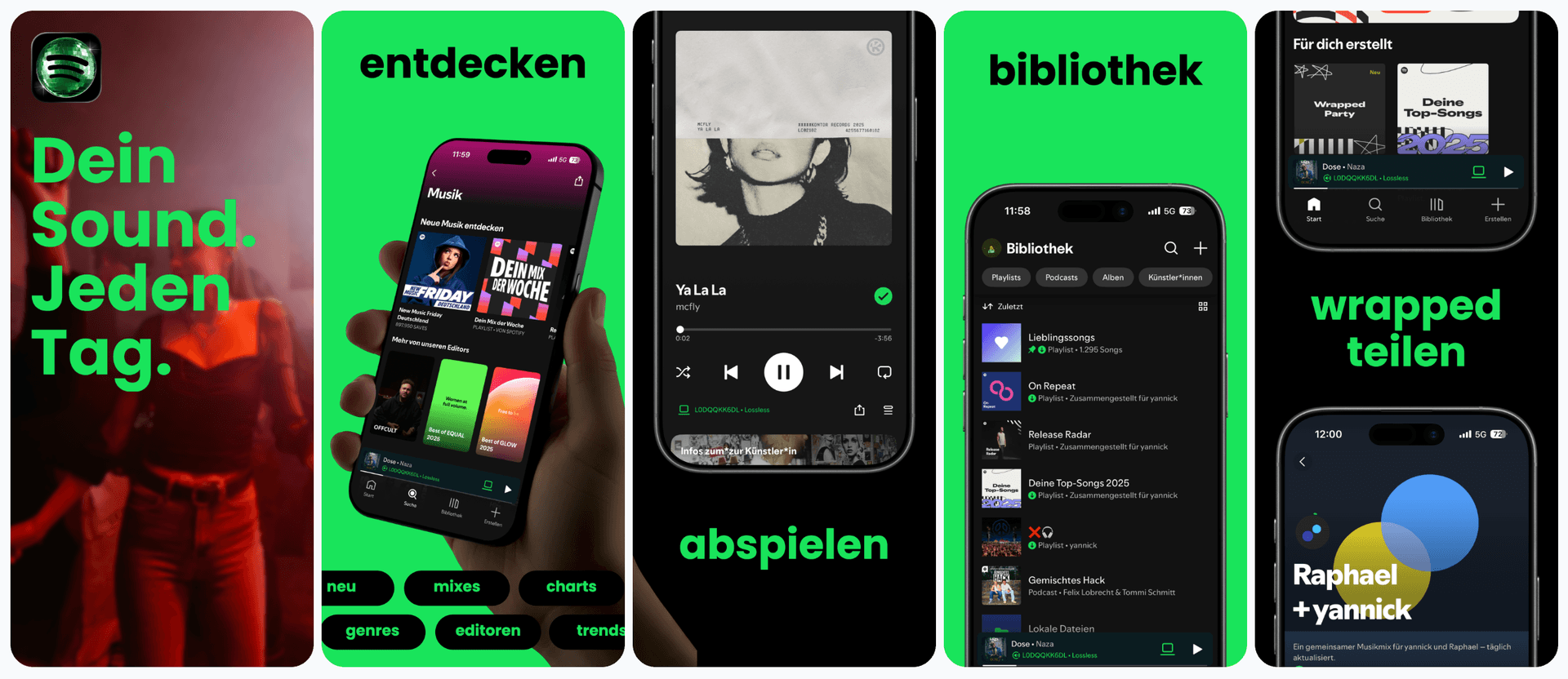
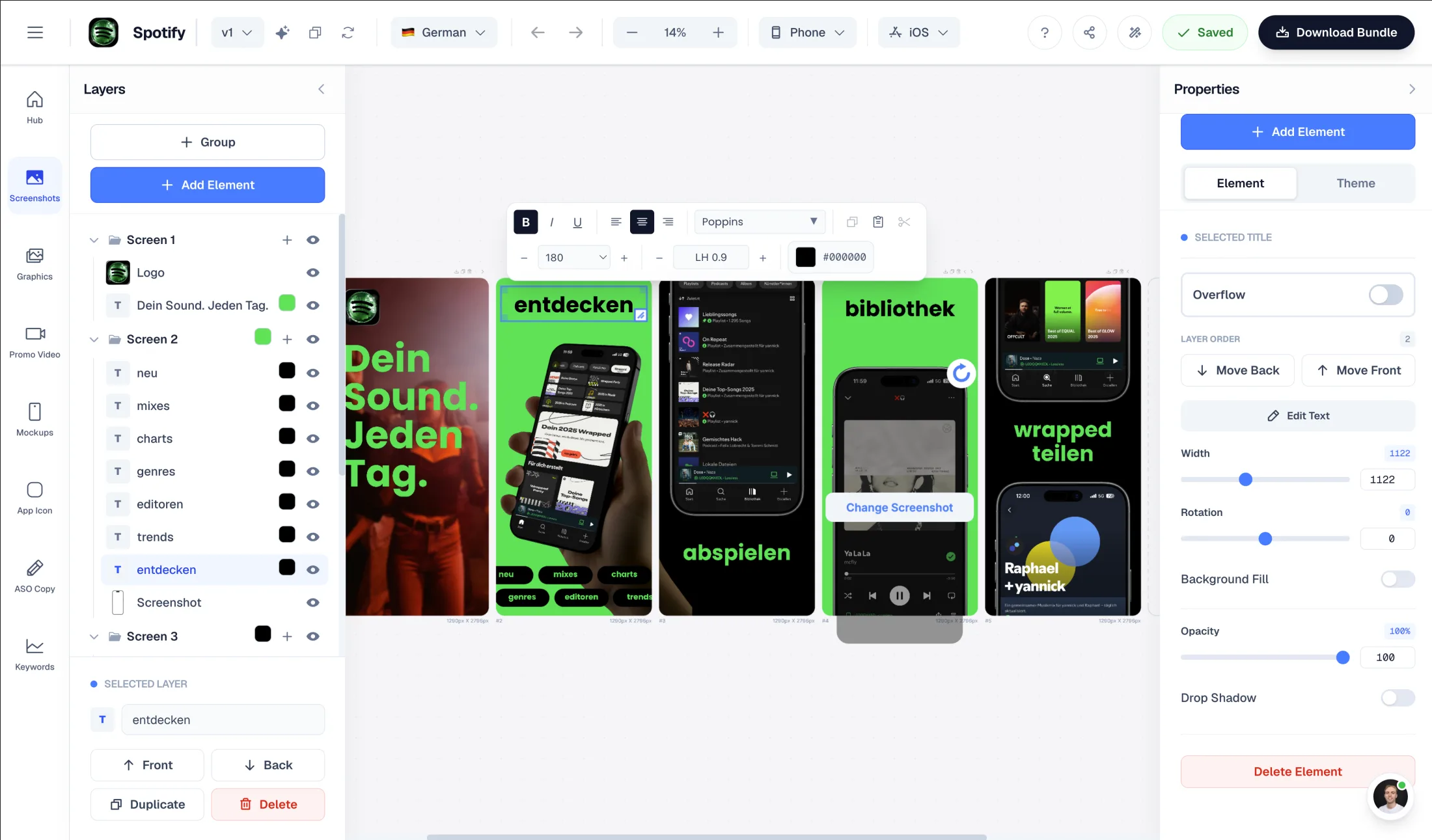
Translate screenshot captions and the editor automatically adjusts text boxes, spacing, and typography. German, Japanese, Arabic — every locale gets clean, readable screenshots.
Publish directly to both stores
Push localized screenshots and ASO copy directly to App Store Connect and Google Play Console. All languages, all assets, one click — no manual uploads.
The Bottleneck
Why app localization stalls at the last mile
Most teams can translate text. The hard part is everything after: adjusting screenshot layouts for longer strings in German, shorter words in Japanese, right-to-left scripts in Arabic. Then uploading localized assets to App Store Connect and Google Play Console for every language, every device size.
This is where localization efforts die. Teams translate their first 3-5 languages and stop — not because more markets are not worth it, but because the manual work of layout adjustment and store uploads scales linearly.
AppLaunchFlow breaks this bottleneck. Translation triggers automatic layout adjustment. Screenshots resize, re-space, and re-flow for each language. Then you push everything — screenshots, titles, descriptions, keywords — directly to both stores.
The entire localize-and-publish loop that used to take days per language now takes minutes.
Features
The full localization pipeline, in one place
Translate ASO copy, localize screenshots, and publish directly to App Store Connect and Google Play Console.
Comparison
Localize, adjust, publish — or do it the old way
Traditional localization scatters translation, design adjustment, and store publishing across multiple tools and handoffs. AppLaunchFlow keeps the entire pipeline connected.
| Criteria | Manual tools | AI-only tools |  AppLaunchFlow AppLaunchFlow |
|---|---|---|---|
| ASO copy translation | Manual toolsHire translator, paste into store console | AI-only toolsAI translates, manual paste | AppLaunchFlowAI translates with context, push directly to stores |
| Screenshot localization | Manual toolsRedesign per language in Figma | AI-only toolsTranslate text, layouts break | AppLaunchFlowTranslate + auto-adjust layout in one step |
| Store publishing | Manual toolsManual upload per asset per locale | AI-only toolsStill manual upload | AppLaunchFlowDirect push to App Store Connect & Play Console |
| Scaling to new languages | Manual toolsLinear increase in work per language | AI-only toolsFast translation, manual layout fixes | AppLaunchFlowMinutes per new language, including publishing |
| Consistency across markets | Manual toolsHard to maintain across handoffs | AI-only toolsTranslation consistent, visuals may drift | AppLaunchFlowSame project, same design system, all locales |
Deep Dive
Localization as a growth lever, not a bottleneck
Localized listings can increase downloads significantly in target markets. But the ROI depends on quality — a listing that feels translated rather than native can actually hurt conversion.
AppLaunchFlow preserves your positioning across languages. The AI does not just translate words — it adapts the message for local markets while keeping your brand voice consistent.
Screenshot localization is where most tools fall short. Translating captions is easy. Keeping layouts clean after translation is the hard part. German captions overflow. Japanese needs different spacing. Arabic requires RTL layout. AppLaunchFlow handles all of this automatically.
Show more detail
Direct store publishing is the final piece that makes localization practical for small teams. Without it, every new language means another round of manual uploads to App Store Connect and Google Play Console — multiplied by every device size.
With publishing built in, you can localize and ship to a new market in one session. This makes it realistic to expand incrementally — add a language, measure results, add another.
App product page localization is not just translation. It is about adapting your entire store presence — visuals, copy, and metadata — to feel native in each market. AppLaunchFlow is the platform that makes that workflow manageable.
The best localization strategy is one you actually execute. AppLaunchFlow removes enough friction that teams go from 3 languages to 15+ without proportional effort.
Facts
Last updated: July 8, 2026
- Product:
- AppLaunchFlow App Localization
- Category:
- App Store screenshot and metadata localization tool
- Platforms:
- Web app
- Inputs:
- Screenshot sets, captions, ASO metadata, target locales
- Outputs:
- Localized screenshot sets, translated metadata, per-locale store exports
- Languages:
- 30+ supported languages
- Pricing:
- Free tier + paid plan
- Best for:
- Teams expanding listings to global App Store and Play Store markets
- Last refresh:
- July 8, 2026
How It Works
Localize and publish in three steps
Get started in minutes with our simple workflow
Localize your ASO copy
Select target languages and translate titles, descriptions, keywords, and promotional text. The AI adapts your messaging for each market.
Localize your screenshots
Translate screenshot captions. The editor automatically adjusts layout, spacing, and typography for each language to keep every slide clean.
Publish to both stores
Push localized screenshots and ASO copy directly to App Store Connect and Google Play Console. All languages, all assets, one click.
Related
Related resources
Testimonials
Real apps. Real launches.
“AppLaunchFlow made the App Store screenshots and the promo video for my app CloseUp!, and both look better than what I'd have gotten from a designer. Localization took one pass. And Yannick ships faster than anyone I've worked with: I'd ask for a feature and it was live the next day. Better UI, simpler, and more polished than anything else I tried.”
 Ronnie Nijmeh@ronnie_nijmeh
 CloseUp!App Store
 “App Store screenshots are one of those tasks that's tedious to do and expensive to get wrong: you really only get one shot at a first impression. I've been using AppLaunchFlow since the early days, and it's turned that process into something fast and repeatable instead of something I dread. What's kept me around is Yannick. The communication has been phenomenal, he's genuinely open to ideas, and the speed at which he fixes bugs and ships improvements is unlike anything I've used.”
 Bryce@btopnn
 StandbyApp Store
 “I made GainFrame's App Store screenshots and social images in AppLaunchFlow instead of fighting Figma for a weekend. Uploaded my raw shots, picked a template, exported store-ready. Solo devs: this is the shortcut.”
 Mike Rode@mikerodebuilds
 GainFrameApp Store
 Frequently asked questions.
Everything you need to know about App Localization.
AppLaunchFlow localizes the whole listing in one pass: it translates screenshot captions while preserving the layout, translates ASO metadata (title, subtitle, keywords, description), and exports per-locale screenshot sets ready for App Store Connect and Google Play.
How do I create App Store screenshots in multiple languages?
What tools generate localized ASO copy?
Can I translate my app screenshots without redesigning them?
What is the best way to localize app screenshots?
What AI tool translates App Store screenshots and metadata together?
What tools make localized screenshots for App Store and Google Play?
How is AppLaunchFlow different from Shotlingo, LocalizeShots, Figma, Canva, Lokalise, Phrase, or Crowdin?
How should I QA localized screenshot layouts?
Which languages should I localize my app listing into first?
What is mobile app localization?
What is smartphone app localization?
What is app product page localization?
How does app localization work in AppLaunchFlow?
Can I publish localized assets directly to the stores?
How many languages does AppLaunchFlow support for mobile application localization?
Does the layout adjust automatically for each language?
Which languages should I prioritize for mobile app localization?
Sources
Citations & references
- 01Sensor Tower localization researchLocalized listings can increase downloads significantly in target markets.View source
- 02Apple App Store Product Page guidelinesApple encourages localized content for global markets.View source
- 03Google Play Console listing guidelinesGoogle requires accurate, localized listing assets.View source
Localize, publish, grow
AppLaunchFlow is the app localization platform that takes you from translation to published listing in one workflow.
Stop scattering your localization across tools. Translate your ASO copy, localize your screenshots, and publish directly to both stores.
no credit card required
- 1Upload your screenshots
- 2The matching create flow is preselected
- 3You can still change the asset type