AppLaunchFlow
vs
Previewed

The Previewed Alternative
that writes your copy too.

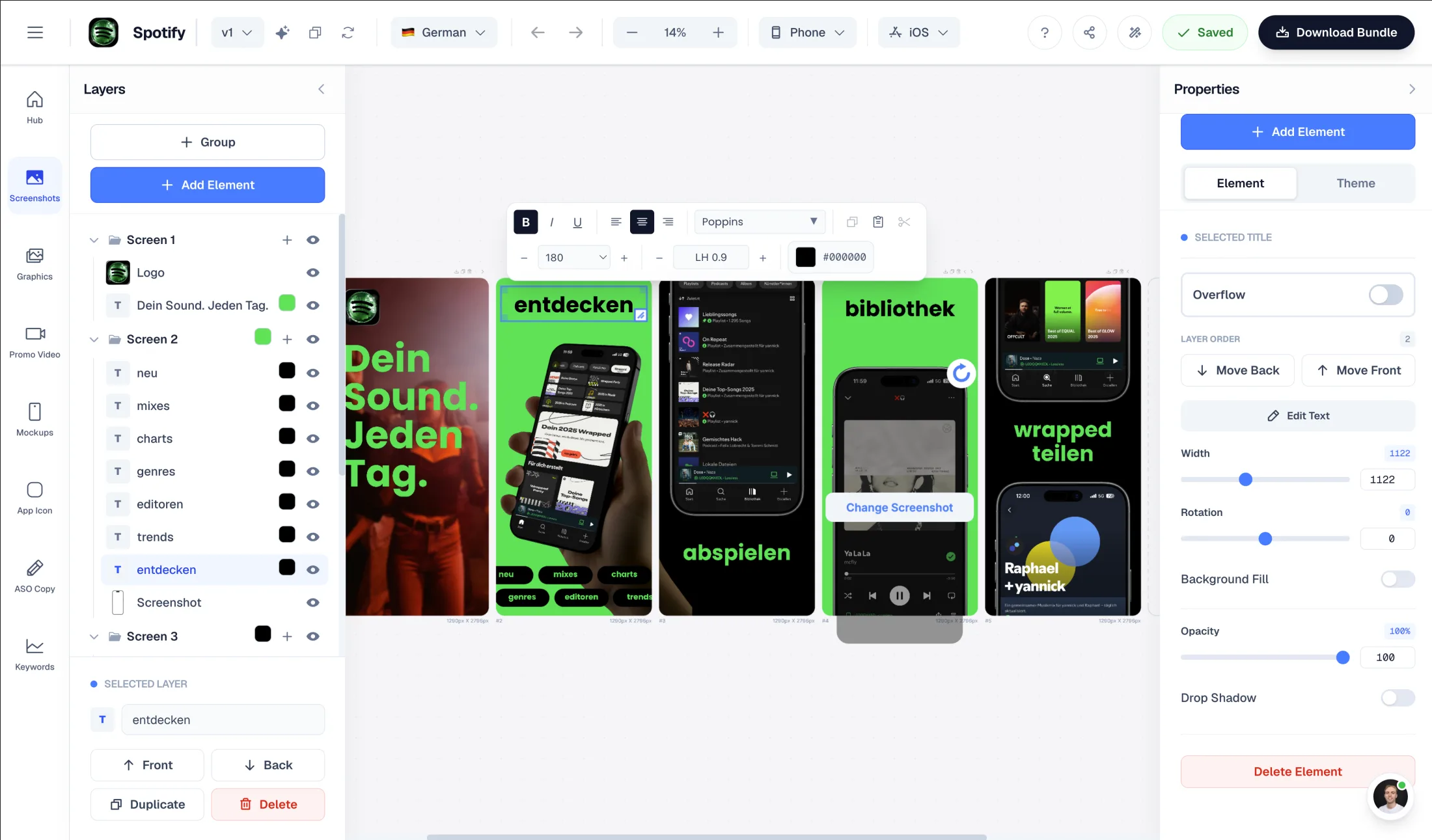
Previewed is a polished mockup and 3D-animation studio. AppLaunchFlow takes a different angle: upload your screenshots and AI generates store-ready layouts, ASO copy, and translations in one workflow — not just the visuals.

Upload screenshots → AI generates layouts automatically
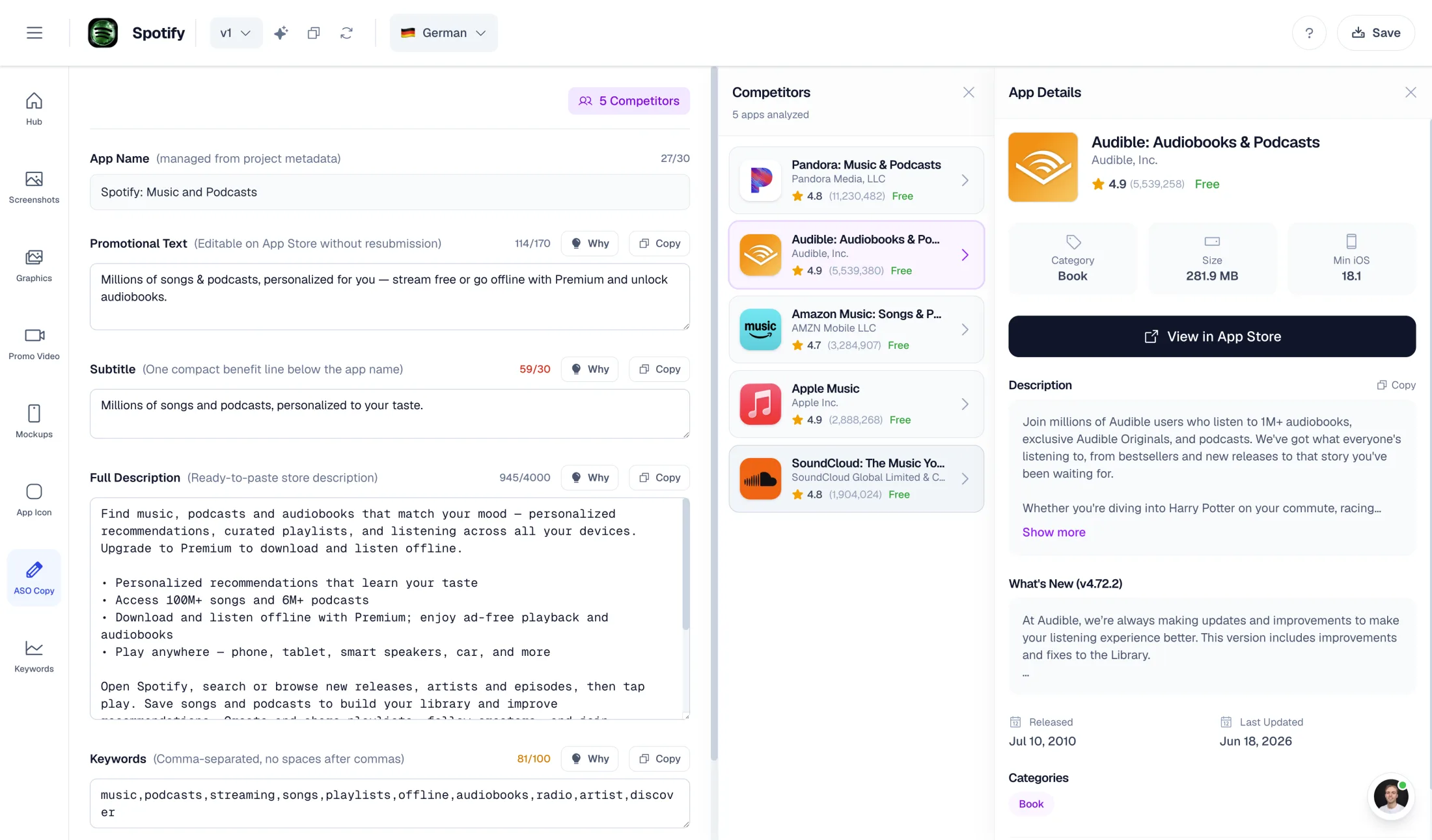
AI-powered ASO copy: promo text, descriptions, keywords
Unlimited translations for localized store listings (Pro)
One-time export at €9 — no subscription required

What Previewed does well

  • Studio-grade 3D device renders with adjustable angles and lighting
  • Device animations and video export up to 60fps (Pro)
  • Broad device library — iPhone, iPad, MacBook, iMac, Android, monitors
  • Generous free tier: unlimited 2D exports at 720p (CC attribution license)

Why choose AppLaunchFlow instead

Switch if you need more than visuals — AI-generated layouts from your real screenshots plus ASO copy and localization in the same place. Stay on Previewed if 3D renders and device animation are your priority.

AppLaunchFlow pricing

€9/month or €90/year. One-time screenshot export €9. One-time promo video export €9.

Previewed pricing

Free Lite tier (720p, CC attribution). Plus $9.99 one-time (10 exports at 1080p+, 3D, 30fps video). Pro $19/month or $228/year (unlimited, 60fps video).

AppLaunchFlowAppLaunchFlow
vs
PreviewedPreviewed

Feature comparison.

A side-by-side look at the features teams compare when choosing their app store asset workflow.

Feature
AppLaunchFlowAppLaunchFlow
PreviewedPreviewed

Screenshot creation workflow

AppLaunchFlow gives you a populated layout in seconds rather than an empty scene.

AI-first: upload screenshots, AI extracts colors and content, generates layouts from your chosen template

Manual: place your screenshot into a mockup scene and adjust elements by hand

3D mockups & device animation

Previewed's 3D rendering and animation depth is a genuine strength.

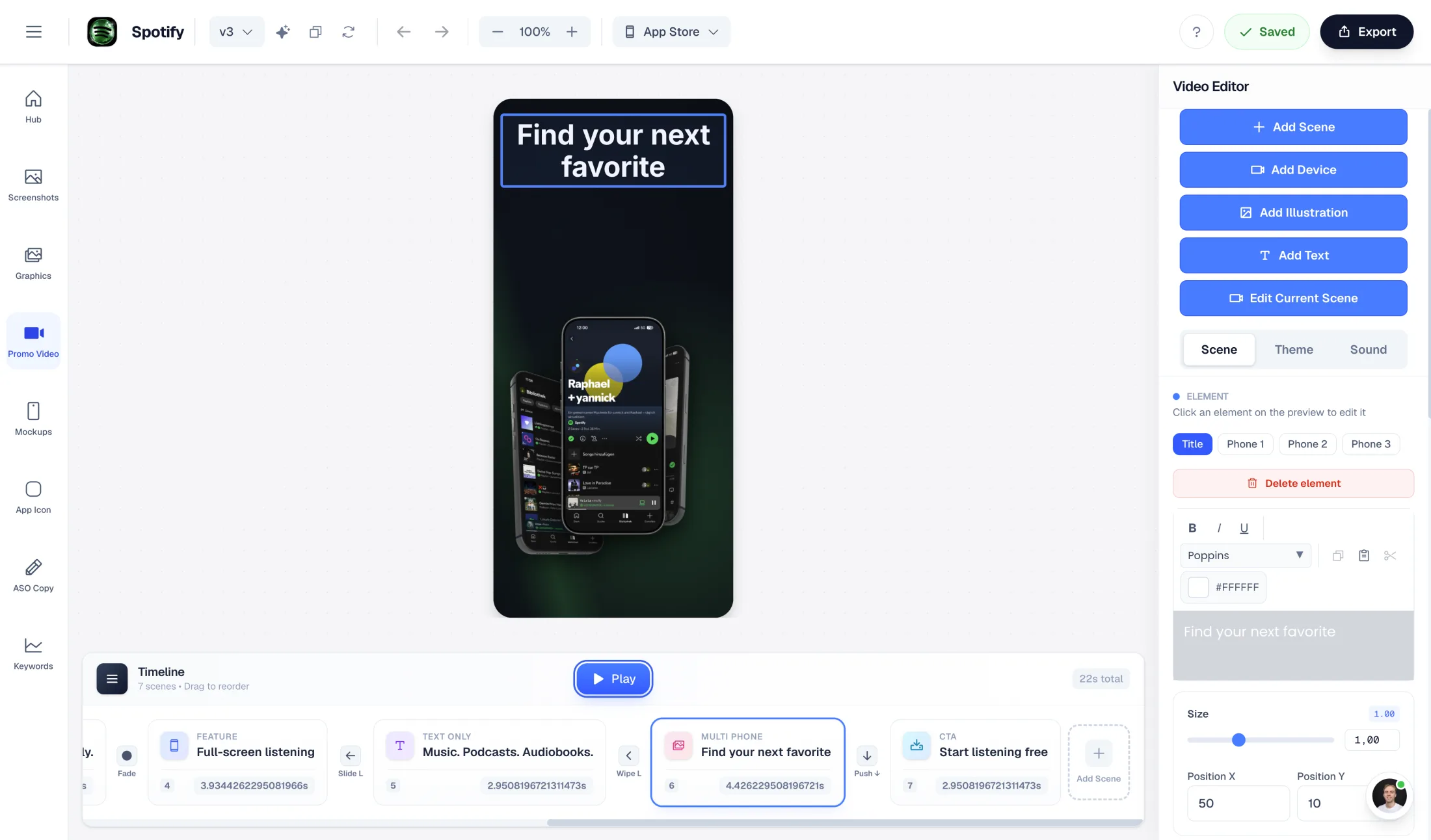
3D device frames and an AI promo video from your screenshots (1080p, commercial license)

Studio-grade 3D renders with fine angle/lighting control and device animations up to 60fps

ASO copy generation

AI generates promo text, short desc, full desc, keywords, categories + competitor lookup

Not available — visuals-only tool

Localization / languages

Unlimited translations (Pro) for localized store listings

Not mentioned — no built-in localization workflow

Device library breadth

Previewed covers more device and desktop form factors out of the box.

iOS and Android phones and tablets, plus desktop frames

iPhone, iPad, MacBook, iMac, Android, browsers, monitors

Free tier

Previewed's free export tier is more generous if you can accept attribution and 720p.

Free plan for AI generation and preview; full-resolution export is paid

Free Lite tier exports unlimited 2D mockups at 720p with a CC attribution license

One-time / no-subscription option

Both offer a no-subscription path; the caps and scope differ.

€9 one-time screenshot export or €9 promo video export

$9.99 Plus one-time fee (capped at 10 high-res exports)

Promo / launch copy in one workflow

Screenshots, ASO copy, translations, and promo video from one input

Focused on mockups and video; copy and ASO live elsewhere

Overview

When is switching from Previewed worth it?

Previewed is a strong, well-designed tool if your goal is beautiful device mockups and 3D animations. Its studio-grade renders and 60fps device animation are genuinely good, and the free tier lets you export unlimited 2D mockups at 720p (with attribution). For pure visual polish, it is a solid choice.

The question to ask is whether your bottleneck is really the mockup — or everything around it: composing the layout, writing the App Store copy, and localizing it. That is where an AI-first, all-in-one workflow changes the math.

AI Workflow

Upload your screenshots. AI builds the layout.

In Previewed you drop a screenshot into a scene and arrange elements yourself. In AppLaunchFlow you upload your app screenshots and the AI takes over: it reads your UI, extracts brand colors, and generates a complete store-ready layout from the template style you picked.

You still get full control — a Figma-style drag-and-drop editor lets you adjust text, reorder screens, and swap styles. But the first draft is already composed for you, not a blank canvas.

Beyond visuals

ASO copy and localization in the same tool

This is the clearest difference. Previewed produces visuals; it does not write your listing. AppLaunchFlow generates your full ASO copy — promotional text, short and full descriptions, keyword suggestions, and category ideas — from the same screenshots and project context.

On top of that, Pro includes unlimited translations, so you can produce localized screenshot sets and copy for multiple App Store and Play Store regions without leaving the workflow.

Where Previewed wins

An honest note on 3D and animation

If your launch leans heavily on cinematic 3D device shots or detailed device animations, Previewed's rendering engine and 60fps export are a real advantage, and its device library spans more desktop form factors (iMac, MacBook, monitors).

AppLaunchFlow offers 3D device frames and an AI-generated promo video, which covers most app-store needs — but if 3D animation is the centerpiece of your marketing, Previewed is built for that.

Decision

Which alternative is better — and for whom?

Choose Previewed if your priority is 3D mockups, device animation, broad device coverage, and a generous free 2D export tier.

Choose AppLaunchFlow if you want AI to generate your layouts from your real screenshots, need ASO copy and localization in the same workflow, and prefer flexible billing with a low-cost one-time export option.

Frequently asked
questions.

Everything about AppLaunchFlow as a Previewed alternative

Yes, with a different emphasis. Previewed focuses on mockups and 3D animation; AppLaunchFlow is an AI-first workflow that generates layouts from your screenshots and adds ASO copy and localization. If you only need 3D renders, Previewed may suit you better.
No. Previewed is a visuals-only tool. AppLaunchFlow generates ASO copy — promotional text, descriptions, keywords, and categories — alongside your screenshots.
Previewed has studio-grade 3D renders and device animation up to 60fps, which is a genuine strength. AppLaunchFlow provides 3D device frames and an AI-generated promo video, which covers most app-store needs but is less specialized for cinematic 3D.
Previewed has a free Lite tier with unlimited 2D exports at 720p under a CC attribution license. AppLaunchFlow's free plan covers AI generation and preview; full-resolution export is part of Pro or a one-time purchase.
Both offer a no-subscription path. AppLaunchFlow has one-time screenshot and promo video exports at €9 each. Previewed's Plus tier is a $9.99 one-time fee capped at 10 high-resolution exports.
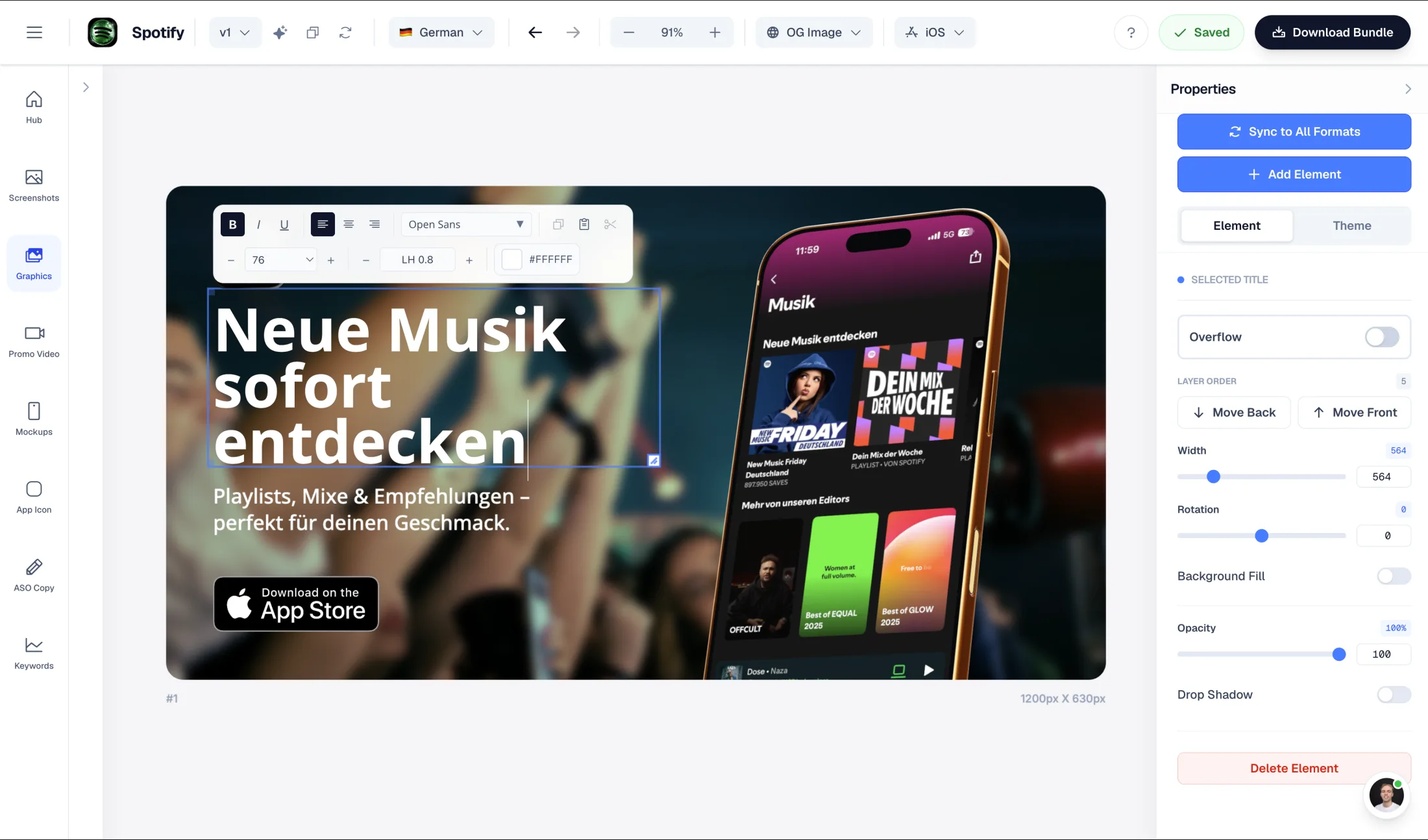
Yes. AppLaunchFlow exports store-ready sizes for iOS and Android, phone and tablet, in Pro and with one-time exports.

Ready to launch?
Try it free.

Compare less, ship more. Start building screenshots and ASO copy in one workflow.

Start Free