

ASO copygenerator.
Turn your app context and up to five competitors into titles, descriptions, keywords, and category suggestions—ready to review and edit in one place.
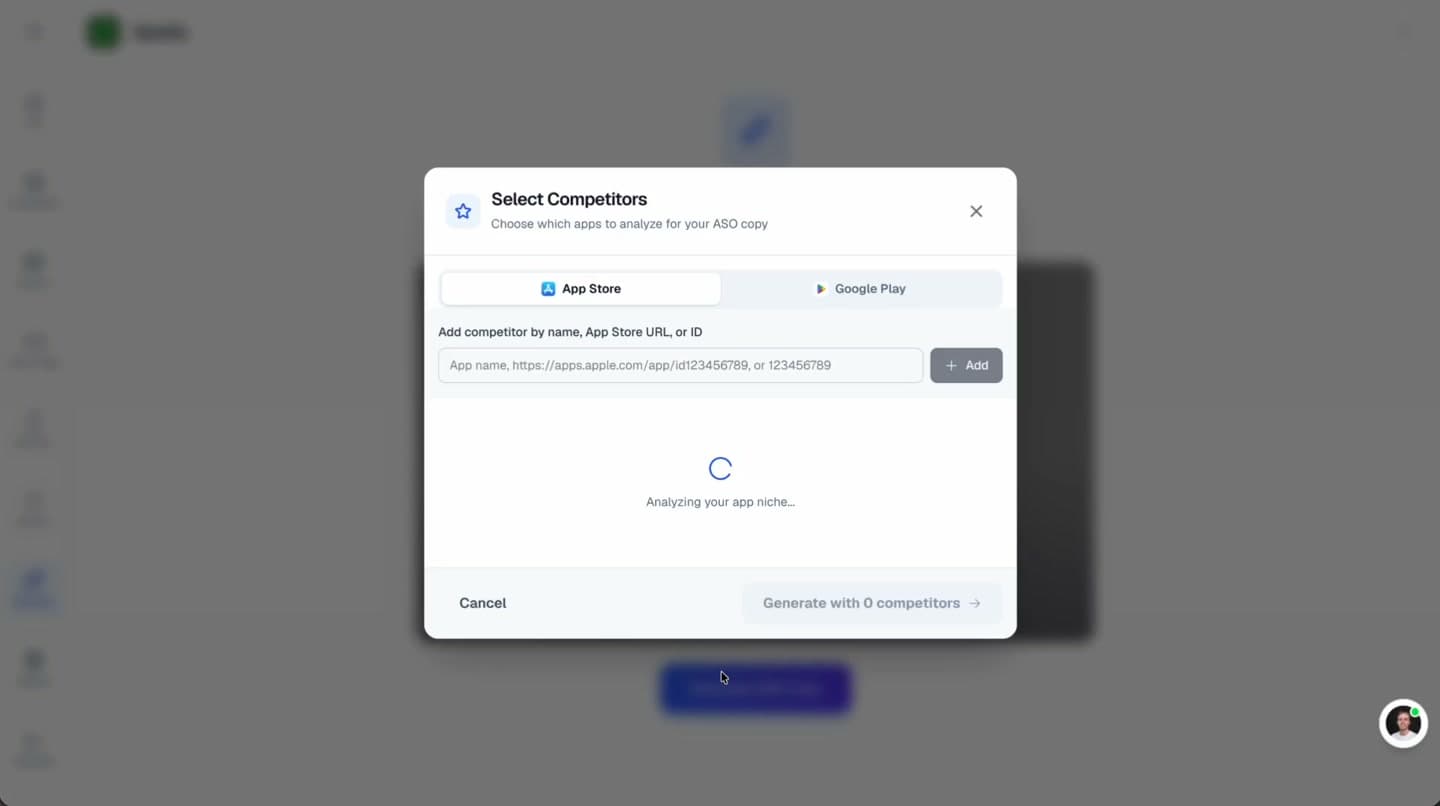
One editable workspace
Copy · competitors · store context


Trusted by 6,000+ app developers
0
assets exported
0
apps localized
0
countries
What You Get
A complete listing, not a loose collection of prompts.
Generate the fields together, keep the positioning consistent, and understand the reasoning behind every suggestion.
Competitor Analysis
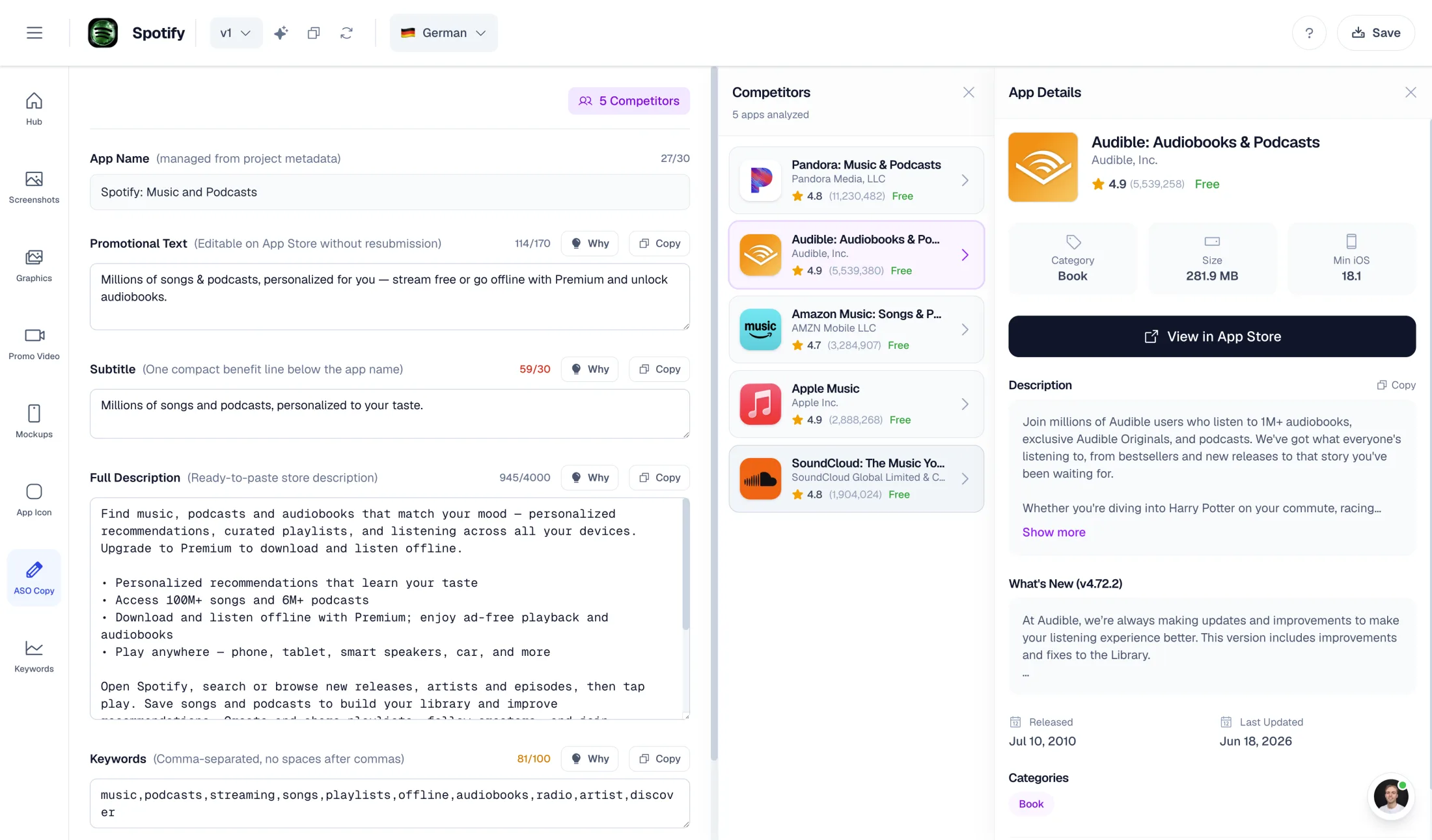
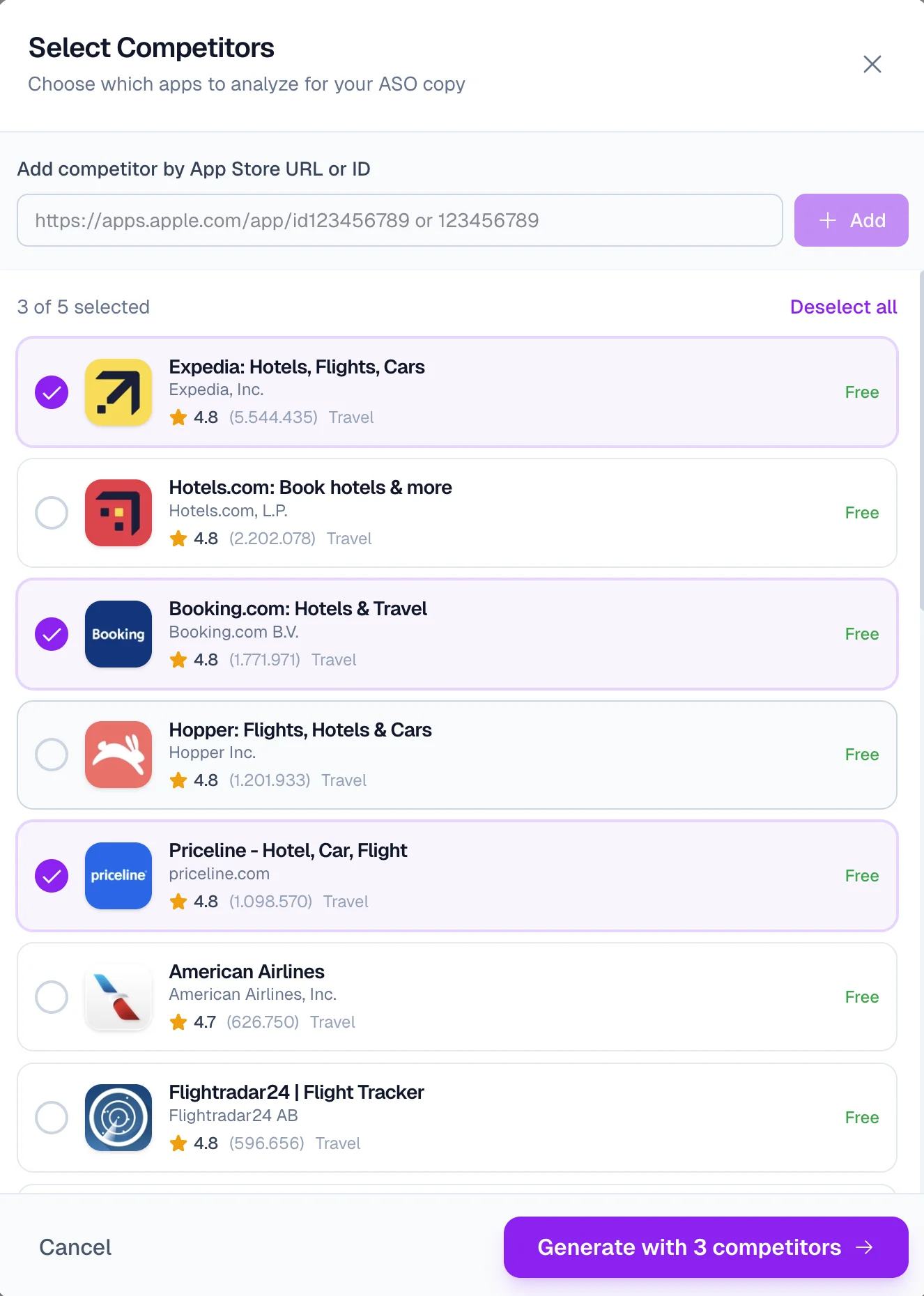
Pick up to 5 competitor apps. AI analyzes their store listings and references them by name in your generated copy insights.
Store-ready fields
Titles, subtitles, promotional text, descriptions, and keywords generated within the relevant store limits.
Category Direction
Get primary and secondary category suggestions based on your app's core job and competitive positioning.
Per-field Insights
Each field explains its angle and the competitor signals behind it, so you can edit with context.
ASO Copy Editor
Review every generated listing field in one place.
Use competitor-aware suggestions, inspect generated fields, and refine App Store copy before moving into screenshots, localization, or store publishing.
Workflow
How It Works
From app details to polished store copy in three steps. Add competitors for smarter results, or skip straight to generation.
Set up your app
Enter your app name, select a category, and provide a brief description of what your app does. This context helps AI understand your positioning.
Add competitors
Optional but recommended: search for competitor apps or paste App Store URLs. AI will analyze their listings to inform your copy.
Generate and refine
Review generated copy with insights. Edit any field directly, copy to clipboard, or regenerate individual sections until it's perfect.
Generated Fields
Every field arrives ready to refine.
Start with a coherent store narrative instead of writing each field in isolation.
Promotional Text
170 charsThe editable text that appears above your description. Update it anytime without a new app review.
App Store Subtitle
30 charsA compact value proposition that sits directly below your app name on the App Store.
Full Description
4000 charsStructured copy with feature highlights, benefits, and social proof sections. Optimized for scannability.
Keywords
100 charsComma-separated keywords based on competitor analysis and search volume. No spaces wasted.
Google Play Short Description
80 charsA concise Play Store benefit statement designed to make the full listing worth opening.
Category Direction
Primary and secondary category suggestions grounded in your product and competitor set.
Why It Works
Built for store constraints, not generic marketing copy.
The generator keeps the practical details in view while you focus on positioning.
AI-Powered Analysis
Competitor listings are analyzed to identify useful patterns and positioning gaps.
Store Limits Enforced
All character limits are enforced automatically. No manual trimming needed.
Benefit-First Copy
Copy leads with user benefits, not feature lists. Conversion-focused writing.
Natural Keywords
Keywords integrated naturally into copy. No keyword stuffing or awkward phrasing.
Connected Workflow
Research becomes copy, visuals, and a measurable release.
Bring keyword research into the brief, turn it into store assets, and keep the exact variant attached to the next result.
1. Bring the signal
Add your app context, competitors, and the keyword or market findings that should shape the listing.
2. Build the release
Generate aligned metadata, screenshot captions, localized variants, and the visual assets that belong to the same positioning.
3. Learn from the result
Keep the changed copy and screenshot variant connected to rankings and conversion notes, so the next iteration starts with evidence.
Related
Connect ASO Copy With Your Visual Assets
Create LinkedIn banners, X headers, OG images, and social posts.
Marketing teams
Turn screenshots into cinematic 3D device videos with preset motions.
Promo + social
Generate AI app icons and refine them in a layered Icon Composer editor.
Branding
Turn screenshots and store copy into a hosted, editable landing page.
App launches
Ready to optimize your listing?
Generate App Store copy that ranks and converts. Competitor insights included.
No credit card required
Need keyword ideas before you write? Use the free ASO keyword tool to find App Store and Google Play terms worth targeting.