
AppLaunchFlow
vs
AppScreens

The AppScreens Alternative
that starts with your screenshots.

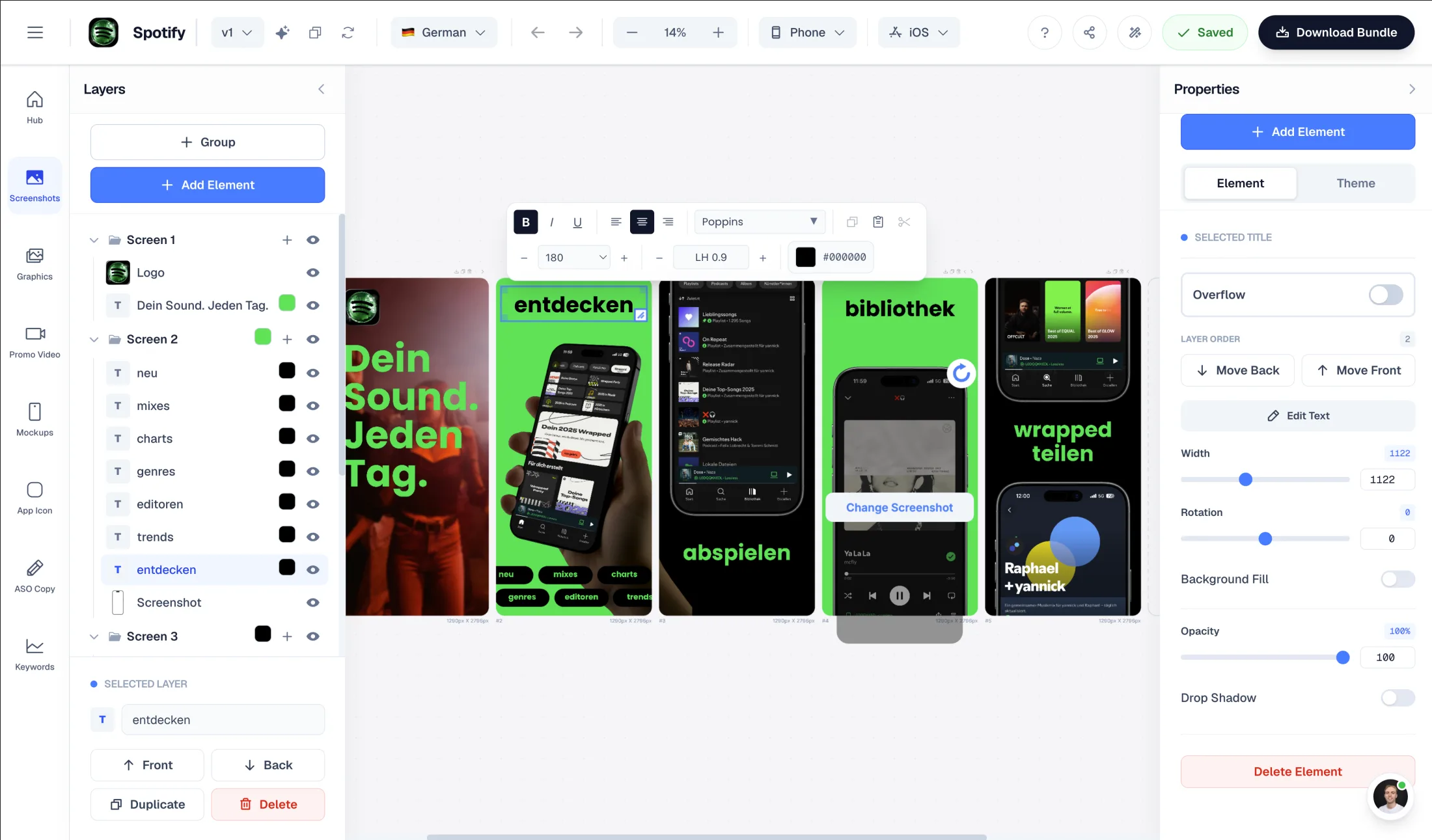
Upload your app screenshots. AI extracts colors, content, and app identity — then generates store-ready layouts from your chosen template. Same AI-first approach for ASO copy and promo videos. No manual design work to get started.

Upload screenshots → AI generates layouts automatically
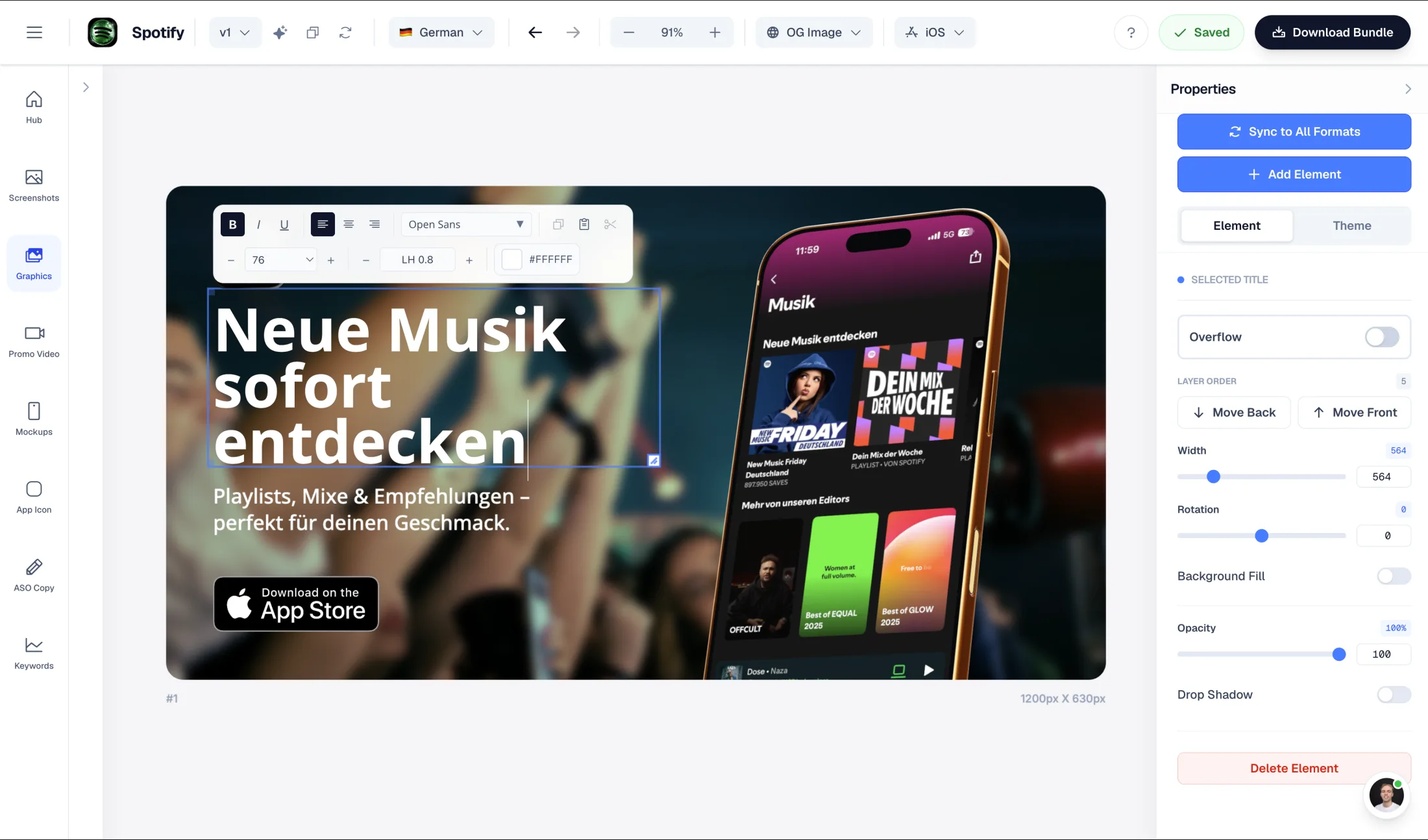
Figma-style drag-and-drop editor to fully customize generated layouts
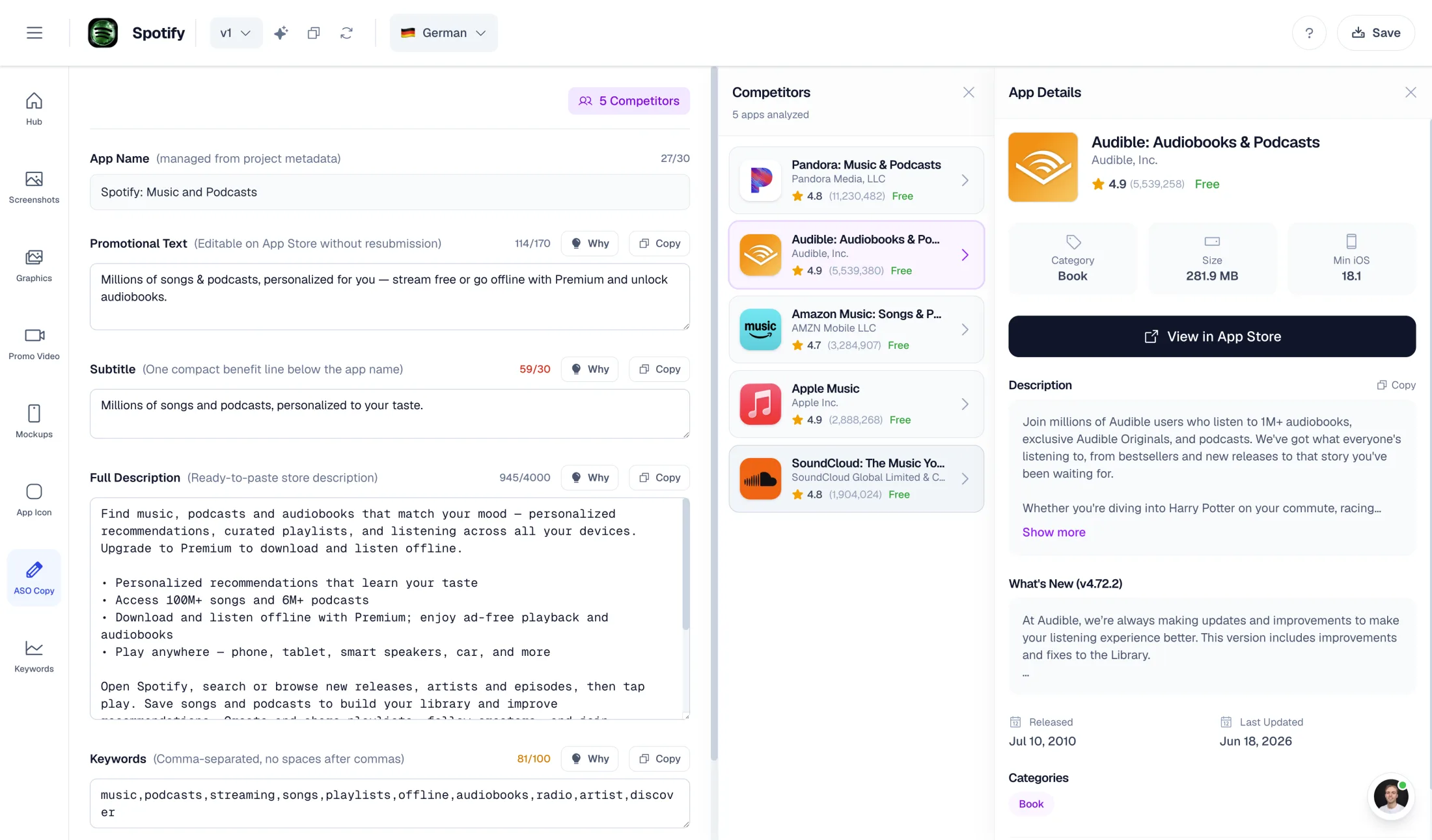
AI-powered ASO copy: promo text, descriptions, keywords
One-time export at €9 — no subscription required

What AppScreens does well

  • Responsive engine: one design across all device sizes
  • 80+ language localization including RTL support
  • One-click uploads to App Store Connect & Google Play Console (paid)

Why choose AppLaunchFlow instead

Switch if you want AI to do the heavy lifting. Upload screenshots, pick a template, and get a polished starting point instantly — plus ASO copy and promo video in the same workflow.

AppLaunchFlow pricing

€9/month or €90/year. One-time screenshot export €9. One-time promo video export €9.

AppScreens pricing

Free basic plan. Pro at $7.50/month or $90/year.

AppLaunchFlowAppLaunchFlow
vs
AppScreensAppScreens

Feature comparison.

A side-by-side look at the features teams compare when choosing their app store asset workflow.

Feature
AppLaunchFlowAppLaunchFlow
AppScreensAppScreens

Screenshot creation workflow

AppLaunchFlow gives you a polished starting point in seconds.

AI-first: upload screenshots, AI extracts colors and content, generates layouts from selected template

Manual: browse 500+ templates, use the editor area, and build layouts from scratch

Layout editor customization

Yes — Figma-style editor to fully customize layouts after AI generation

Yes — manual editor area for layout customization

ASO copy generation

AI generates promo text, short desc, full desc, keywords, categories + competitor lookup

AI captions and restyle — narrower scope, no full listing copy

Promo video

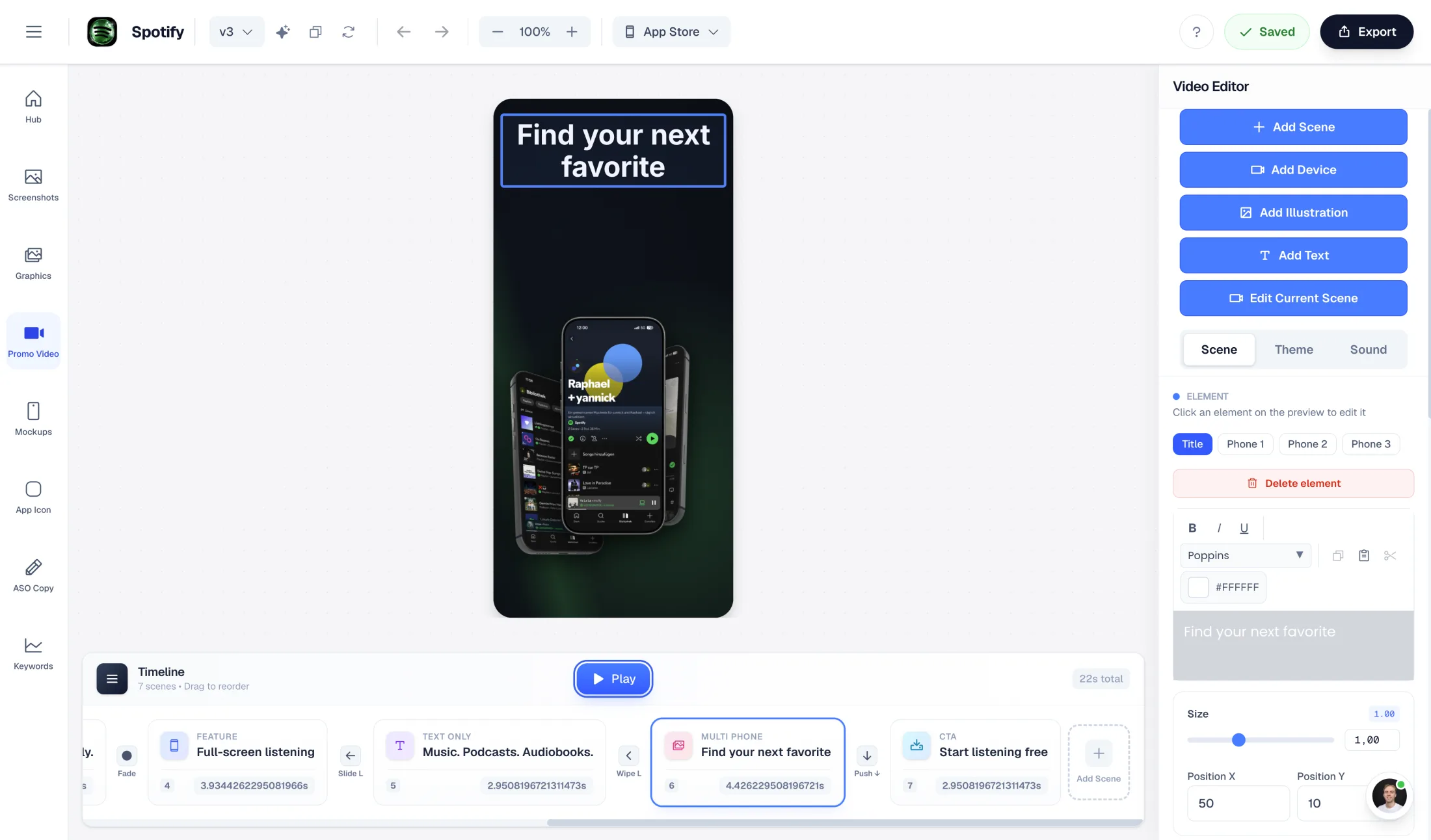
AI-generated promo video from your screenshots and project data (1080p, commercial license)

Not available — screenshot-only tool

Project limits

Unlimited projects (Pro)

Plan-dependent project limits (check current pricing/docs for exact limits)

Localization / languages

Both support multi-language workflows; AppScreens highlights broad built-in language coverage.

Unlimited translations (Pro)

80+ languages, including RTL

Auto-uploads to stores

Not available

One-click upload to App Store Connect & Google Play Console (paid)

Templates & styles

Fewer templates, but AI does the work of filling them.

17 curated styles — AI populates them from your screenshots automatically

500+ pre-built layouts requiring manual customization

One-time export

€9 screenshot export or €9 promo video export

Subscription plans only

Overview

When is switching from AppScreens worth it?

If you are searching for an AppScreens alternative, it is rarely just about templates. The real question is usually: how do I get to store-ready screenshots faster — without juggling three tools, a subscription mess, and copy-pasting ASO text from a separate doc?

AppScreens is known for scaling one design across many device sizes and supporting localization into 80+ languages. That is strong for teams managing many variants. But it is a manual, screenshot-first tool. You pick templates, customize them by hand, and if you need ASO copy or a promo video, you switch to something else entirely.

AI Workflow

Upload your screenshots. AI does the rest.

The core difference is how you start. In AppScreens you browse templates and build layouts manually. In AppLaunchFlow you upload your app screenshots and the AI takes over: it extracts your brand colors, reads your UI content, and generates complete screenshot layouts based on the template you selected.

The result is a polished starting point you can iterate on — not an empty canvas. Use the Figma-style drag-and-drop editor to adjust text, reorder screens, swap styles, and fully customize the layout. But the heavy lifting of composing the initial layout, picking colors, and writing captions is already done.

This same AI-first approach powers ASO copy generation (promo text, descriptions, keywords) and promo video creation. One set of screenshots drives your entire launch asset pipeline.

ASO

ASO copy generated from the same input

Many screenshot tools help with headlines. AppLaunchFlow generates your full listing copy: promotional text, short description, full description, keyword suggestions, and category ideas. The AI uses context from your uploaded screenshots and project data — so visuals and messaging stay consistent without extra effort.

Billing

Pay how you work: subscription or one-time

If you release regularly, a Pro subscription makes sense. If you only need to finish one set and export it, a subscription is often overkill. That is why AppLaunchFlow offers one-time options:

Single Screenshot Export — edit without limits, then export once as a store-ready ZIP in full resolution (iOS + Android, phone + tablet). Single Promo Video Export — one video export in 1080p, including a commercial license.

This is especially attractive for indie developers who want to produce one clean set per release and move on.

Decision

Which alternative is better — and for whom?

Choose AppScreens if you prioritize one-click store uploads, a very large template ecosystem, and deep RTL localization across 80+ languages. You are comfortable building layouts manually.

Choose AppLaunchFlow if you want AI to generate your starting point from your actual screenshots, need ASO copy in the same workflow, want flexible billing (subscription or one-time), and the option to produce a promo video without switching tools.

Frequently asked
questions.

Everything about AppLaunchFlow as a AppScreens alternative

It is a full alternative with an AI-first workflow. Upload your screenshots, AI generates layouts, ASO copy, and promo videos — plus flexible export options (subscription or one-time).
You upload your app screenshots. The AI extracts colors, content, and visual identity, then generates store-ready layouts based on your chosen template style. You get a polished starting point to iterate on.
Yes. In the Pro plan and with one-time exports you get store-ready sizes for iOS and Android, phone and tablet.
Yes. Single Screenshot Export and Single Promo Video Export are one-time purchases at €9 each.
Yes. The Pro plan includes unlimited translations. The free plan is limited to preview.
Yes. The same AI-first approach powers ASO text generation (promo text, descriptions, keywords) and promo video creation from your screenshots.

Ready to launch?
Try it free.

Compare less, ship more. Start building screenshots and ASO copy in one workflow.

Start Free