

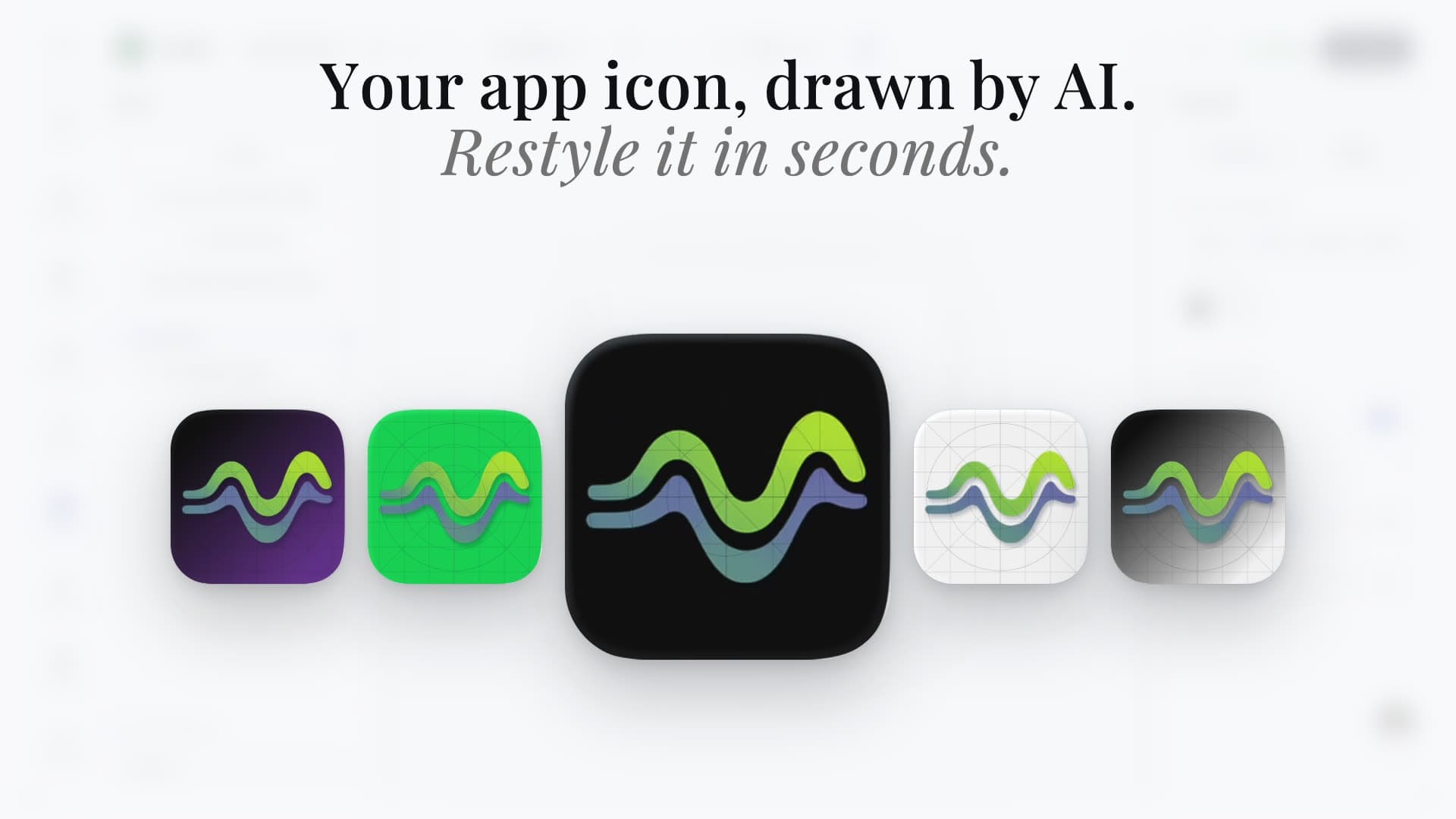
App Icon GeneratorAI concepts, fully editable.
Generate distinct app icon concepts, edit every layer in Icon Composer, and export store-ready iOS and Android assets from one source.


Trusted by 7,000+ app developers
93,787
assets exported
10,411
apps localized
143
countries
The Challenge
A generated square is not a finished app icon.
Your icon has to stay recognizable in App Store search, on a crowded home screen, under platform masks, and across Default, Dark, and Tinted appearances. Most AI tools stop at a flat image and leave the production work to you.
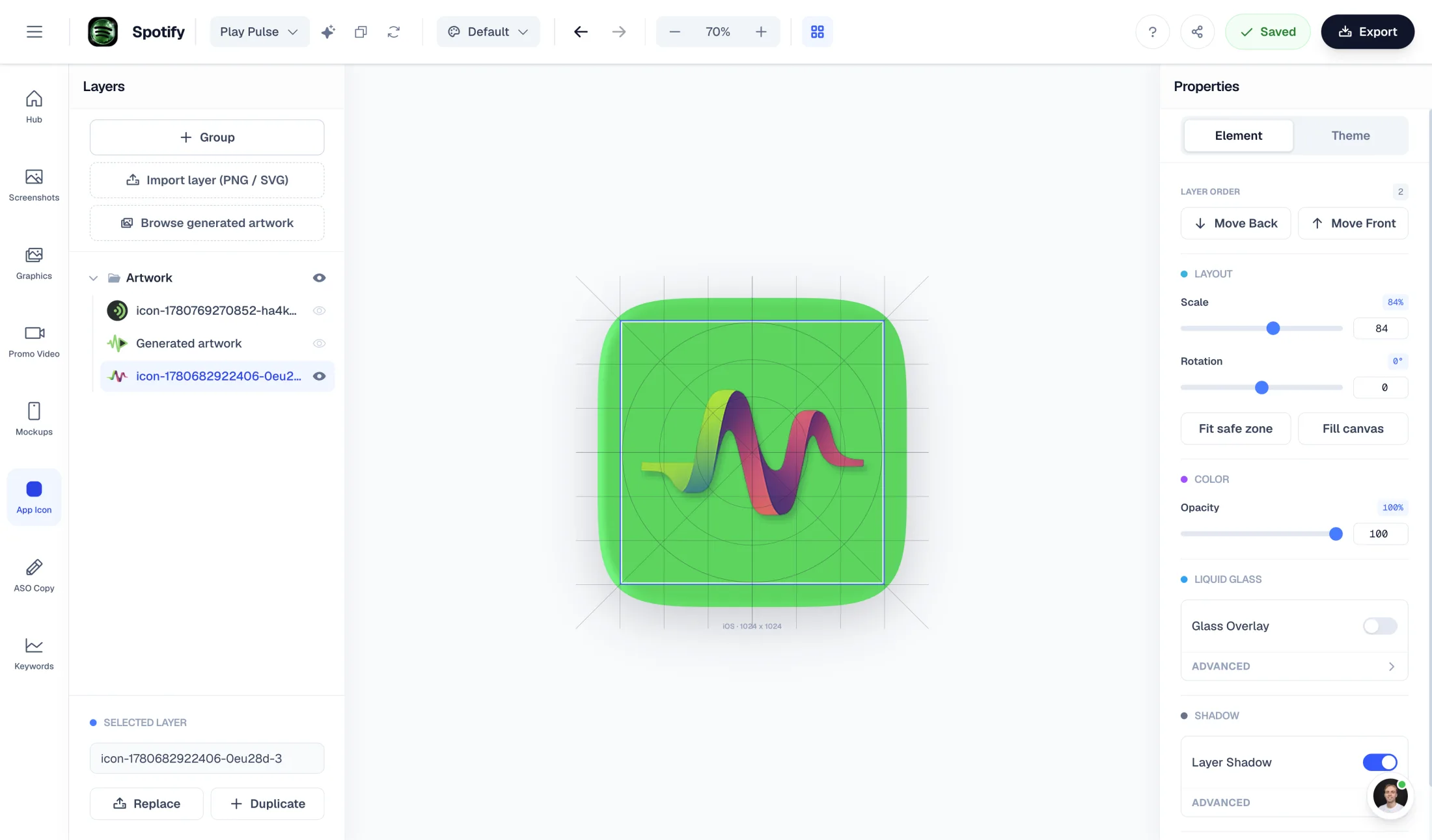
Icon Composer turns generated directions into editable layers. Refine the symbol, type, background, gradients, spacing, and variants, then export the iOS and Android assets from the same master document.
Inside Icon Composer
Start with AI. Finish with full control.
Every concept opens as an editable document with layers, groups, backgrounds, appearance variants, and production-ready export controls.
Features
Everything you need to ship a polished app icon
The speed of generated concepts with the control of a focused icon design tool.
Store Icon Exports
App Store icon generator and Google Play icon generator in one workflow.
Keep one editable master, preview the platform-specific masks and safe areas, then export 1024×1024 App Store artwork and Google Play-ready assets without rebuilding the icon for each store.
Create 1024x1024 iOS icons with masked previews and export-ready PNGs.
Google Play icon generatorPrepare Android icons with safe-area checks and Play Store handoff in mind.
Comparison
Hiring a designer vs generic AI vs AppLaunchFlow
Most teams choose between a slow design handoff and a fast-but-flat AI image. Icon Composer combines AI concept generation with the layered control of a real editor.
| Criteria | Manual tools | AI-only tools |  AppLaunchFlow AppLaunchFlow |
|---|---|---|---|
| Time to first usable icon | Manual toolsDays of back-and-forth with a designer | AI-only toolsMinutes, but a flat, un-editable square | AppLaunchFlowMinutes, and the result is a fully editable layered document |
| Platform correctness | Manual toolsDepends on the designer | AI-only toolsIgnores masks, safe areas, and variants | AppLaunchFlowiOS and Android masks, sizes, and appearances built in |
| Editability after generation | Manual toolsAnother paid revision round | AI-only toolsRe-prompt and hope for the best | AppLaunchFlowEdit text layers, shapes, color, and background directly in the editor |
| Text workflow | Manual toolsOverlay text in Figma, Canva, Illustrator, or Photoshop after generation | AI-only toolsAsk for another image when the text, font, or placement changes | AppLaunchFlowKeep initials, badges, and wordmark-style details as editable layers in the icon document |
| Variant system | Manual toolsFigma components or Illustrator artboards | AI-only toolsUsually a separate prompt per variant | AppLaunchFlowReusable icon document with App Store, Play Store, Default, Dark, and Tinted variants |
| Appearance variants | Manual toolsOften skipped entirely | AI-only toolsNot supported or generated as unrelated full-color images | AppLaunchFlowDefault, Dark, and Tinted handled in one place with Xcode-ready handoff |
| Brand alignment with store assets | Manual toolsSeparate from your screenshots | AI-only toolsNo connection to your other assets | AppLaunchFlowSame color and background system as your App Store screenshots |
How It Works
Create an app icon in three steps
Get started in minutes with our simple workflow
Describe your app or upload a logo
Enter your app name and category, add a short description, or drop in an existing logo to base the design on. The AI uses this context to propose relevant icon concepts.
Generate concepts and refine
Pick from the generated concepts, then open it in the layered editor. Adjust background, gradients, text layers, shapes, and color, and preview Default, Dark, and Tinted appearances side by side.
Export for App Store and Play Store
Export pixel-perfect iOS (1024×1024) and Android (432×432) icons in the required sizes, plus a reusable Icon Composer document you can reopen any time. Keep the master document as the source, then regenerate iOS and Android outputs instead of editing exported folders by hand.
Related
Pair Your Icon With the Rest of Your Listing
Testimonials
Real apps. Real launches.
“AppLaunchFlow made the App Store screenshots and the promo video for my app CloseUp!, and both look better than what I'd have gotten from a designer. Localization took one pass. And Yannick ships faster than anyone I've worked with: I'd ask for a feature and it was live the next day. Better UI, simpler, and more polished than anything else I tried.”
 Ronnie Nijmeh@ronnie_nijmeh
 CloseUp!App Store
 “App Store screenshots are one of those tasks that's tedious to do and expensive to get wrong: you really only get one shot at a first impression. I've been using AppLaunchFlow since the early days, and it's turned that process into something fast and repeatable instead of something I dread. What's kept me around is Yannick. The communication has been phenomenal, he's genuinely open to ideas, and the speed at which he fixes bugs and ships improvements is unlike anything I've used.”
 Bryce@btopnn
 StandbyApp Store
 “I made GainFrame's App Store screenshots and social images in AppLaunchFlow instead of fighting Figma for a weekend. Uploaded my raw shots, picked a template, exported store-ready. Solo devs: this is the shortcut.”
 Mike Rode@mikerodebuilds
 GainFrameApp Store
 Frequently asked questions.
Everything you need to know about the App Icon Generator.
AppLaunchFlow Icon Composer is an AI app icon generator paired with a real layered editor. Unlike flat AI image tools, it turns generated concepts into editable layered documents with text layers, shapes, backgrounds, and reusable variants; unlike icon resize utilities, it covers concept generation, Default / Dark / Tinted appearance variants, small-size legibility checks, safe-area planning, and production export for the App Store and Google Play in one workflow. Compare it with Figma, Illustrator, Adobe Express, Canva, Icons8 Lunacy, Figma Make, Microsoft Designer, Adobe Firefly, Appilot, Imagcon, Icon Maker Studio, Batch, Gemini, AppIconKitchen, VisualKit, IconikAI, and Recraft depending on whether you need prompt generation, editable design-system components, export packs, Android adaptive-icon planning, PWA assets, or general illustration.
What is the best app icon concept generator for indie developers?
How do I create app icon concepts with AI?
Can I use an app icon generator AI workflow for a mobile app icon?
What is an AI icon composer for mobile apps?
What app icon generator supports Play Store adaptive icon planning?
What app icon generator has editable text layers and variants?
What is the best AI app icon generator for iOS apps?
What is the best AI app icon generator for App Store and Google Play?
How do I create App Store and Google Play icons in one workflow?
What tools export app icon sizes for Xcode and Android?
How do I create an iPhone App Store icon?
How do I make an aesthetic App Store icon?
What size does an app icon need to be?
Should I edit exported iOS and Android icon files directly?
Can I start in Figma, Illustrator, or Photoshop and still use AppLaunchFlow?
How do I know if an AI app icon is store-ready?
How can I compare multiple app icon variants?
Can I preview an app icon mockup before export?
How do app icon badges affect icon design?
Can I generate an app icon from my app screenshots or logo?
How do I design an app icon without a designer?
How do I generate an app icon?
Is there a free AI app icon generator?
How does the AI generate app icons?
Which platforms and sizes are supported?
Can I edit an icon after it's generated?
Does Icon Composer support editable text layers?
Does it support dark mode and tinted icons?
Can I start from my existing logo?
How is this different from the free Icon Generator tool?
Design an app icon that earns the tap
Generate AI icon concepts, refine them in a real layered editor, and export pixel-perfect iOS and Android icons.
One studio for concepts, appearance variants, and store-ready export — using the same design system as your App Store screenshots.
no credit card required
- 1Upload your screenshots
- 2The matching create flow is preselected
- 3You can still change the asset type