
App Store A/B testing.A creative worth testing.
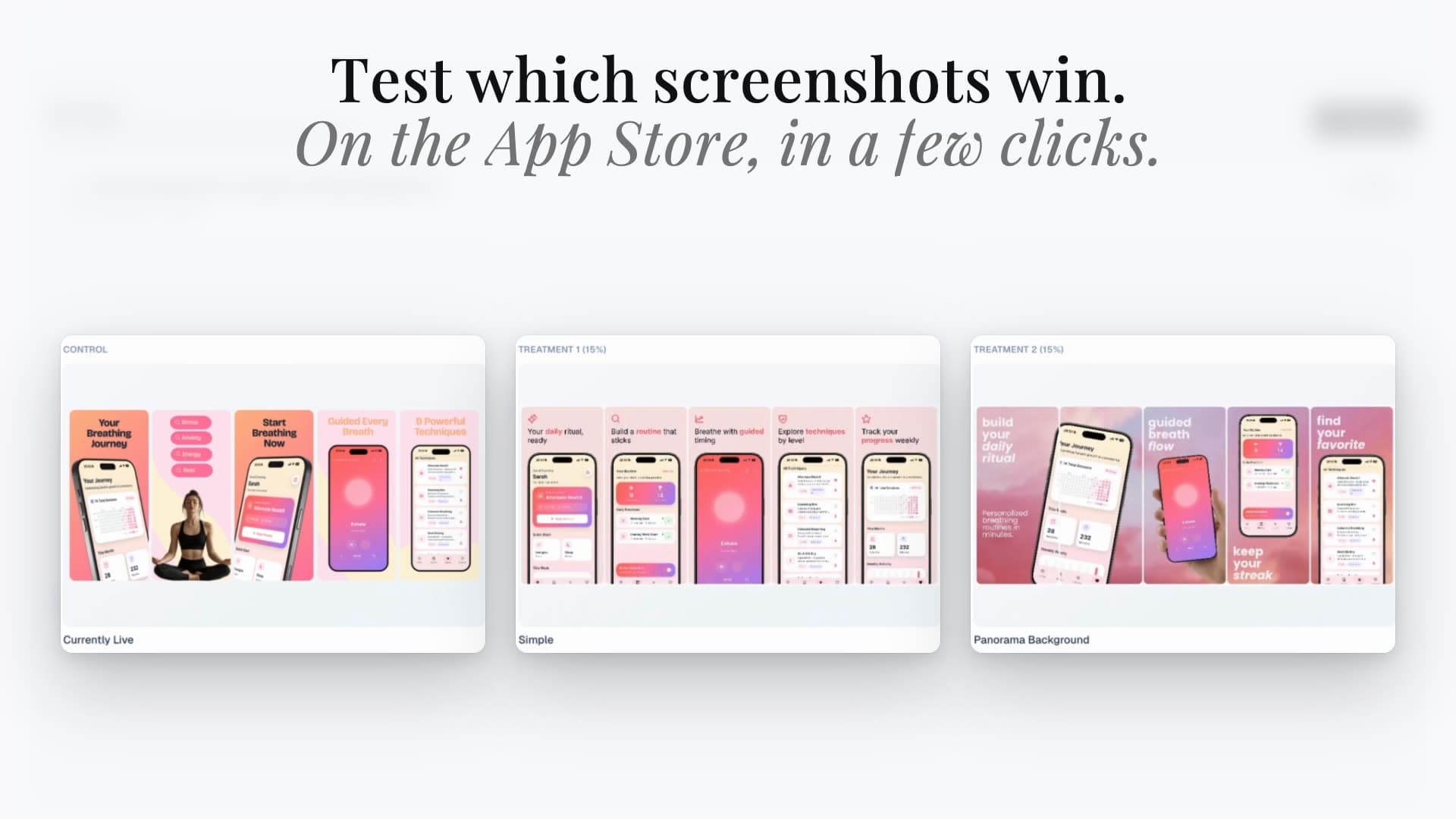
Turn a clear hypothesis into screenshot treatments, not another folder of exports. Prepare variants in the Studio, connect your Apple app, and use the Hub’s A/B Tests workflow.


Trusted by 7,000+ app developers
86,716
assets exported
8,842
apps localized
139
countries
Hypothesis → treatment → evidence
Product Page Optimization, from creative to evidence.
01
Write one hypothesis
Choose a question: does an outcome-led first screenshot explain the app better than a feature-led one? Define the change and keep unrelated creative stable.
02
Build the treatment
Prepare a clearly named screenshot variant in the Studio. For a header or search-artwork test, create the matching placement in the graphics editor instead.
03
Connect, publish, evaluate
Save the project, connect an eligible Apple app, and open A/B Tests in the Hub. Review treatment assignments before publishing. Evaluate results and apply any winner in App Store Connect.
The Studio prepares. Apple measures.
AppLaunchFlow’s Hub helps with experiment setup and publishing. Apple owns eligibility, review, traffic allocation, and the statistical outcome. The Hub does not invent confidence scores or automatically declare a winner.
See the connected-store workflow →Know the experiment boundaries
Apple supports up to three treatments, configurable traffic, and a maximum 90-day test. Low traffic may leave a result inconclusive. Check app status, team permissions, and review readiness before starting.
Apple’s test setup requirements →Results and applying a treatment are handled in App Store Connect. Never compare raw install totals from unequal traffic shares as if they were conversion rates.
Testing search artwork or headers?
Apple’s treatment editor now includes Header and Search Results. Prepare placement-specific creative in the graphics workflow, then confirm the treatment in App Store Connect. Do not stretch a screenshot export into a banner.
Apple’s treatment configuration referencePPO is not a custom product page.
Use PPO to test the default page. Use a CPP when a campaign or search intent deserves a persistent destination. A tailored page with more installs is not automatically a randomized test winner.
Choose PPO or CPP for your goal →Continue with iPhone Duo screenshot preparation or explore App Store creative assets. Product demonstrations show the editor workflow; they do not guarantee Apple approval or conversion lift.
Testimonials
Real apps. Real launches.
“AppLaunchFlow made the App Store screenshots and the promo video for my app CloseUp!, and both look better than what I'd have gotten from a designer. Localization took one pass. And Yannick ships faster than anyone I've worked with: I'd ask for a feature and it was live the next day. Better UI, simpler, and more polished than anything else I tried.”
 Ronnie Nijmeh@ronnie_nijmeh
 CloseUp!App Store
 “App Store screenshots are one of those tasks that's tedious to do and expensive to get wrong: you really only get one shot at a first impression. I've been using AppLaunchFlow since the early days, and it's turned that process into something fast and repeatable instead of something I dread. What's kept me around is Yannick. The communication has been phenomenal, he's genuinely open to ideas, and the speed at which he fixes bugs and ships improvements is unlike anything I've used.”
 Bryce@btopnn
 StandbyApp Store
 “I made GainFrame's App Store screenshots and social images in AppLaunchFlow instead of fighting Figma for a weekend. Uploaded my raw shots, picked a template, exported store-ready. Solo devs: this is the shortcut.”
 Mike Rode@mikerodebuilds
 GainFrameApp Store
 Frequently asked questions.
Everything you need to know about Product Page Optimization.
What is App Store Product Page Optimization?
What does AppLaunchFlow handle in an A/B test?
Does AppLaunchFlow automatically select a winner?
Can I run a PPO test on a custom product page?
Build your next creative hypothesis.
Create the screenshot treatment first. Connect your Apple app when you’re ready for the experiment workflow.
no credit card required
- 1Upload your screenshots
- 2The matching create flow is preselected
- 3You can still change the asset type