Yannick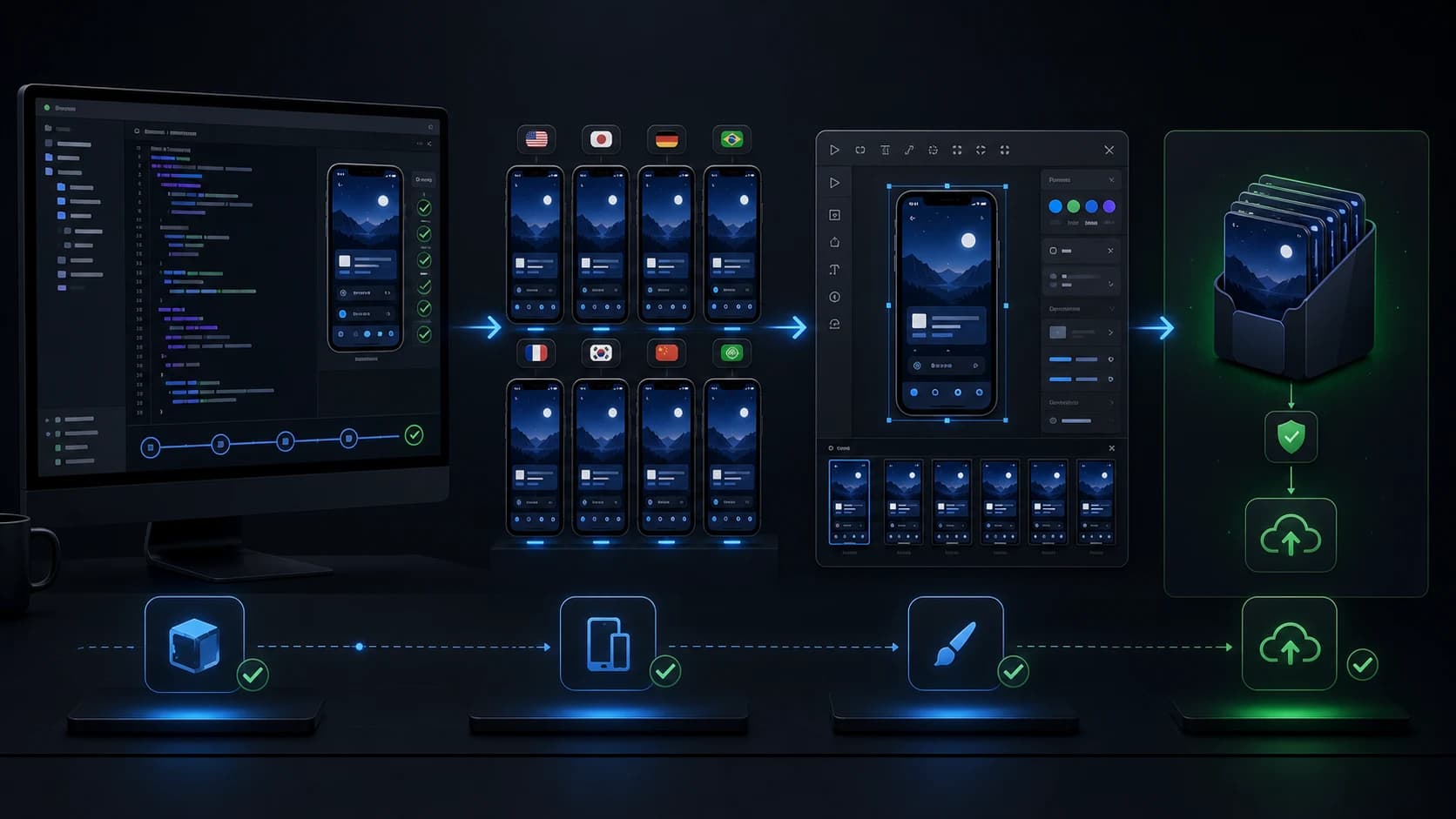
Add AppLaunchFlow between your app captures and Fastlane's store upload. This guide builds a lane that renders a saved design, verifies the package, and stops with reviewable files. Separate commands publish those files after review.
You do not need a dedicated Fastlane plugin. The integration uses the official JavaScript release helper and a Python extractor, called from a normal Fastfile. Keep your existing snapshot tests, app identifiers, signing configuration, and store credentials.
- 01
Capture
Your UI tests produce real app screens.
- 02
Design
Save layouts and localized copy in AppLaunchFlow.
- 03
Render
The API builds a validated screenshot package.
- 04
Release
Review the images, then upload through Fastlane.
1. Decide which step each tool owns
Capture, composition, rendering, and publishing have different inputs and different failure modes. An updated app build does not automatically update the captures in a saved design. Likewise, completing an API render does not update your store listing. Make those handoffs explicit before putting them in a lane.
| Step | Owner | What must be ready next |
|---|---|---|
| Capture | snapshot, UI tests, or emulator tooling | Real captures in predictable app states |
| Design | AppLaunchFlow editor or authoring API | Saved layouts for the intended variant, languages, and devices |
| Render | AppLaunchFlow /renders | Verified package, manifest, and render receipt |
| Upload | Fastlane deliver or supply | Images processed on the intended app listing |
The lane below starts at rendering. For the capture foundation, follow the existing Fastlane screenshots guide. If your job also changes captures or captions, finish those edits before export and keep the chosen variant ID consistent throughout the sequence.
2. Prepare a repository that can run the same release twice
Save the required screenshot layouts in AppLaunchFlow first. A project with English iPhone designs is not ready for a request that also asks for German Android designs. Complete the API quickstart once before adding Fastlane, so configuration errors are easy to separate from lane errors.
Copy release.mjs and unpack-release.py from the official examples into your repository's examples/ directory. Review and commit them. Install the client with an exact version and commit the lockfile:
npm install --save-exact applaunchflow@0.7.0Use Node 24 and Python 3 in the render environment. Your CI setup should install locked dependencies with npm ci before invoking the lane. Ruby and Fastlane remain managed by your existing Gemfile and Bundler setup.
{
  "projectId": "11111111-1111-4111-8111-111111111111",
  "languages": ["en","de"],
  "formats": ["ios.phone.6.9","android.phone"],
  "package": "fastlane"
}
Include an existing variantId when a specific variant must be used. Supply APPLAUNCHFLOW_API_KEY through your secret store, with export read/write permissions for the project. Set APPLAUNCHFLOW_RELEASE_ID to a stable identity such as v2.4.0-screenshots-1. The helper derives its idempotency key from that identity.
3. Add a lane that stops at a verified package
This lane uses absolute output paths and explicitly changes to the repository root. It therefore does not depend on Fastlane's working directory when locating the JSON configuration and helper scripts. It also refuses to overwrite an existing package or extracted directory.
require "fileutils"

# This Fastfile lives in your repository's fastlane/ directory.
desc "Render and validate screenshots; do not upload to a store"
lane :screenshot_package do |options|
  root = File.expand_path("..", __dir__)
  destination = File.expand_path(options[:output] || "build/screenshots", root)
  zip = File.join(destination, "release.zip")
  extracted = File.join(destination, "output")

  ["APPLAUNCHFLOW_API_KEY", "APPLAUNCHFLOW_RELEASE_ID"].each do |key|
    UI.user_error!("Set #{key} before running this lane") if ENV[key].to_s.empty?
  end
  if File.exist?(zip) || File.exist?(extracted)
    UI.user_error!("Output already exists. Review it or choose a fresh output directory.")
  end
  FileUtils.mkdir_p(destination)

  Dir.chdir(root) do
    sh("node", "examples/release.mjs", "release.json", zip)
    sh("python3", "examples/unpack-release.py", zip, extracted)
  end
  UI.success!("Package ready for review: #{extracted}")
endbundle exec fastlane screenshot_package output:build/screenshots/attempt-1The API key is inherited from the environment; it is not a command argument. Do not add environment dumps or shell tracing around this step. The helper records a receipt before waiting, so a runner interruption can still leave enough information to inspect the same remote job.
4. Inspect the output tree and the images
build/screenshots/attempt-1/
├── release.zip
├── release.zip.receipt.json
└── output/
    └── fastlane/
        ├── screenshots/
        │   ├── en-US/
        │   └── de-DE/
        └── metadata/android/
            ├── en-US/images/phoneScreenshots/
            └── de-DE/images/phoneScreenshots/
The exact locale directories come from the requested saved languages and API format mapping. Inspect the manifest instead of guessing filenames from an older release. Keep the ZIP, receipt, and request configuration together when you archive CI output.
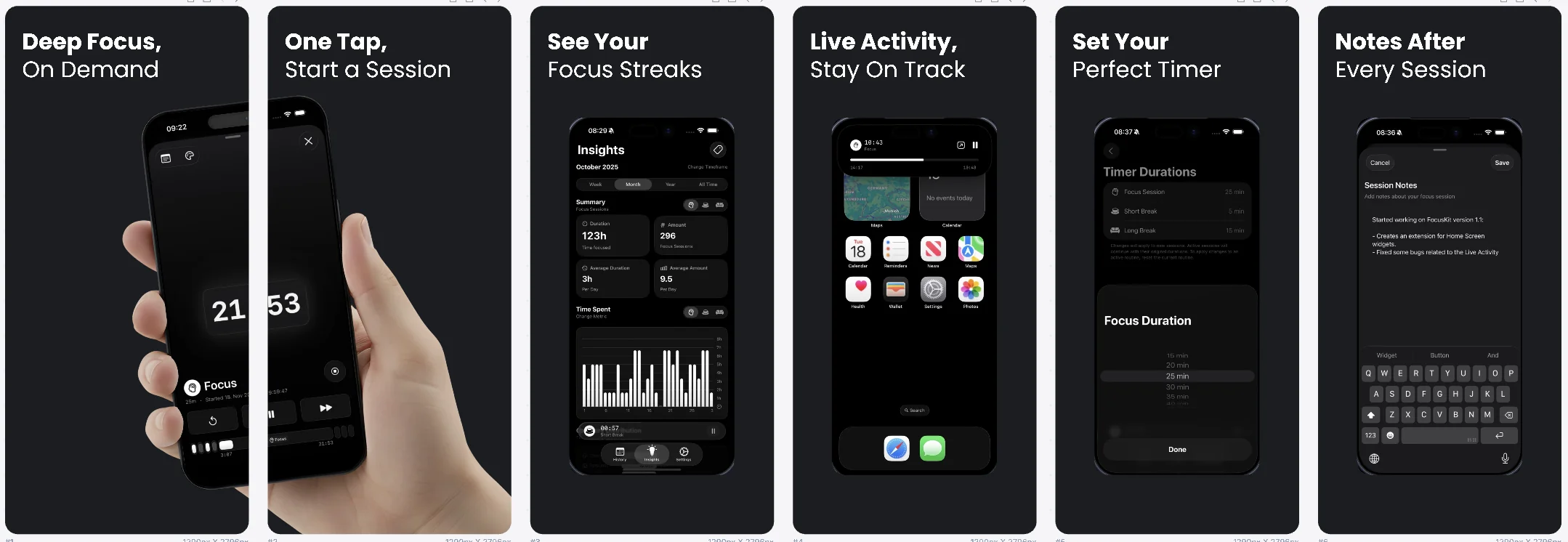
Checksum verification catches corrupted transfers. Technical validation catches the wrong dimensions, broken PNGs, missing planned files, and other package defects. Neither decides whether your headline describes the current build or a translation reads naturally. Review images at their actual dimensions before the upload step.
5. Upload the approved artifact with separate credentials
For iOS, point deliver at the extracted screenshot directory. Configure the intended app and version in your existing Fastlane setup first. These commands perform store writes; the render lane above does not.
bundle exec fastlane deliver \
  --screenshots_path build/screenshots/attempt-1/output/fastlane/screenshots \
  --skip_binary_upload true \
  --skip_metadata true \
  --submit_for_review false
For Android, supply expects the metadata directory containing locale folders. Skip APK/AAB, text metadata, and other images when the purpose of this step is screenshots:
bundle exec fastlane supply \
  --metadata_path build/screenshots/attempt-1/output/fastlane/metadata/android \
  --skip_upload_apk true --skip_upload_aab true \
  --skip_upload_metadata true --skip_upload_images true
Review inherited Deliverfile, Supplyfile, and environment settings as well as these arguments. Check the target listing afterward, including locale coverage and screenshot order. For exact options, use the current deliver reference and supply reference. Apple's resource lifecycle is explained separately in the App Store Connect screenshot API guide.
6. Retry the failed stage, keeping the same render identity
| Where it stopped | What to preserve | Next step |
|---|---|---|
| Request connection or polling | Release identity, body, receipt | Inspect or recover the same render; a fresh local output directory can avoid file collisions |
| ZIP download or extraction | Successful render ID and downloaded files | Verify the existing package or recover its download; do not request a new render by default |
| Visual review | Rejected package and review notes | Correct the design and use a new identity for the new output |
| Store upload | Approved package and destination state | Reconcile the listing and retry the upload stage without rerendering unchanged images |
| Indeterminate dispatch | Job and request IDs | Investigate before starting another operation |
An output directory is a local attempt identifier. A release identity is the remote operation identifier. You can change attempt-1 to attempt-2 while retaining the same release identity and unchanged render request to recover the original export. Do not change the API identity just to bypass an existing local file.
Accepted jobs retain layout input, but source image bytes are mutable. Avoid replacing project assets while a render runs. A shared CI concurrency group helps within one repository; cross-repository writers need their own coordination. The GitHub Actions guide covers concurrency and artifact retention in detail.
When frameit is enough
Fastlane frameit supports frames, backgrounds, captions, and localized text. Keep it if that meets your design needs. AppLaunchFlow is useful when your team wants to edit richer compositions visually, review localized layouts together, and reuse the workspace for other launch assets. Adding another service should remove repeated work you actually have.
Frequently asked questions
Do I need a Fastlane plugin for AppLaunchFlow?
No. A normal Fastfile can call the official JavaScript release helper and Python extractor. Keep capture and store upload in your existing lanes.
Should an upload failure create another render?
Usually not. Preserve the approved package, inspect the destination state, and retry the upload step. Create a new render only when the intended source design or output selection changes.
Can I rerun a failed render lane in another directory?
Yes. A fresh output directory avoids local file collisions. Keep the same release identity and unchanged render parameters to recover the same remote operation.
Use the public API reference for current endpoint contracts. This is a repository integration example; run it against your own prepared project before attaching it to a release.