Yannick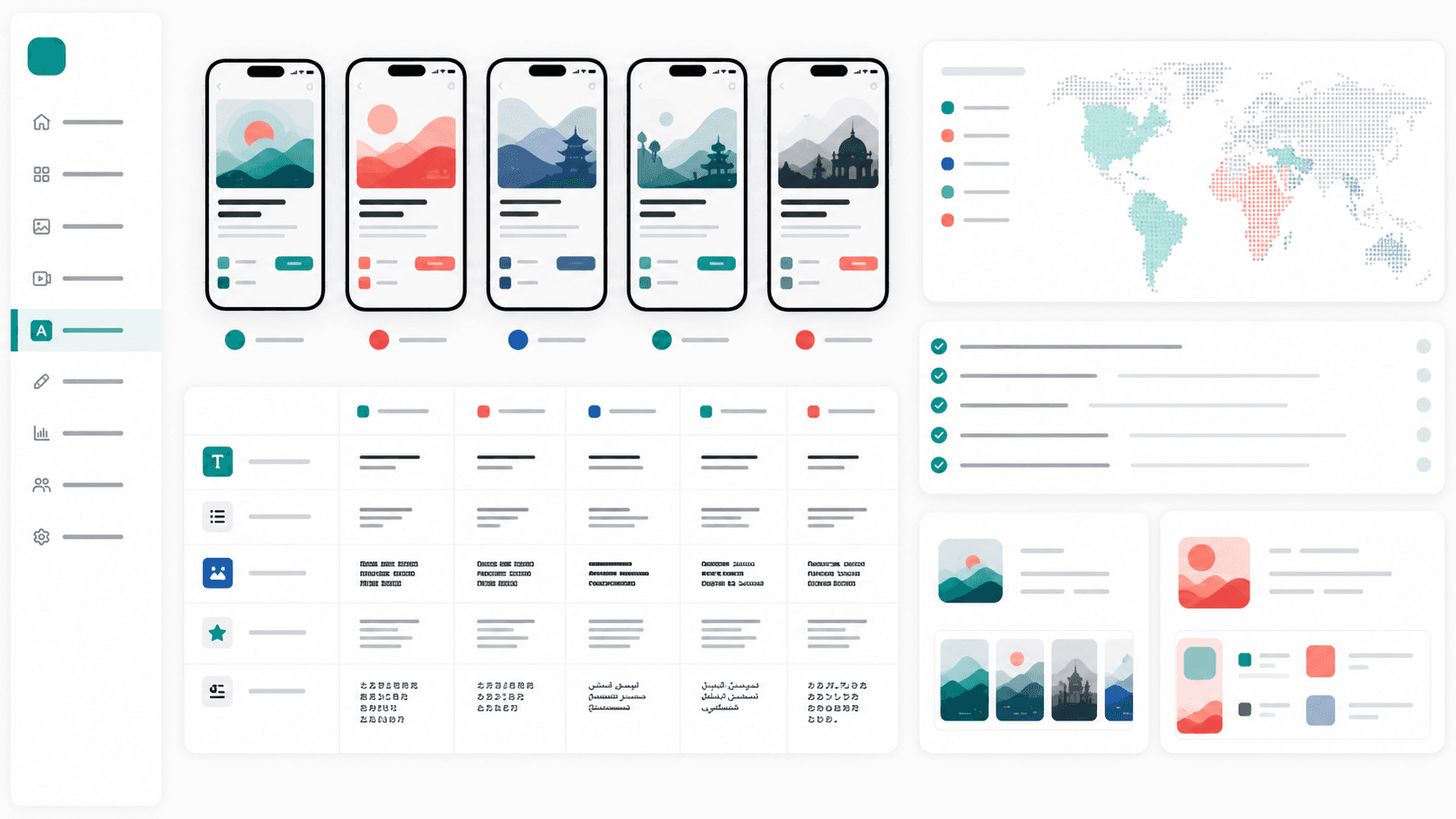
Screenshot localization
Best when your store creative needs translated captions, resized layouts, and market-specific visual proof.
ASO metadata generation
Best for titles, subtitles, keyword fields, short descriptions, and market-specific positioning.
Translation management
Best for product strings, release notes, reviewer workflows, and ongoing localization operations.
Store listing QA
Best for checking truncation, screenshots, screenshots order, and whether localized assets still convert.
Quick answer
AppLaunchFlow is the best choice when localization means App Store and Google Play screenshots, ASO metadata, captions, feature graphics, icons, promo assets, and rank tracking moving together. Shotlingo, LocalizeShots, and LocalizeASO are stronger comparisons when the job is narrower screenshot or metadata localization. Use Lokalise, Phrase, or Crowdin for app UI strings and developer translation workflows.
The key split: product-string localization belongs in a TMS; store-page localization needs screenshots, metadata, export sizes, ASO context, and visual QA.
What an app localization tool must cover
Apple and Google both support localized listing assets. That means a real app localization workflow should cover more than translated app strings: it should help with screenshots, captions, app descriptions, keywords, short descriptions, and local launch proof.
Locale scale and language coverage
Text fitting for longer German, French, Spanish, and Portuguese captions
CJK line-break review for Japanese, Chinese, and Korean screenshots
RTL layout review for Arabic and Hebrew
ASO metadata alignment across title, subtitle, keyword field, short description, and long description
App Store Connect and Play Console-ready export packs
Human review checkpoints for cultural fit and terminology
Rank and conversion measurement after localized assets ship
Best app localization tools for screenshots and metadata
1. AppLaunchFlow
Best for: Store-facing localization: screenshots, metadata, ASO copy, and launch assets
Coverage: App Store and Google Play screenshots, captions, metadata, localization, export packs
Strengths: Layout-aware screenshot translation, ASO copy localization, RTL/CJK review, Google Play feature graphics, icons, promo/social assets, keyword tracking, and store handoff in one workspace.
Watch out for: Not a full product-string TMS for engineering teams; pair it with Lokalise, Phrase, Crowdin, or Git-based string workflows when the app UI itself needs continuous string management.
2. Shotlingo
Best for: Localization-first app screenshot workflows
Coverage: Localized screenshot captions and batch exports
Strengths: Clear screenshot-localization positioning, AI translation, language coverage, design-once workflow, and App Store / Google Play batch export language.
Watch out for: Narrower than a full launch asset workspace when teams also need ASO copy, icons, feature graphics, promo videos, social assets, keyword tracking, and store handoff.
3. LocalizeShots
Best for: Fast localized screenshots and metadata for store pages
Coverage: Localized screenshots, smart headlines, ASO metadata, and device mockups
Strengths: Strong old-way/new-way framing, language-scale proof, one-click export, and comparison hooks for screenshot tools.
Watch out for: Best treated as a screenshot/metadata localization specialist rather than a broader app launch workflow.
4. LocalizeASO
Best for: iOS screenshot localization and App Store Connect-focused workflows
Coverage: App Store screenshot localization, metadata alignment, text fitting, and review criteria
Strengths: Dated comparison content, clear criteria, Apple-specific framing, and useful comparisons against AppScreens, AppLaunchpad, Screenshot Bro, ASO.dev, fastlane, and Figma.
Watch out for: More iOS/App Store focused than a cross-store App Store plus Google Play launch asset workflow.
5. AppScreens
Best for: High-volume screenshot production with localization support
Coverage: Template-based screenshots, device sizes, and localized screenshot sets
Strengths: Mature screenshot tooling and useful localization surfaces for teams with many devices and locales.
Watch out for: Screenshots are the core; metadata, ASO copy, keyword tracking, icons, promo assets, and store handoff usually need separate tools.
6. Figma or Canva
Best for: Manual localization when designers control every layout
Coverage: Manual translated text layers and design variants
Strengths: Flexible layout control, reusable design systems, team collaboration, and broad template ecosystems.
Watch out for: Text fitting, screenshot sizes, locale exports, metadata alignment, and QA checklists are manual.
7. Lokalise, Phrase, or Crowdin
Best for: Product-string translation management
Coverage: App UI strings, review workflows, developer handoff, translation memory, and release operations
Strengths: Excellent for engineering localization, translation memory, reviewer roles, and ongoing string workflows.
Watch out for: Not built as App Store / Google Play screenshot, metadata, icon, feature graphic, or launch asset editors.
The practical stack for 2026
- Use a translation management system for in-app strings and reviewer workflows.
- Use an ASO workspace for store metadata, keyword ideas, and market positioning.
- Use a screenshot localization tool so translated captions still fit visually.
- Use rank tracking after release to see whether the localized listing moves.
How to translate App Store screenshots without breaking layouts
Screenshot translation fails when teams treat captions like plain text fields. A short English headline can expand dramatically in German, wrap differently in Spanish or French, compress into fewer characters in Japanese or Chinese, or require right-to-left alignment in Arabic and Hebrew. The localization tool should show every translated screenshot visually before export, not only a spreadsheet of strings.
- Choose target markets from current installs, revenue, reviews, search demand, and competitor presence.
- Translate App Store and Google Play metadata before finalizing screenshot captions.
- Localize screenshot text visually instead of pasting translations into a fixed English layout.
- Review text expansion, CJK line breaks, and RTL alignment per screenshot.
- Export per-locale App Store Connect and Play Console-ready screenshot sets.
- Track keyword movement, conversion, and installs for 7, 14, and 30 days after the localized listing ships.
Where AppLaunchFlow fits
AppLaunchFlow is strongest in the store-facing part of localization: screenshots, ASO copy, visual layouts, and launch assets. Pair it with your product translation workflow when you need the app UI and the store listing to move together.
When Shotlingo-style screenshot localization is enough
A screenshot-localization specialist is enough when the English screenshot set is final, the metadata has already been translated, and the team only needs translated captions plus export packs. Choose AppLaunchFlow when localization is still part of the broader launch workflow: screenshot story, ASO copy, app icon, Google Play feature graphic, promo/social assets, metadata, rank tracking, and App Store Connect or Play Console handoff all need to stay aligned.
Official sources
- Apple product page localization guidance
- Google Play translate and localize your app
- Google Play search and discovery guidance
Practical deep dive
Choose a localization stack by workflow boundary
No single tool is best at product strings, store metadata, visual assets, reviewer coordination, and analytics. Define the source of truth and handoff between each layer before comparing feature lists.
| Workflow layer | Required capability | Acceptance test | Handoff |
|---|---|---|---|
| Product strings | Keys, context, versions, plural rules | Round-trip one release | Repository or build pipeline |
| Store metadata | Field limits and locale variants | Export valid store fields | App Store Connect or Play |
| Visual assets | Editable text and layout reflow | Translate and resize one set | Store-ready export pack |
| Review | Glossary, comments, approvals | Resolve one contextual issue | Named locale owner |
Run a real release trial before buying
Import one product flow, metadata set, and screenshot sequence. Translate two different locales, revise terminology, replace a source screen, export, and send the work through native review.
Measure setup effort, correction time, context quality, permissions, version history, export reliability, and pricing at your expected string and locale volume. Prefer a clear source of truth over overlapping tools that can overwrite one another.
Frequently asked questions
What should an app localization tool support?
It should support context, terminology, versions, locale review, reliable import and export, and the specific product or store assets your team owns.
Do I need separate tools for strings and screenshots?
Often yes. String-management platforms and visual store-asset editors solve different workflow layers and should have an explicit handoff.
How should localization tools be evaluated?
Run a representative release and compare correction time, context, review workflow, permissions, versioning, export reliability, and total cost.
Sources and next steps
Continue with how to localize an app, mobile app localization guide, and app localization workflow.