
AppLaunchFlow
vs
Rotato logoRotato

Rotato alternative
3D mockups, connected to your launch.

Rotato specializes in 3D device images and motion. AppLaunchFlow is useful when a mockup belongs to a wider app launch. Compare the scene, motion and export you actually need; we do not claim identical renderers, timeline controls or codec support.

Free Studio previews · Full-resolution asset exports need a paid plan

Use your real app captures and keep the source artwork
Compare the actual export, not a claimed conversion uplift
Start in the 3D mockup workflow
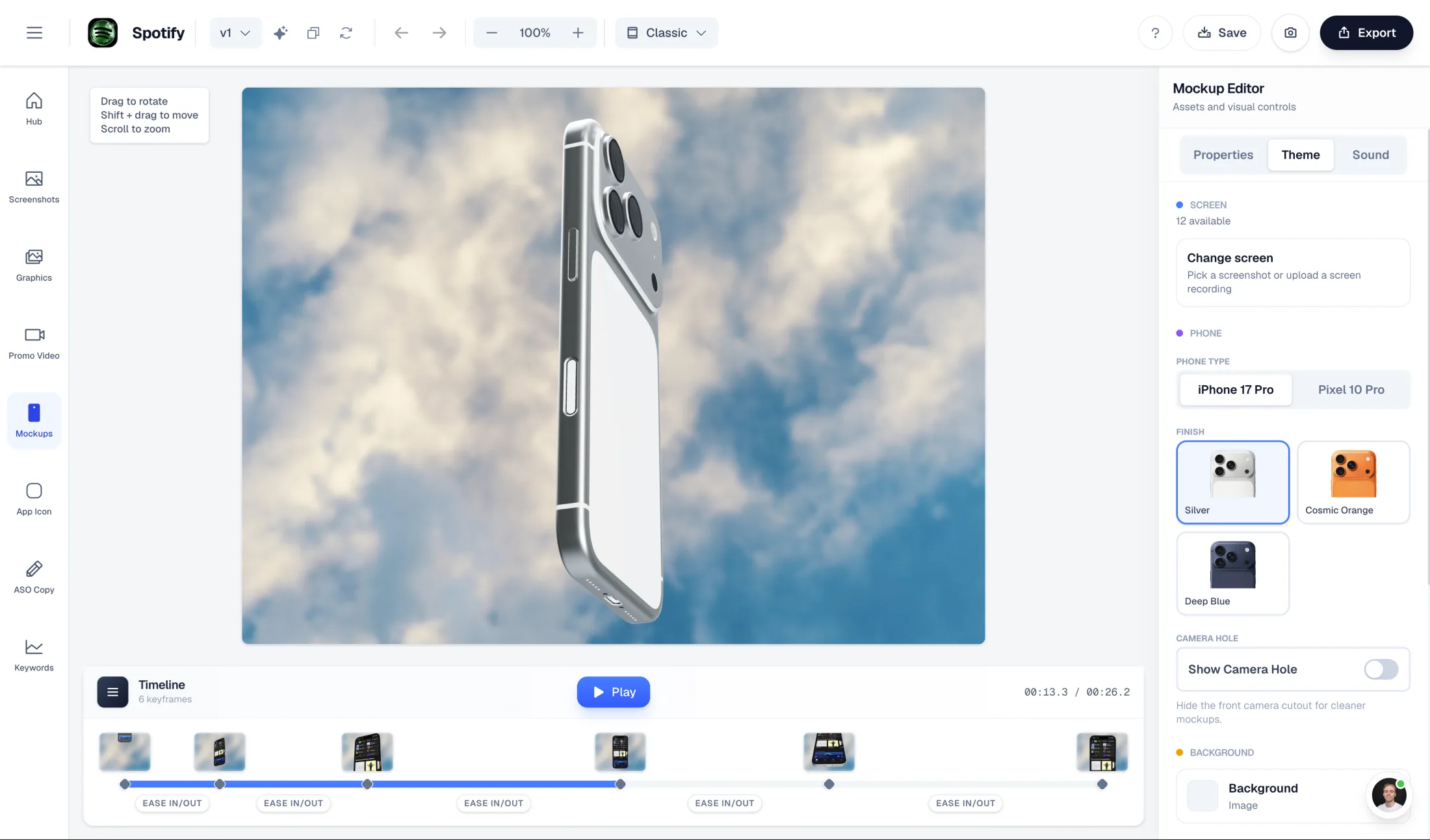
AppLaunchFlow 3D mockup editor

3D mockup editor

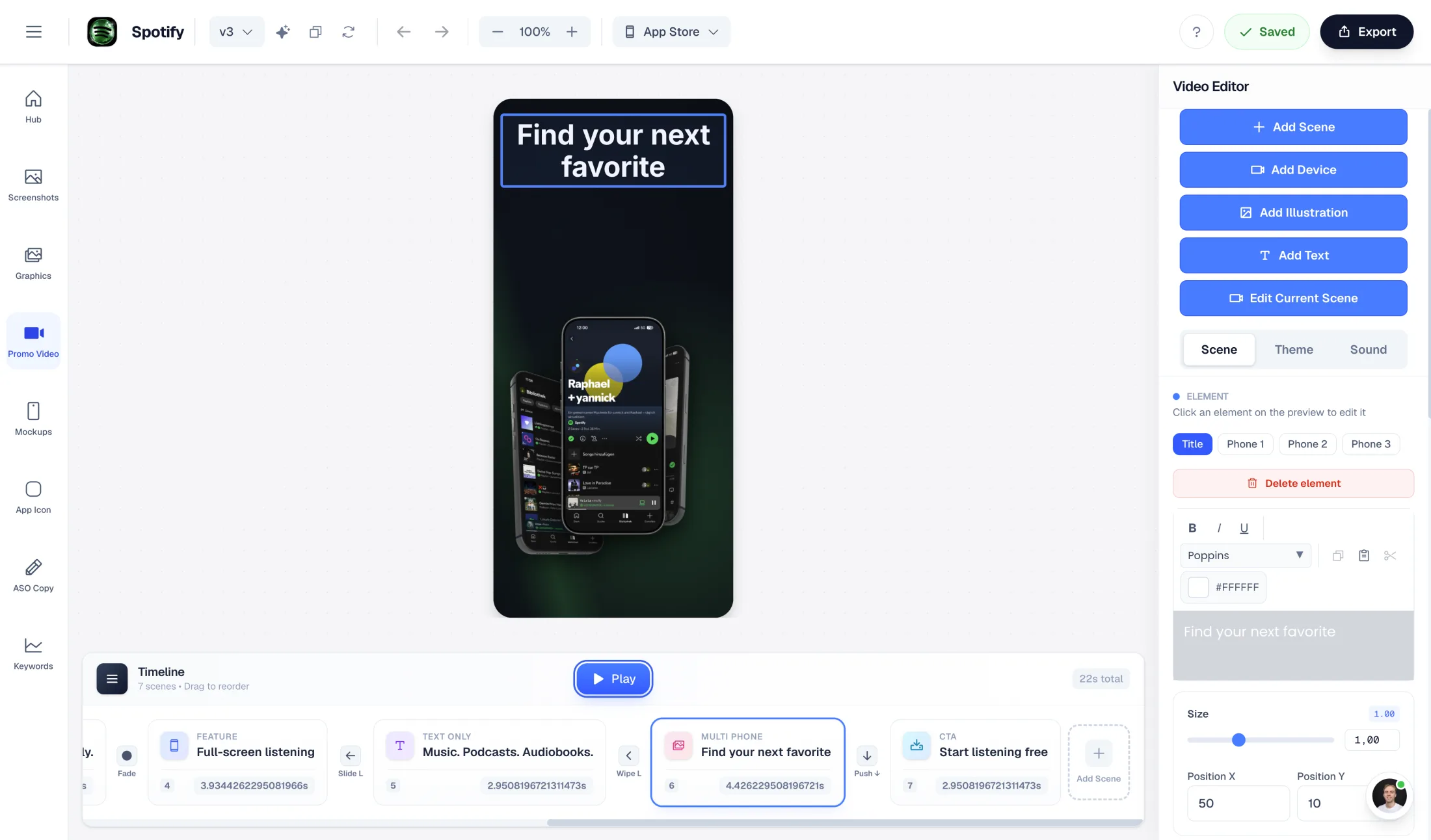
AppLaunchFlow promo video editor

Promo video

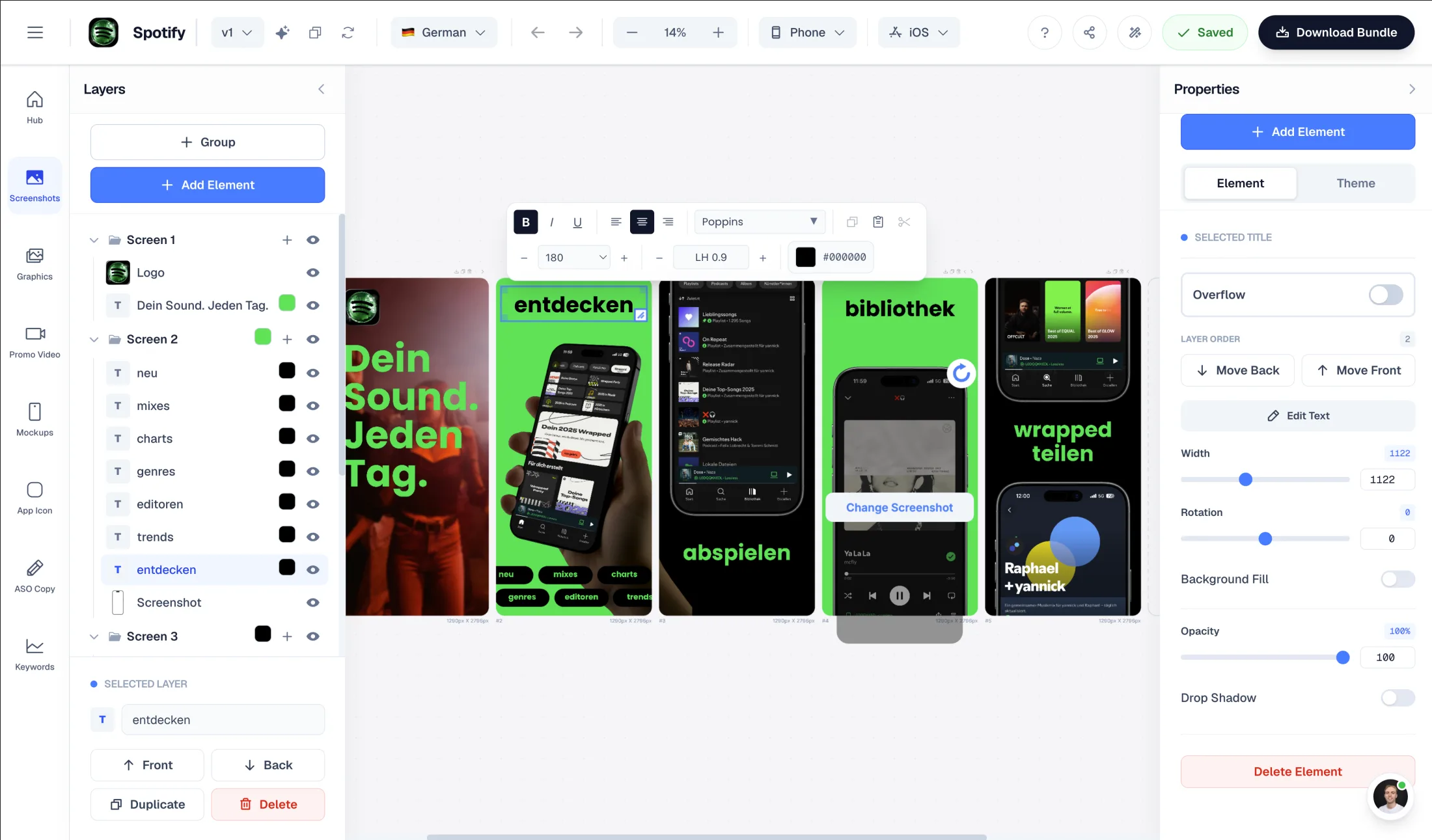
AppLaunchFlow screenshot editor

Screenshot editor

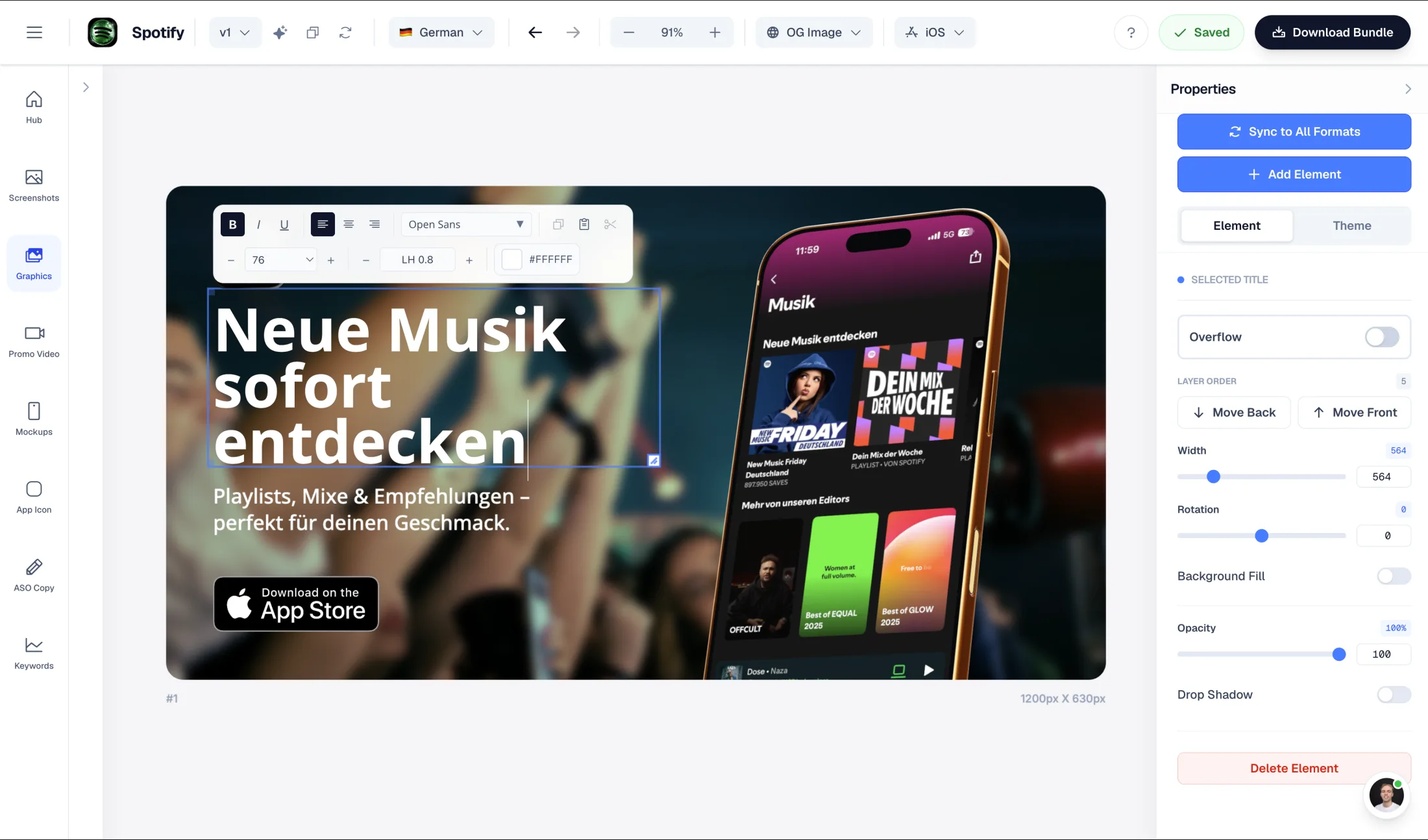
AppLaunchFlow social graphics editor

Launch graphics

Test one real screenshot set before switching.

Keep your originals from Rotato. Upload authentic app captures, rebuild one representative layout, and compare the exported files at the same device size. This is a rebuild workflow, not a promise to import proprietary project files or preserve editable layers.

  1. 1. Preserve the source

    Keep original captures, licensed artwork, copy and locale approvals.

  2. 2. Recreate a representative set

    Create the same front view, angled pose and short animation. Inspect screen sharpness, lighting, framing, frame rate and output format. For an App Store preview, separately validate Apple's content requirements; a cinematic mockup is not automatically an acceptable preview.

  3. 3. Compare the handoff

    Inspect dimensions and output quality; verify current features and pricing on both official sites.

What Rotato does well

  • Dedicated 3D device scenes and animation tooling
  • Specialist rendering and export controls documented on the plan page
  • One-time licence options with an included update period

Why choose AppLaunchFlow instead

Choose AppLaunchFlow when browser-based 3D mockups need to sit alongside store screenshots, graphics, listing-copy drafts, icons and promo videos in one project. Test the exact pose and movement; a connected workflow does not establish specialist renderer parity.

AppLaunchFlow pricing

Unlimited: €15/month or €99/year. Launch Pass: €9 once for 7 days of launch/export tools on one app. Free Studio access is preview-only for asset exports; public free tools have their own download rules.

Rotato pricing

The linked Pro pricing page describes one-time licences with an included update period and different device/template bundles. The exact purchase price and edition should be checked at checkout; no current numeric quote was reliably exposed in the reviewed page.

AppLaunchFlow
vs
Rotato logoRotato

Feature comparison.

A side-by-side look at the features teams compare when choosing their app store asset workflow.

Documentation-based AppLaunchFlow and Rotato workflow comparison
Feature
AppLaunchFlow
Rotato logoRotato

Primary job

AppLaunchFlow

Browser mockups and animations connected to an app-launch workspace.

RotatoSpecialist device images, movies and 3D scenes.

Rendering and delivery

AppLaunchFlow

Check the actual mockup/video output for your scene, platform and plan.

RotatoThe Pro matrix documents renderer, timeline and codec controls. Confirm the exact edition and licence.

Plans, exports and licensing

Compare billing term, currency, export allowance and client licence. Do not compare an annual monthly equivalent with a monthly subscription as though the terms match.

AppLaunchFlow

Free Studio: one workspace and asset previews. Paid plans unlock full-resolution asset exports and translations. Launch Pass is time-limited and covers one app—not unlimited workspaces.

RotatoThe linked Pro pricing page describes one-time licences with an included update period and different device/template bundles. The exact purchase price and edition should be checked at checkout; no current numeric quote was reliably exposed in the reviewed page.

Choose for your actual job

When to keep Rotato

Keep Rotato if its camera controls, device scenes, render quality, codecs or animation timeline are essential. Check the particular desktop or web edition you intend to use rather than assuming every Rotato surface has identical features.

When switching makes sense

Connect the creative work to the launch.

Choose AppLaunchFlow when browser-based 3D mockups need to sit alongside store screenshots, graphics, listing-copy drafts, icons and promo videos in one project. Test the exact pose and movement; a connected workflow does not establish specialist renderer parity.

AppLaunchFlow combines store screenshots with graphics, icons, promo video, mockups, listing-copy drafts and keyword monitoring. That is a workflow choice, not a claim to reproduce every specialist feature or improve conversion automatically.

Your switching test

Check one deliverable end to end.

Create the same front view, angled pose and short animation. Inspect screen sharpness, lighting, framing, frame rate and output format. For an App Store preview, separately validate Apple's content requirements; a cinematic mockup is not automatically an acceptable preview.

Use the same input, approved copy, locale and target placement. Inspect the download at full size and confirm the plan/licence before paying. Store acceptance and experiment results remain separate from editor output. Keep the old project until the replacement has been approved by your team.

Frequently asked
questions.

Scope, switching and plan boundaries for this comparison.

When is AppLaunchFlow a useful Rotato alternative?
Choose AppLaunchFlow when browser-based 3D mockups need to sit alongside store screenshots, graphics, listing-copy drafts, icons and promo videos in one project. Test the exact pose and movement; a connected workflow does not establish specialist renderer parity.
Can I import an editable Rotato project?
Do not assume project-file compatibility. Keep the original project and licensed assets, then rebuild from raw app captures and approved copy in AppLaunchFlow. Exported images do not preserve the original document's layers, animation timeline or translation memory.
What is free, and what needs a paid plan?
Unlimited: €15/month or €99/year. Launch Pass: €9 once for 7 days of launch/export tools on one app. Free Studio access is preview-only for asset exports; public free tools have their own download rules.
Were both products benchmarked hands-on?
No. This is a first-party, documentation-based comparison reviewed October 26, 2026, not an independent scored benchmark. The linked vendor pages support the stated capabilities; paid-plan checkout, output quality and conversion performance were not independently tested.

Ready to launch?
Try it free.

Compare less, ship more. Start building screenshots and ASO copy in one workflow.

Start Free