Choose for your actual job
When to keep AppMockUp
Keep AppMockUp when a free screenshot designer is enough and you already like its templates and frames. A broader workspace is only useful if you need the additional work it connects.

 AppMockUp
 Studio presents a free, no-account screenshot designer. Evaluate AppLaunchFlow when you need connected app-launch work beyond that editor, not because a free product should be replaced by a paid screenshot export.
Free Studio previews · Full-resolution asset exports need a paid plan
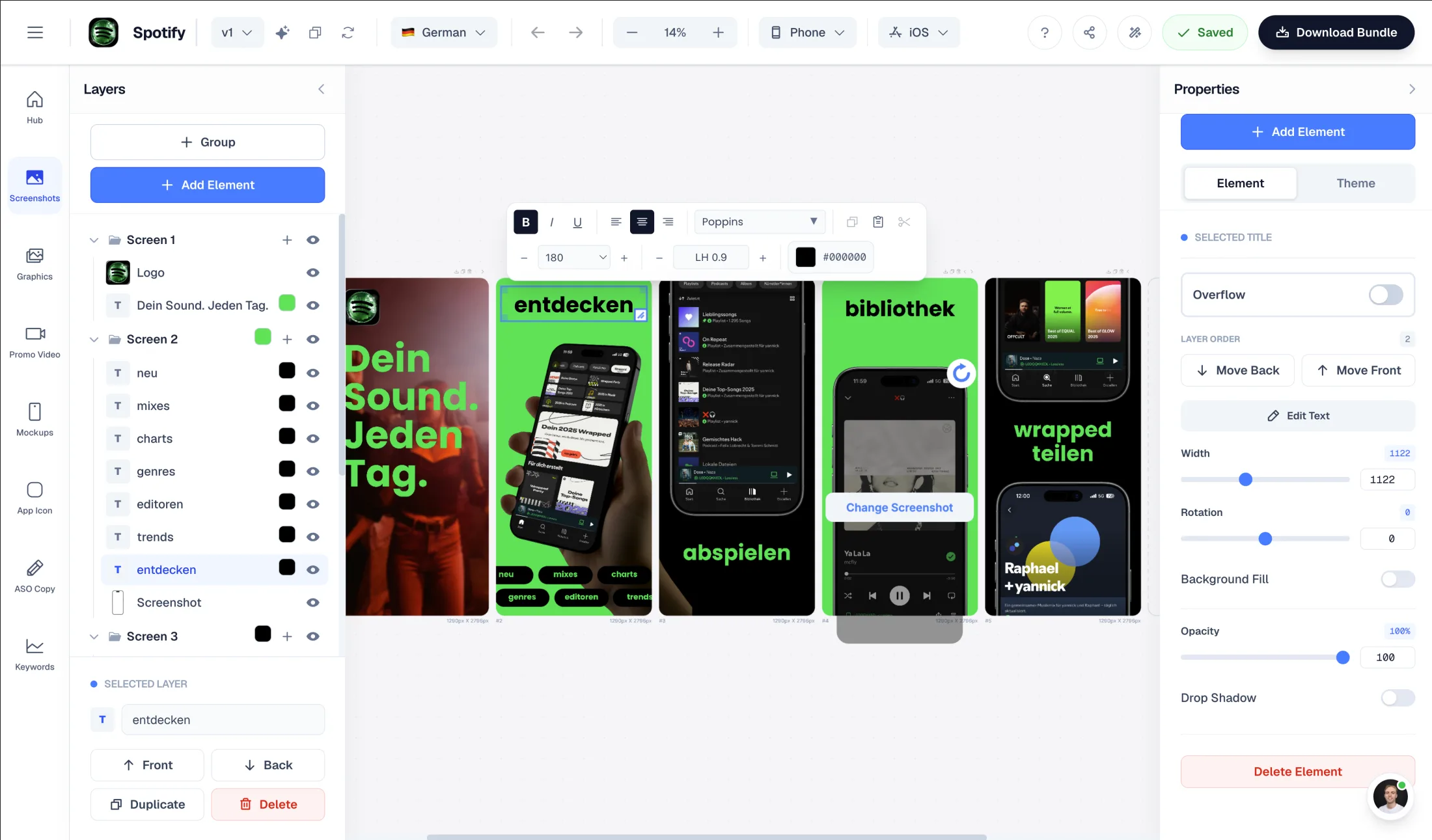
Screenshot editor
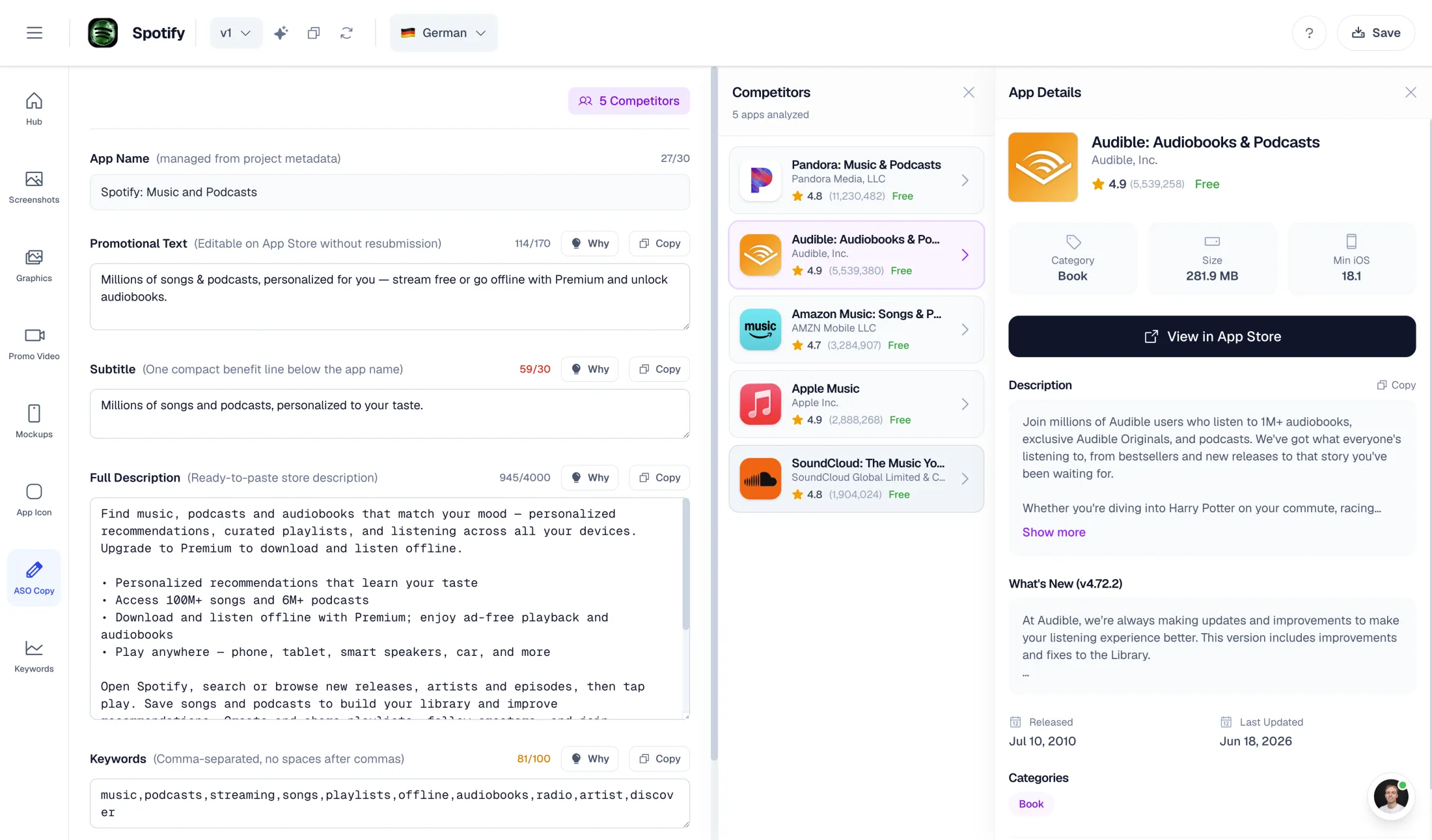
ASO copy
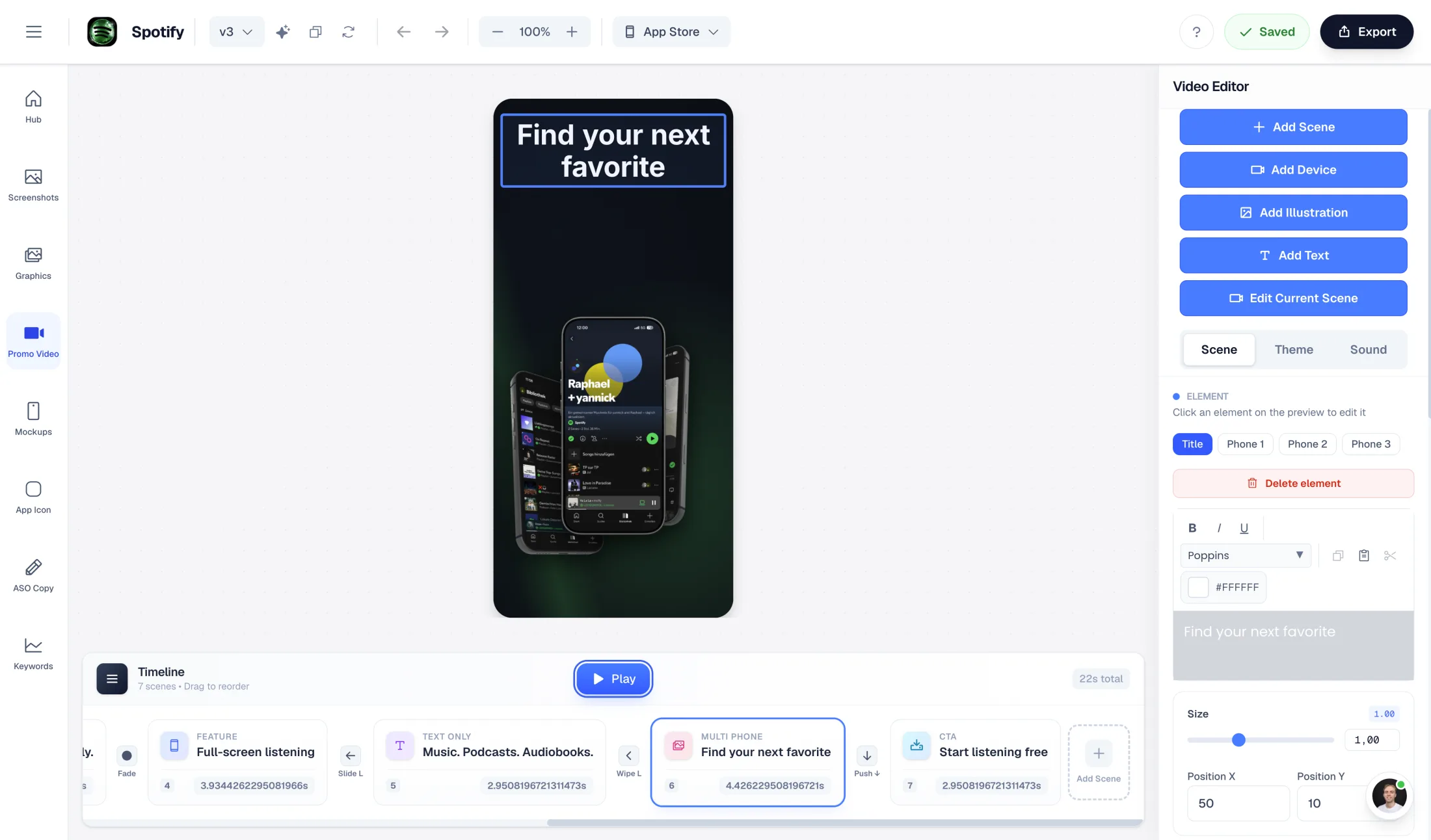
Promo video
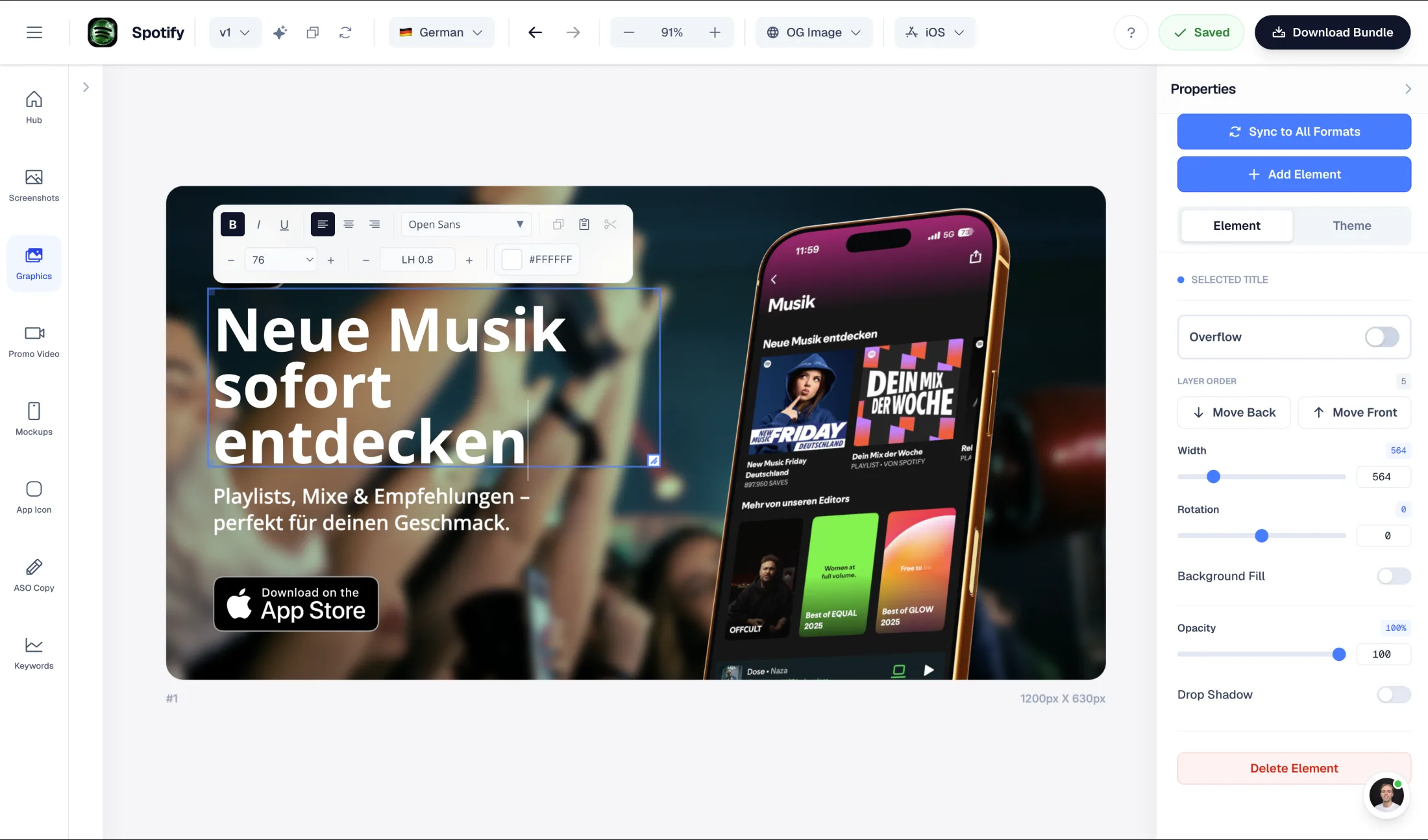
Launch graphics
Keep your originals from AppMockUp. Upload authentic app captures, rebuild one representative layout, and compare the exported files at the same device size. This is a rebuild workflow, not a promise to import proprietary project files or preserve editable layers.
Keep original captures, licensed artwork, copy and locale approvals.
Recreate a panoramic set with your current device frames and fonts. Compare the actual download, commercial-use terms, and whether the additional app-launch workflows justify moving to a paid export plan.
Inspect dimensions and output quality; verify current features and pricing on both official sites.
What AppMockUp does well
Why choose AppLaunchFlow instead
Choose AppLaunchFlow when the job extends beyond a screenshot design into listing-copy drafts, localized assets, graphics, icons and video. Full-resolution Studio asset exports are paid, so test the wider workflow rather than expecting a free-price advantage.
AppLaunchFlow pricing
Unlimited: €15/month or €99/year. Launch Pass: €9 once for 7 days of launch/export tools on one app. Free Studio access is preview-only for asset exports; public free tools have their own download rules.
AppMockUp pricing
The current AppMockUp Studio homepage advertises free use without an account. Review the actual editor and commercial-use terms for your intended export; no paid template-pack or AI-credit price is asserted here.
 AppMockUp
A side-by-side look at the features teams compare when choosing their app store asset workflow.
| Feature | |  AppMockUp |
|---|---|---|
Getting started | AppLaunchFlow Account-based app workspace with free previews; full-resolution Studio asset exports are paid. | AppMockUpAdvertises a free editor with no account required. |
Screenshot design | AppLaunchFlow Editable layouts connected to other app asset workflows. | AppMockUpScreenshot templates, custom frames and panoramic backgrounds. |
Plans, exports and licensing Compare billing term, currency, export allowance and client licence. Do not compare an annual monthly equivalent with a monthly subscription as though the terms match. | AppLaunchFlow Free Studio: one workspace and asset previews. Paid plans unlock full-resolution asset exports and translations. Launch Pass is time-limited and covers one app—not unlimited workspaces. | AppMockUpThe current AppMockUp Studio homepage advertises free use without an account. Review the actual editor and commercial-use terms for your intended export; no paid template-pack or AI-credit price is asserted here. |
Choose for your actual job
Keep AppMockUp when a free screenshot designer is enough and you already like its templates and frames. A broader workspace is only useful if you need the additional work it connects.
When switching makes sense
Choose AppLaunchFlow when the job extends beyond a screenshot design into listing-copy drafts, localized assets, graphics, icons and video. Full-resolution Studio asset exports are paid, so test the wider workflow rather than expecting a free-price advantage.
AppLaunchFlow combines store screenshots with graphics, icons, promo video, mockups, listing-copy drafts and keyword monitoring. That is a workflow choice, not a claim to reproduce every specialist feature or improve conversion automatically.
Your switching test
Recreate a panoramic set with your current device frames and fonts. Compare the actual download, commercial-use terms, and whether the additional app-launch workflows justify moving to a paid export plan.
Use the same input, approved copy, locale and target placement. Inspect the download at full size and confirm the plan/licence before paying. Store acceptance and experiment results remain separate from editor output. Keep the old project until the replacement has been approved by your team.
Sources
Scope, switching and plan boundaries for this comparison.
Compare less, ship more. Start building screenshots and ASO copy in one workflow.
Start Free