AppLaunchFlow
vs
Shotlingo logoShotlingo

Shotlingo alternative
compare the current editor—not yesterday's feature list.

Shotlingo is a full browser screenshot editor with localization, not a translation-only utility. Its current pricing includes export credits on Free, and it documents a hosted MCP service on paid plans. Both facts change the comparison.

Free Studio previews · Full-resolution asset exports need a paid plan

Use your real app captures and keep the source artwork
Compare the actual export, not a claimed conversion uplift
Rebuild one representative set before switching

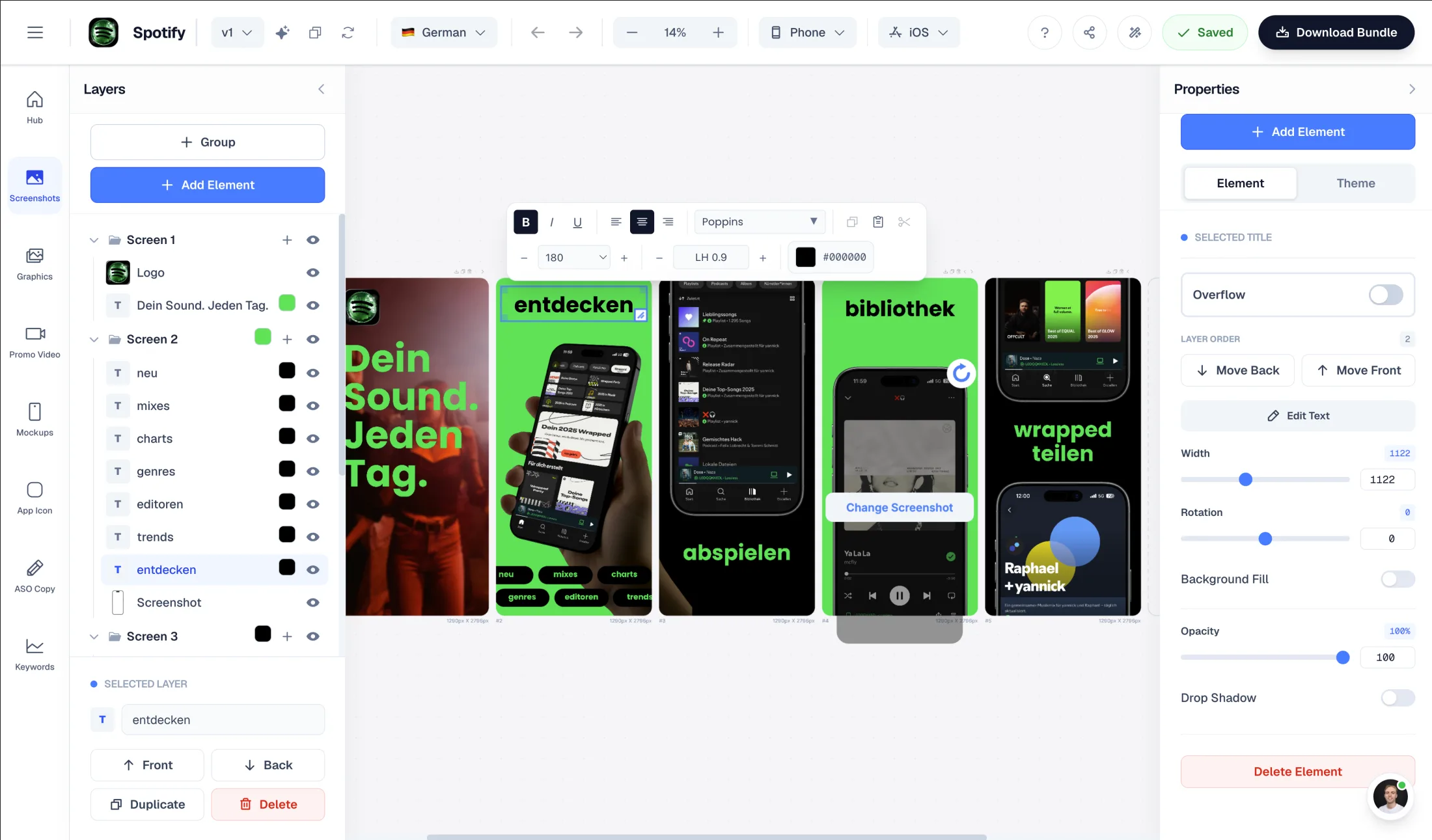
AppLaunchFlow screenshot editor

Screenshot editor

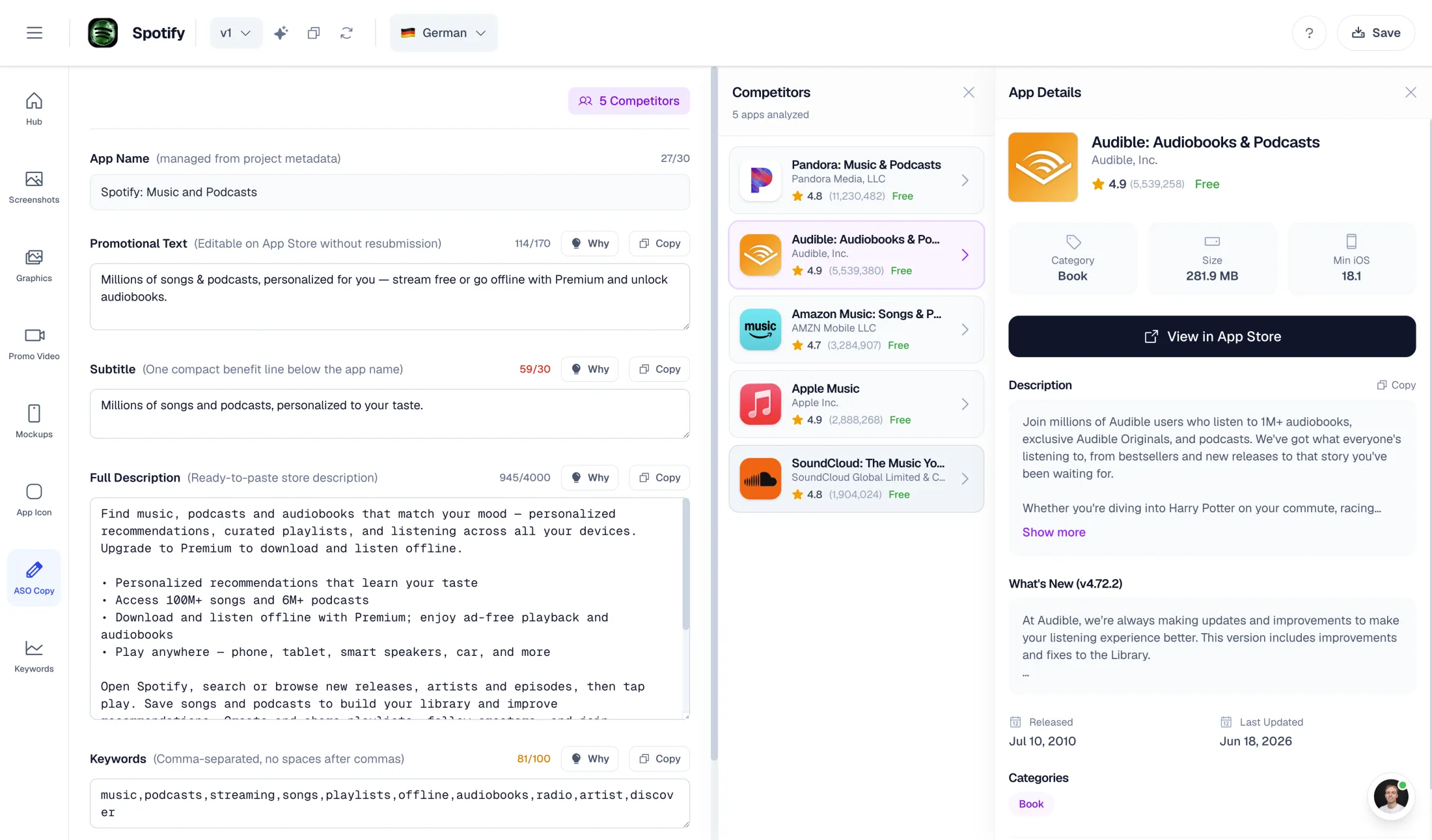
AppLaunchFlow ASO copy editor

ASO copy

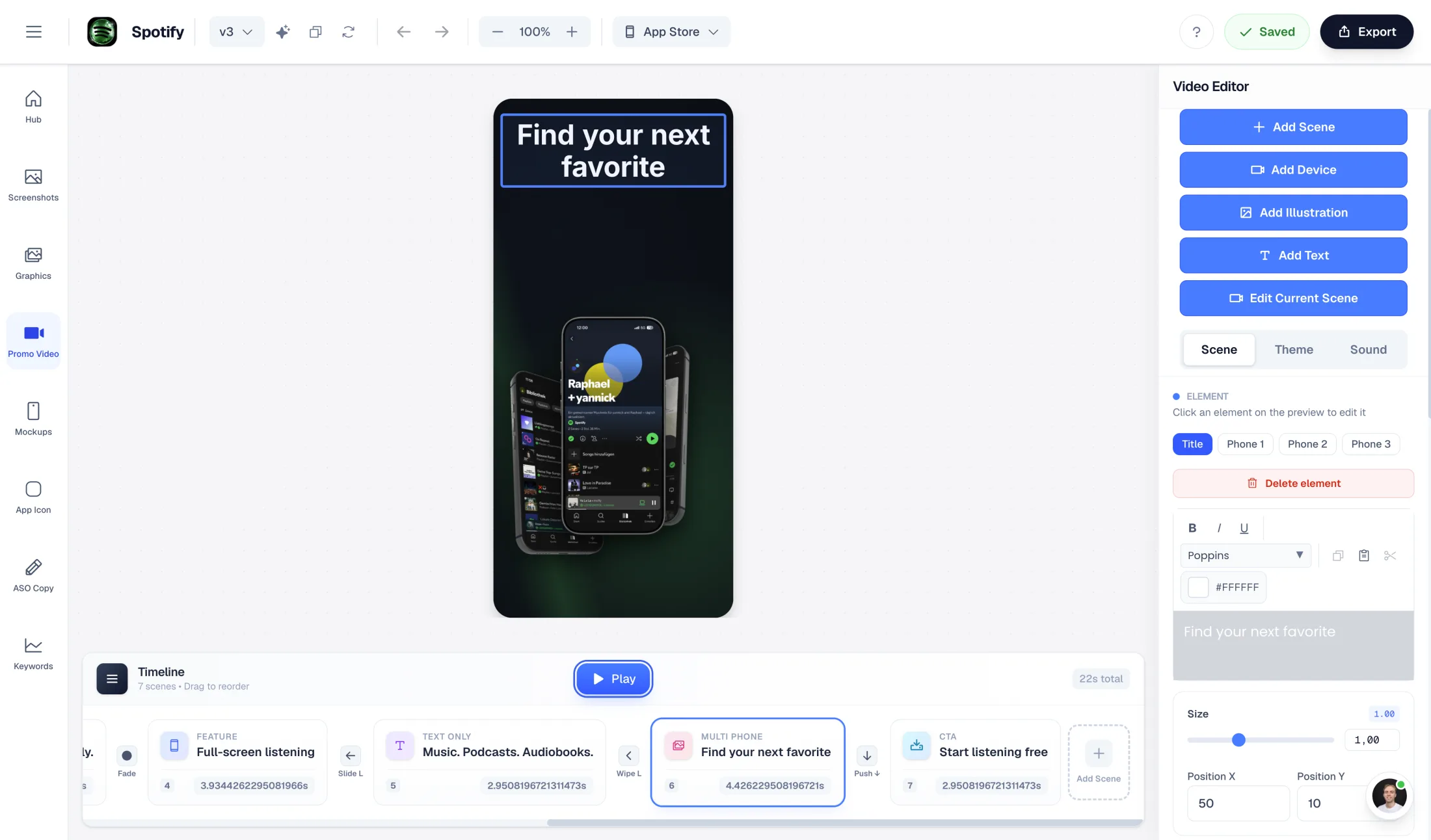
AppLaunchFlow promo video editor

Promo video

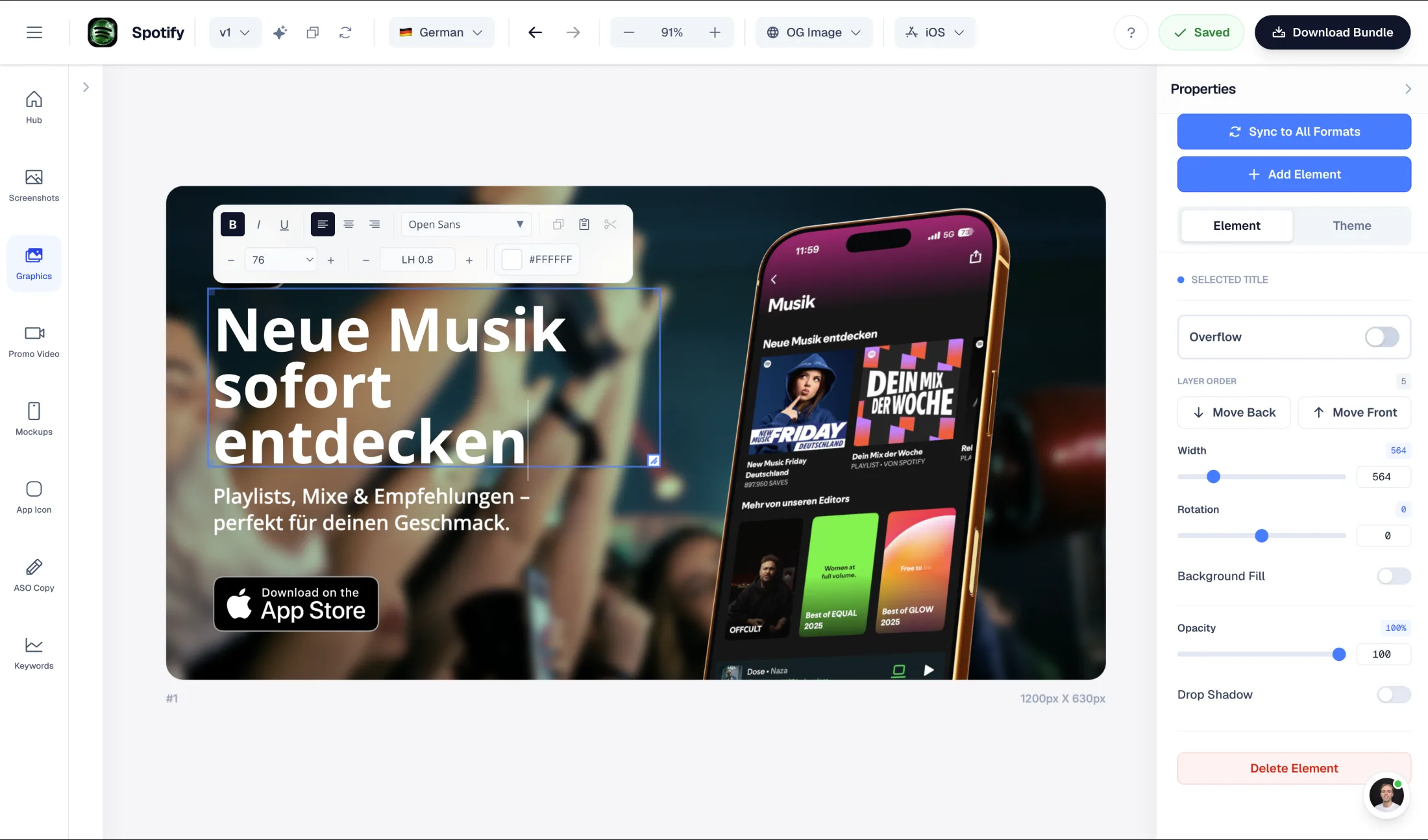
AppLaunchFlow social graphics editor

Launch graphics

Test one real screenshot set before switching.

Keep your originals from Shotlingo. Upload authentic app captures, rebuild one representative layout, and compare the exported files at the same device size. This is a rebuild workflow, not a promise to import proprietary project files or preserve editable layers.

  1. 1. Preserve the source

    Keep original captures, licensed artwork, copy and locale approvals.

  2. 2. Recreate a representative set

    Run one multi-locale export and count the actual output files/credits. If using an agent, verify it opens an editable project and previews the correct store destination. Confirm upload entitlement where the vendor's public pages differ.

  3. 3. Compare the handoff

    Inspect dimensions and output quality; verify current features and pricing on both official sites.

What Shotlingo does well

  • Screenshot designs with reusable locale-aware layouts
  • Free-tier export credits and paid credit-based plans
  • A documented remote MCP workflow and App Store upload options

Why choose AppLaunchFlow instead

Choose AppLaunchFlow when the same app project needs screenshot work alongside listing-copy drafts, graphics, icons, promo video and mockups. If MCP is important, test both tools' actual editing and export scope rather than assuming only one has a connector.

AppLaunchFlow pricing

Unlimited: €15/month or €99/year. Launch Pass: €9 once for 7 days of launch/export tools on one app. Free Studio access is preview-only for asset exports; public free tools have their own download rules.

Shotlingo pricing

Free currently lists 20 monthly credits and one credit per exported file. The monthly selection shows Pro US$9, Plus US$19 and Studio US$39, with different project/credit allowances. Check MCP/upload entitlement in both pricing and integration docs.

AppLaunchFlow
vs
Shotlingo logoShotlingo

Feature comparison.

A side-by-side look at the features teams compare when choosing their app store asset workflow.

Documentation-based AppLaunchFlow and Shotlingo workflow comparison
Feature
AppLaunchFlow
Shotlingo logoShotlingo

Localized designs

AppLaunchFlow

Editable screenshot layouts and paid translations within the app project.

ShotlingoA shared design is rendered across locales with editable translated text.

Free export boundary

AppLaunchFlow

Free Studio asset export is preview-only; public free tools are separate.

ShotlingoFree lists a monthly credit allowance and a per-exported-file credit charge.

Agent and publishing workflow

AppLaunchFlow

Hosted MCP plus Apple publishing; inspect the specific workflow and plan.

ShotlingoPaid remote MCP with rendering and store-upload tools. Pricing and MCP docs disagree on the minimum upload tier; confirm before buying.

Plans, exports and licensing

Compare billing term, currency, export allowance and client licence. Do not compare an annual monthly equivalent with a monthly subscription as though the terms match.

AppLaunchFlow

Free Studio: one workspace and asset previews. Paid plans unlock full-resolution asset exports and translations. Launch Pass is time-limited and covers one app—not unlimited workspaces.

ShotlingoFree currently lists 20 monthly credits and one credit per exported file. The monthly selection shows Pro US$9, Plus US$19 and Studio US$39, with different project/credit allowances. Check MCP/upload entitlement in both pricing and integration docs.

Choose for your actual job

When to keep Shotlingo

Keep Shotlingo when its locale workflow, styles, credit allowance and agent integration fit. Its Free plan no longer supports the blanket claim 'no exports'; count the exported files and credits in your intended set.

When switching makes sense

Connect the creative work to the launch.

Choose AppLaunchFlow when the same app project needs screenshot work alongside listing-copy drafts, graphics, icons, promo video and mockups. If MCP is important, test both tools' actual editing and export scope rather than assuming only one has a connector.

AppLaunchFlow combines store screenshots with graphics, icons, promo video, mockups, listing-copy drafts and keyword monitoring. That is a workflow choice, not a claim to reproduce every specialist feature or improve conversion automatically.

A source discrepancy worth checking

MCP rendering and store upload are separate entitlements.

Shotlingo's pricing matrix lists App Store Connect upload on Pro, while its MCP page describes store uploads on Plus/Studio. We do not resolve that discrepancy by guessing. Ask the vendor or inspect your account's entitlement before choosing a plan for automated uploads.

Your switching test

Check one deliverable end to end.

Run one multi-locale export and count the actual output files/credits. If using an agent, verify it opens an editable project and previews the correct store destination. Confirm upload entitlement where the vendor's public pages differ.

Use the same input, approved copy, locale and target placement. Inspect the download at full size and confirm the plan/licence before paying. Store acceptance and experiment results remain separate from editor output. Keep the old project until the replacement has been approved by your team.

Frequently asked
questions.

Scope, switching and plan boundaries for this comparison.

When is AppLaunchFlow a useful Shotlingo alternative?
Choose AppLaunchFlow when the same app project needs screenshot work alongside listing-copy drafts, graphics, icons, promo video and mockups. If MCP is important, test both tools' actual editing and export scope rather than assuming only one has a connector.
Can I import an editable Shotlingo project?
Do not assume project-file compatibility. Keep the original project and licensed assets, then rebuild from raw app captures and approved copy in AppLaunchFlow. Exported images do not preserve the original document's layers, animation timeline or translation memory.
What is free, and what needs a paid plan?
Unlimited: €15/month or €99/year. Launch Pass: €9 once for 7 days of launch/export tools on one app. Free Studio access is preview-only for asset exports; public free tools have their own download rules.
Were both products benchmarked hands-on?
No. This is a first-party, documentation-based comparison reviewed October 26, 2026, not an independent scored benchmark. The linked vendor pages support the stated capabilities; paid-plan checkout, output quality and conversion performance were not independently tested.

Ready to launch?
Try it free.

Compare less, ship more. Start building screenshots and ASO copy in one workflow.

Start Free