
AppLaunchFlow
vs
ScreenForge

The ScreenForge Alternative
for the full launch workflow.

ScreenForge is known as a focused app screenshot generator. AppLaunchFlow covers the same store-creative job, then adds ASO copy, localization, promo video, and reusable launch assets from the same project.

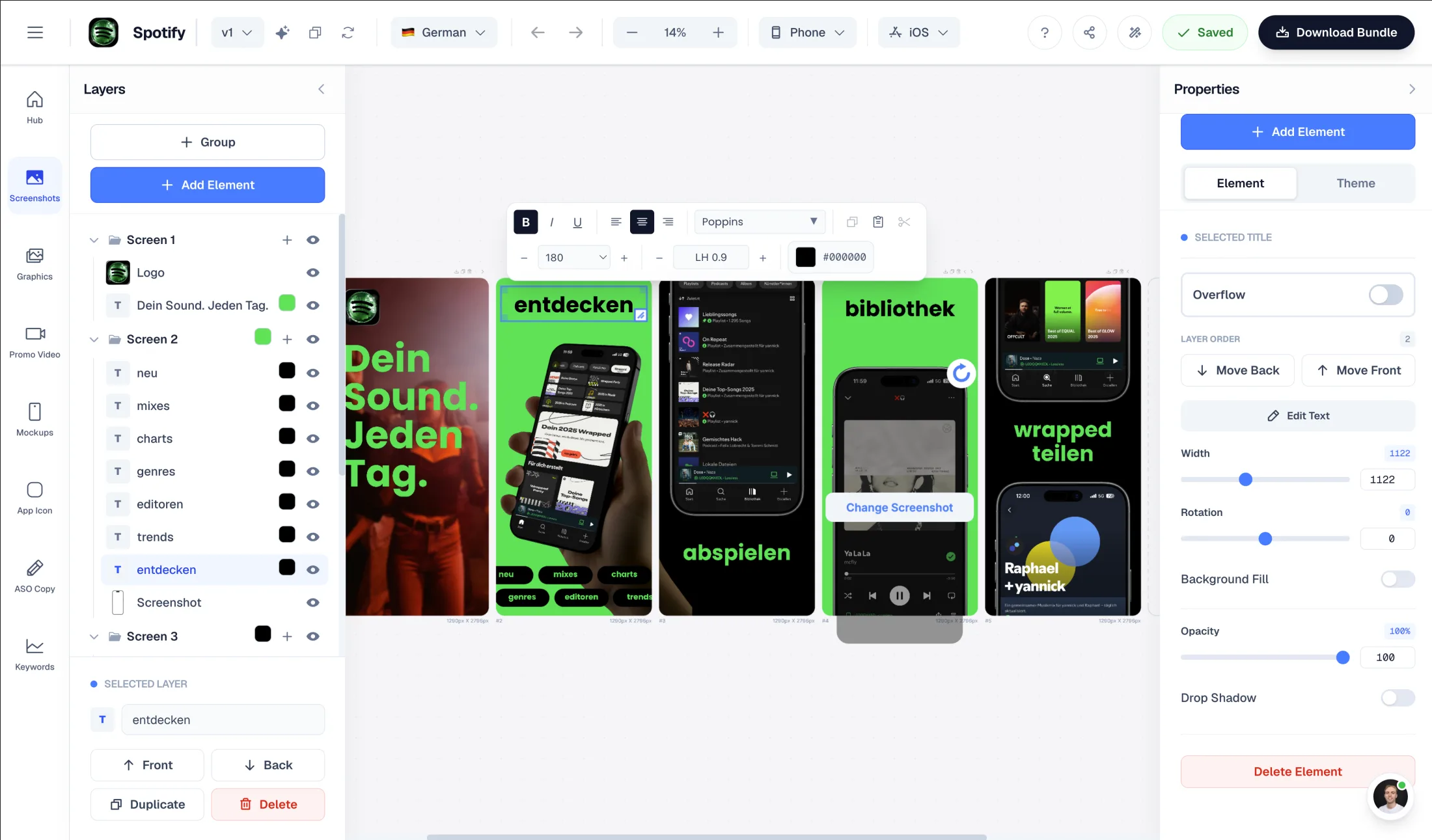
Upload screenshots → AI generates store-ready layouts
Figma-style editor for manual polish after generation
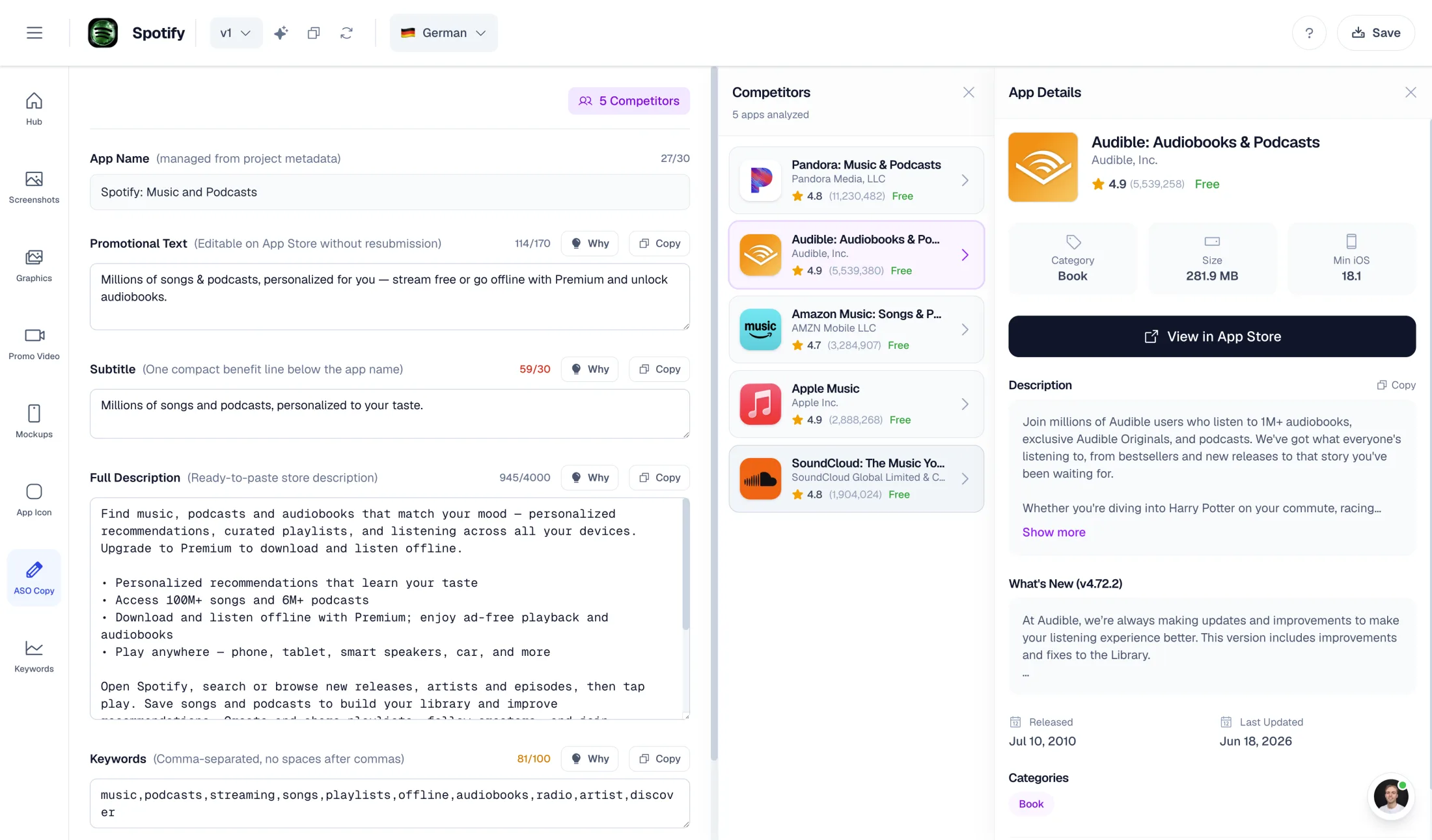
AI-powered ASO copy and localized screenshot sets
Launch Pass: €9 for 7 days of full access — no subscription
AppLaunchFlow screenshot editor

Screenshot editor

AppLaunchFlow ASO copy editor

ASO copy

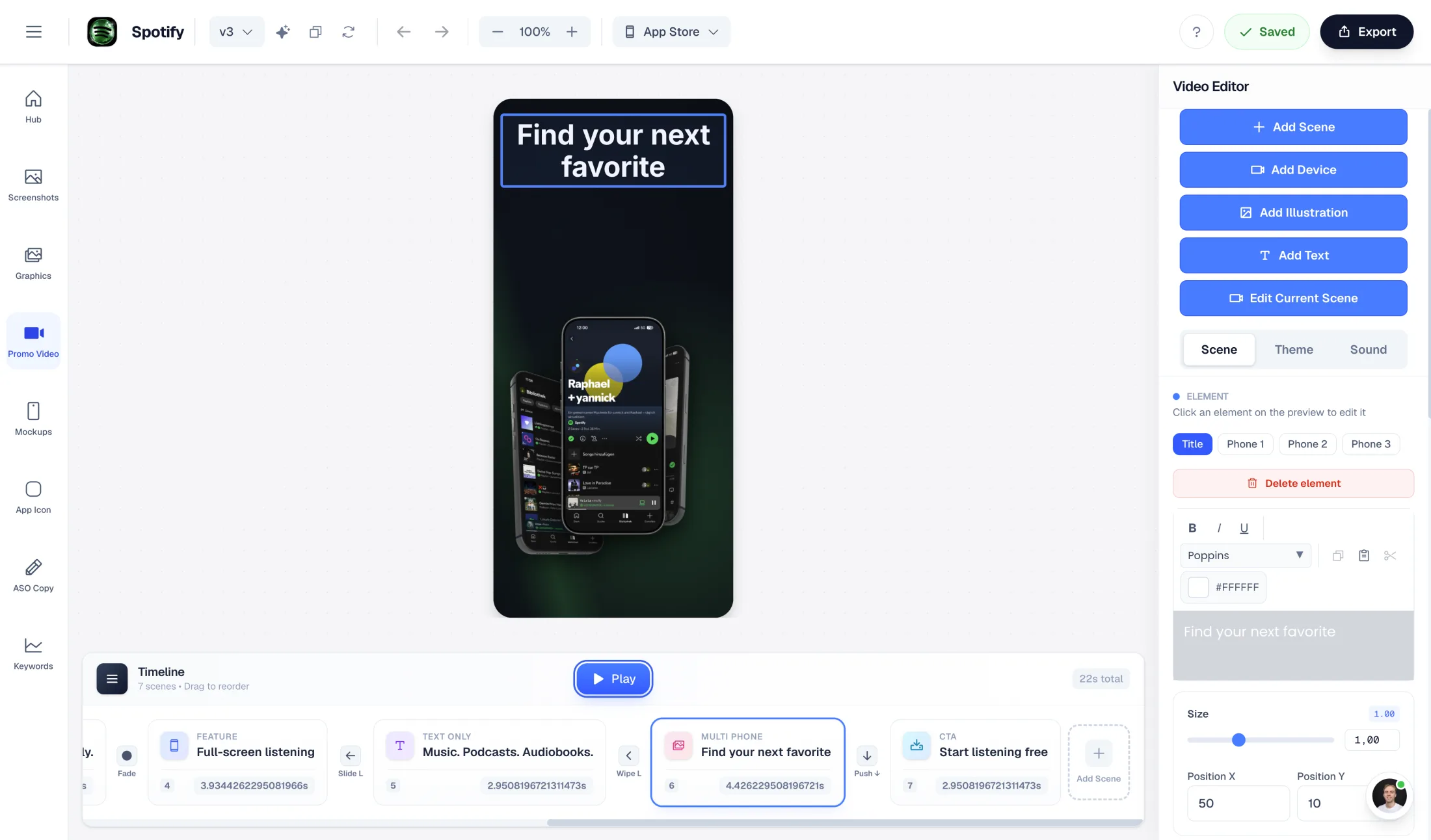
AppLaunchFlow promo video editor

Promo video

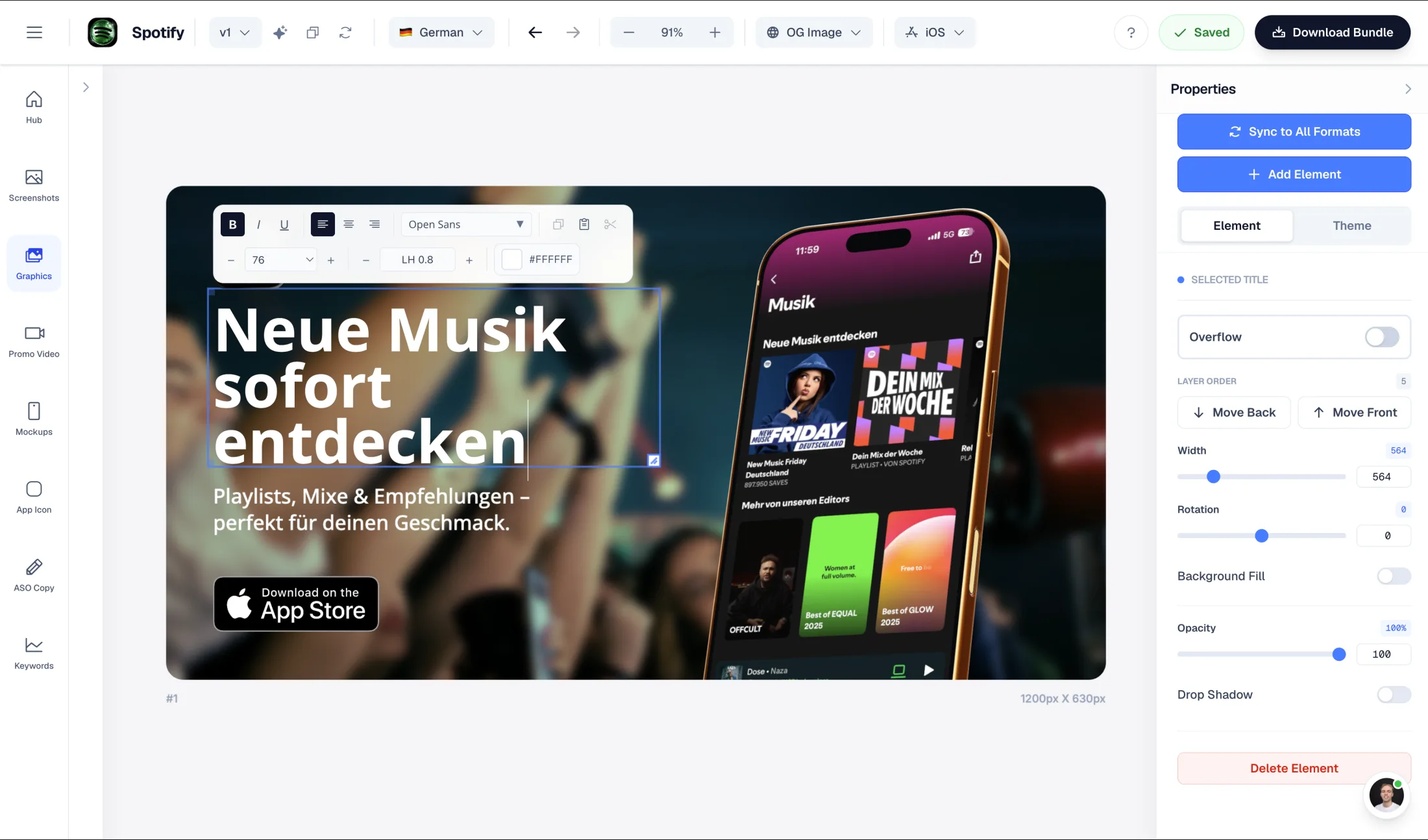
AppLaunchFlow social graphics editor

Launch graphics

What ScreenForge does well

  • Focused App Store screenshot workflow
  • Purpose-built alternative to generic design tools
  • Useful for teams that mainly need screenshot visuals

Why choose AppLaunchFlow instead

Switch if screenshot generation is only one part of your launch checklist. AppLaunchFlow keeps screenshots, copy, localization, promo videos, and store handoff in one workflow.

AppLaunchFlow pricing

€15/month or €99/year. Launch Pass: €9 for 7 days of full access.

ScreenForge pricing

Check ScreenForge's current pricing page for plan details; AppLaunchFlow keeps a €9 Launch Pass for teams that do not want a subscription.

AppLaunchFlow
vs
ScreenForgeScreenForge

Feature comparison.

A side-by-side look at the features teams compare when choosing their app store asset workflow.

Feature
AppLaunchFlow
ScreenForgeScreenForge

Screenshot creation workflow

AppLaunchFlow pairs AI generation with a full editor and launch workflow.

AI-first: upload app screenshots, generate layouts, then edit everything manually

Focused app screenshot generation workflow

Manual editing

Figma-style editor for text, layout, colors, screenshots, and templates

Screenshot-focused editing tools

ASO copy generation

AI generates promotional text, descriptions, keywords, categories, and competitor context

Screenshot-first workflow; ASO copy lives elsewhere

Localization

Localized screenshot sets and listing copy in the same project

Check current ScreenForge localization support

Promo video

AI-generated promo videos and 3D mockup animation paths

Screenshot-focused workflow

Store asset coverage

Screenshots, icons, Play Store feature graphics, social graphics, and promo video

Primarily screenshot-focused

One-time export

€9 Launch Pass — 7 days of full access covers all exports

Check current ScreenForge pricing and export terms

Overview

When is AppLaunchFlow a better ScreenForge alternative?

ScreenForge belongs in the same category: a focused tool for creating app store screenshots. If your only goal is to make a screenshot set, that focus can be enough.

AppLaunchFlow is better when screenshots are the start of the launch workflow, not the end. The same project can produce screenshots, ASO copy, localized variants, promo videos, and additional launch graphics.

Workflow

From real screenshots to launch assets

AppLaunchFlow starts from your uploaded app screenshots, extracts useful visual context, and generates a store-ready direction that you can refine in the editor.

That matters when you need more than a single static output. You can keep the same messaging and visual system across App Store screenshots, Google Play screenshots, feature graphics, social posts, and videos.

ASO

Screenshots plus the words around them

Store visuals work best when they match the promise in your title, subtitle, description, and keyword strategy. AppLaunchFlow includes ASO copy generation so the visual and text sides of the listing stay connected.

For small teams, that removes a common handoff problem: designing screenshots in one tool, writing store copy in another, and then rebuilding everything again for each locale.

Decision

Choose the tool that matches the job

Choose ScreenForge if you want a focused screenshot generator and already have the rest of your launch workflow covered.

Choose AppLaunchFlow if you want screenshots, ASO copy, localization, promo video, and reusable launch assets in one place.

Frequently asked
questions.

Everything about AppLaunchFlow as a ScreenForge alternative

Yes. Both are used for app store screenshots. AppLaunchFlow also includes ASO copy, localization, promo videos, social graphics, and store-ready export workflows.
Yes. Upload app screenshots, choose a direction, and AppLaunchFlow generates editable store screenshot layouts from your real app screens.
AppLaunchFlow includes ASO copy generation, localized screenshot and listing workflows, promo video generation, 3D mockup animation, app icon tools, and Play Store feature graphics.
Yes. AppLaunchFlow offers a €9 Launch Pass — 7 days of full access — alongside the Pro subscription.
Use ScreenForge if you only need a focused screenshot tool. Use AppLaunchFlow if you want screenshots connected to ASO copy, localization, videos, and other launch assets.

Ready to launch?
Try it free.

Compare less, ship more. Start building screenshots and ASO copy in one workflow.

Start Free