
AppLaunchFlow
vs
ScreenFast

The ScreenFast Alternative
that covers Android too.

ScreenFast generates 10 iPhone screenshot variants from your App Store URL in about a minute — iPhone only, refined through AI prompts. AppLaunchFlow is AI-first as well, but covers iOS and Android, phone and tablet, gives you a Figma-style editor for direct control, and adds ASO copy and promo video to the same workflow.

Upload screenshots → AI generates layouts for iOS and Android
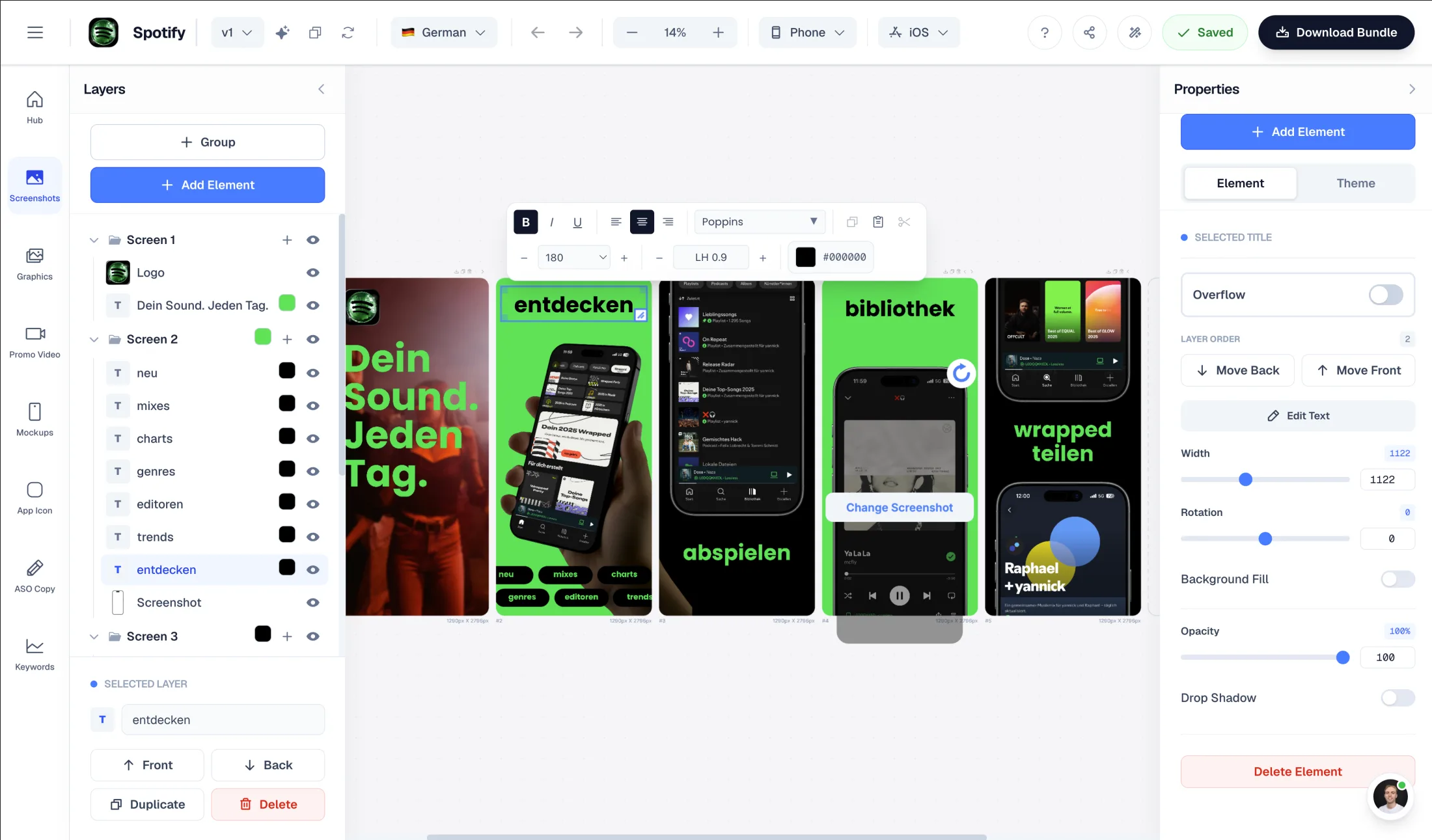
Figma-style drag-and-drop editor to fully customize generated layouts
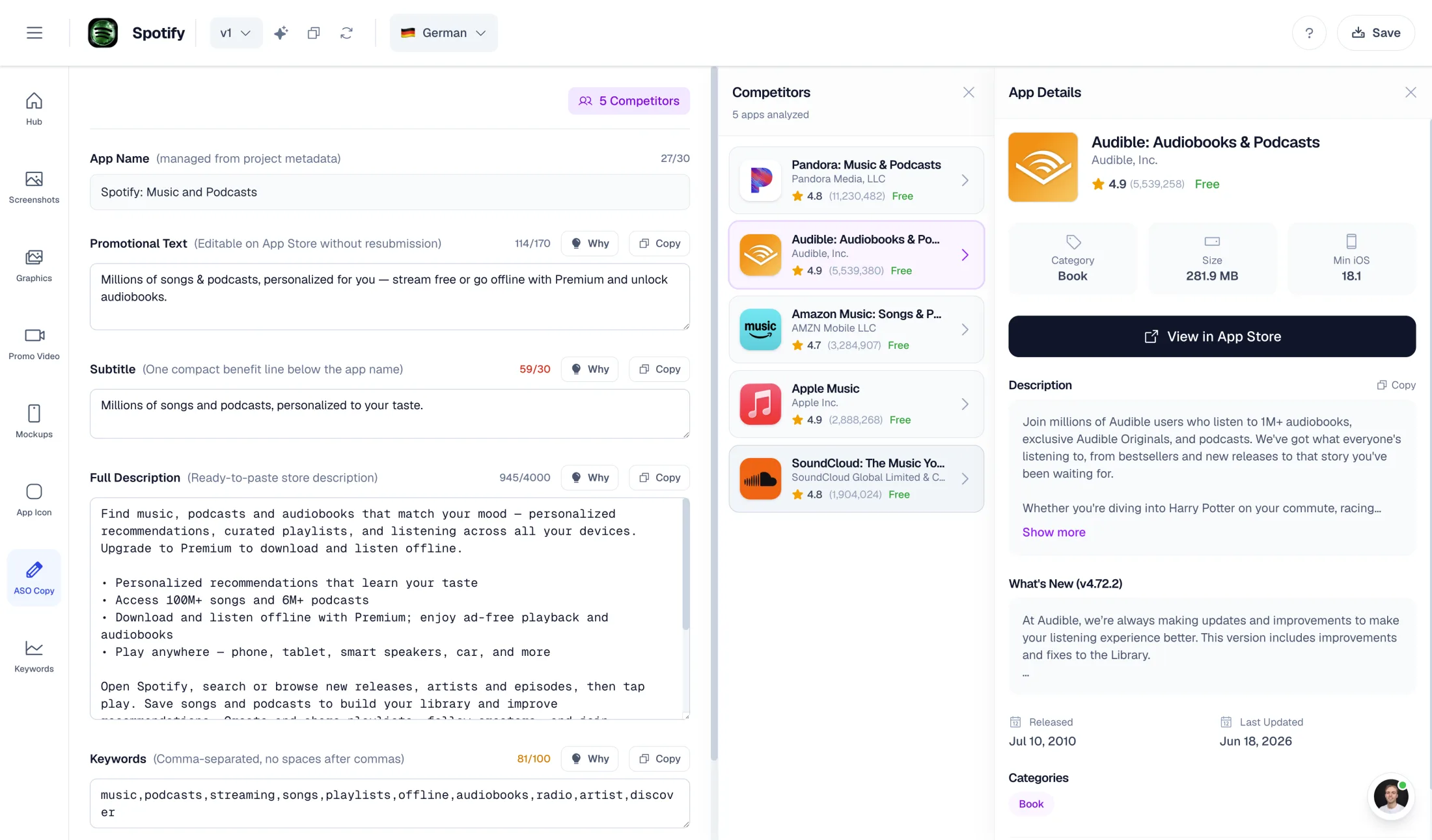
AI-powered ASO copy: promo text, descriptions, keywords
Free plan to try — one-time export at €9

What ScreenFast does well

  • Very fast: 10 finished design variants in about 60 seconds
  • Paste an App Store URL as input — no manual setup for live apps
  • $9.99 one-time per app with a full refund guarantee
  • Prelaunch mode for apps that are not in the store yet

Why choose AppLaunchFlow instead

Switch if you ship to both stores or want real editing control. ScreenFast is iPhone-only with prompt-based refinements; AppLaunchFlow covers iOS and Android, lets you edit layouts directly in a Figma-style editor, and generates ASO copy and promo video from the same screenshots.

AppLaunchFlow pricing

€9/month or €90/year. One-time screenshot export €9. One-time promo video export €9. Free plan included.

ScreenFast pricing

No free tier. $9.99 one-time per app (10 designs, iPhone only, no localization). Starter $19.99/month, Pro $29.99/month.

AppLaunchFlowAppLaunchFlow
vs
ScreenFastScreenFast

Feature comparison.

A side-by-side look at the features teams compare when choosing their app store asset workflow.

Feature
AppLaunchFlowAppLaunchFlow
ScreenFastScreenFast

Platforms covered

ScreenFast has no Android or iPad output.

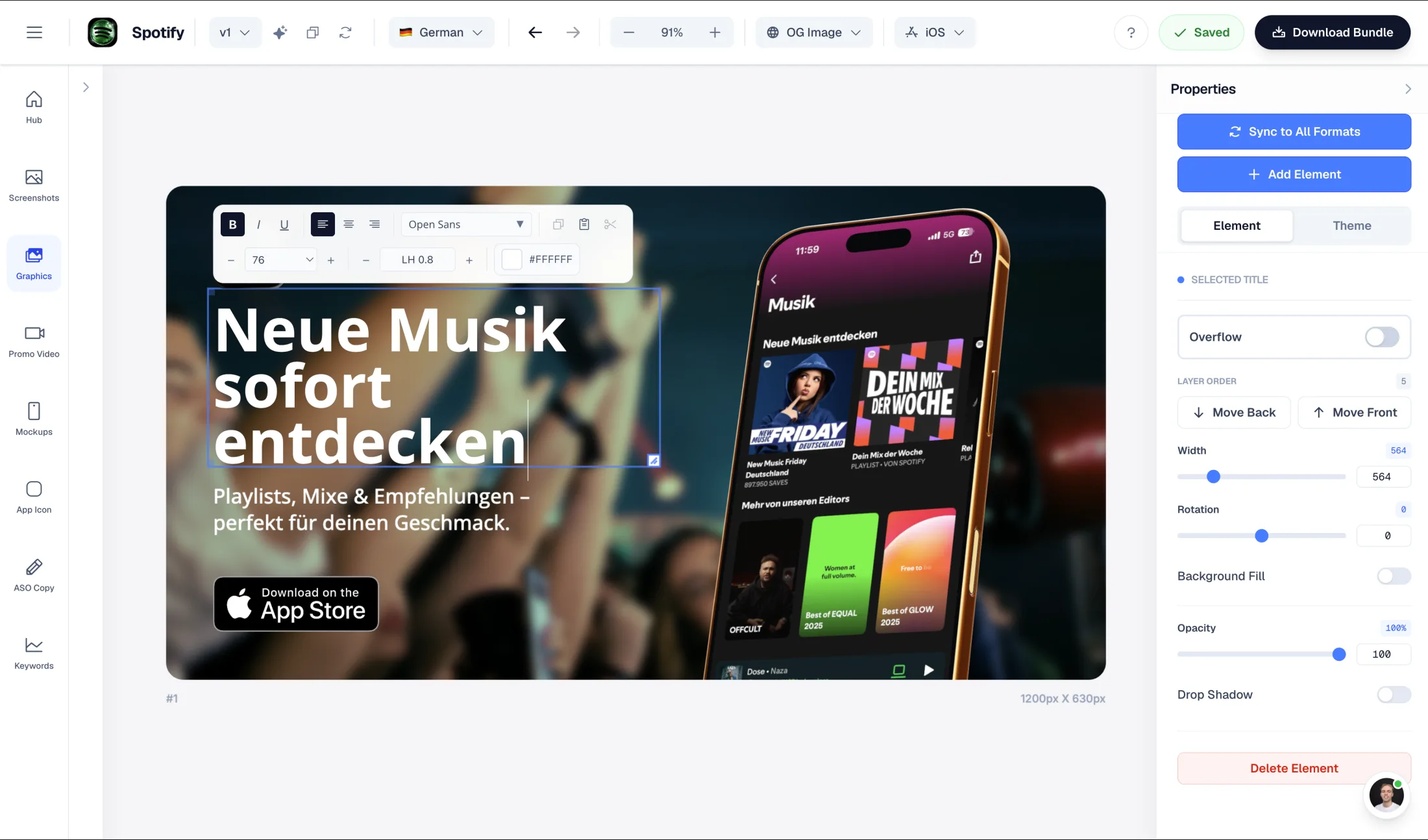
iOS and Android, phone and tablet export sizes

iPhone only — one master size (1290×2796), relying on App Store Connect auto-scaling

Screenshot creation workflow

Both skip manual design work; the inputs and outputs differ.

AI-first: upload screenshots, AI extracts colors and content, generates layouts from selected template

AI-first: paste your App Store URL or upload screens, get 10 styled variants in about 60 seconds

Variant generation

ScreenFast's batch-of-10 approach is its strongest feature.

Create and manage screenshot variants for creative testing

10 style variants per generation out of the box (Minimalist, Bold Promise, Mascot, Cinematic, and more)

Manual editing

Figma-style drag-and-drop editor — full direct control after AI generation

Prompt-based AI canvas refinements with retouch credits; no manual layer editor

ASO copy generation

AI generates promo text, short desc, full desc, keywords, categories + competitor lookup

AI writes the copy on the screenshots; no listing metadata or keyword tooling

Promo video

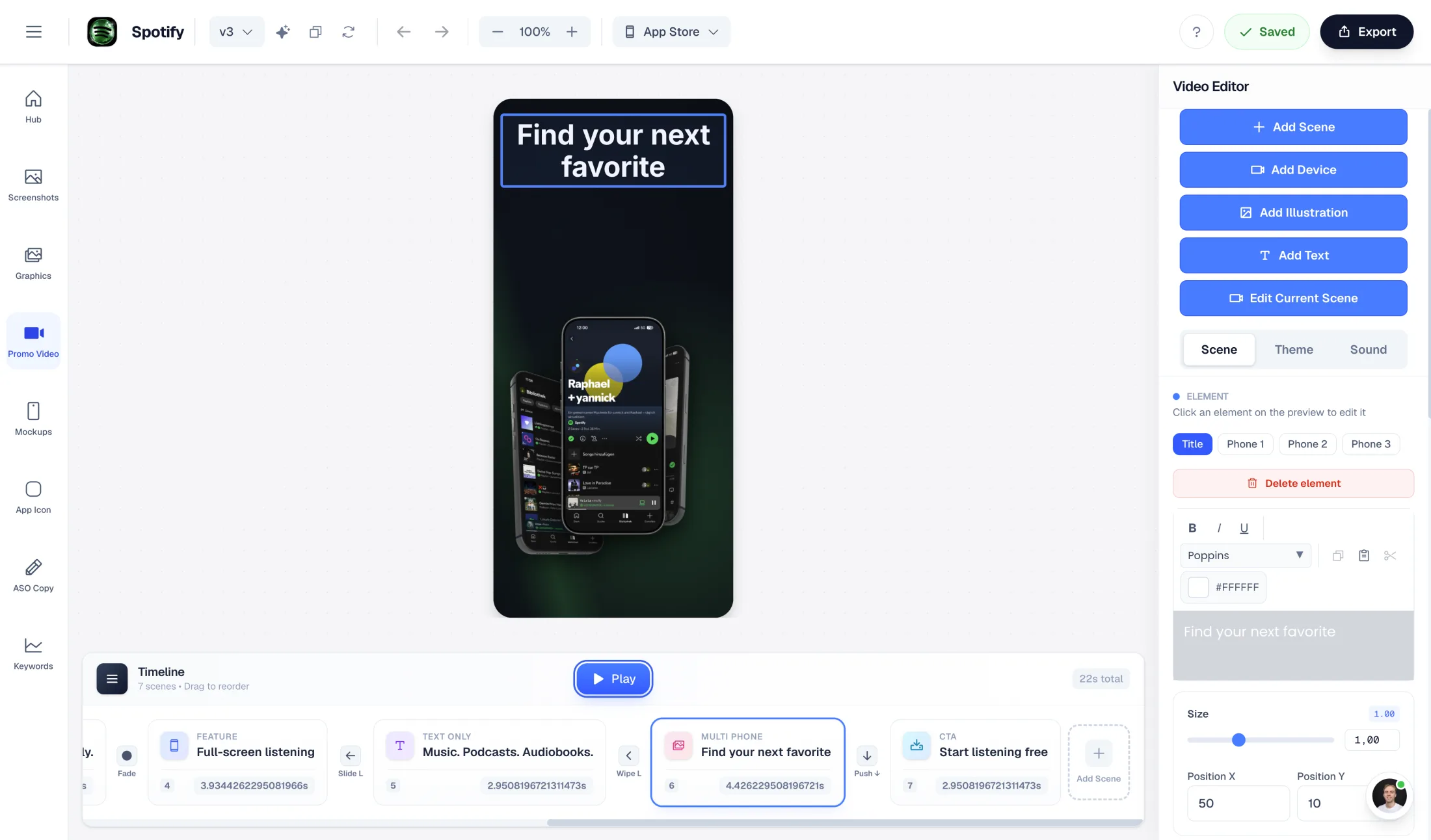
AI-generated promo video from your screenshots (1080p, commercial license)

Not available

Localization

Unlimited translations (Pro)

16+ languages including RTL — but subscription plans only, excluded from the one-time purchase

Free tier

Free plan — upload screenshots, AI generates a preview

None — paid from the first generation ($9.99 per app)

One-time pricing

Both offer a no-subscription path; ScreenFast's is per app, AppLaunchFlow's is per export.

€9 screenshot export or €9 promo video export

$9.99 per app one-time (10 designs, 10 retouch credits, 3 AI app icons)

Overview

When is switching from ScreenFast worth it?

ScreenFast has a genuinely appealing pitch for indie iOS developers: paste your App Store URL, wait about a minute, and get 10 finished screenshot designs in named styles like Minimalist, Bold Promise, and Cinematic — for $9.99 one-time per app, with a refund if none of them work.

The reasons people look for a ScreenFast alternative are usually structural, not cosmetic: it is iPhone-only (no Android, no iPad), there is no manual editor (refinements happen through AI prompts and metered retouch credits), localization is locked behind a subscription, and there is no free way to try it.

Platforms

One master size vs. both stores

ScreenFast generates a single master set at 1290×2796 (iPhone 6.9") and relies on App Store Connect's auto-scaling for other iPhone models. That works — until you also ship on Google Play, or want proper iPad screenshots, and suddenly you need a second tool.

AppLaunchFlow exports store-ready sizes for iOS and Android, phone and tablet, from the same project. One set of uploaded screenshots covers both store listings.

Editor Control

Direct editing instead of prompt roulette

In ScreenFast, changing a color or a headline means writing an AI prompt and spending a retouch credit, then hoping the result matches what you pictured. There is no manual layer editor.

AppLaunchFlow also starts with AI generation — but the result lands in a Figma-style drag-and-drop editor. Change the exact word, nudge the exact element, swap the template style, reorder screens. No credits, no prompt interpretation, no surprises.

Beyond screenshots

ASO copy and promo video included

ScreenFast writes the text that appears on your screenshots. AppLaunchFlow generates the rest of the listing too: promotional text, short and full descriptions, keyword suggestions, and category ideas, all from the same screenshots and project context.

If you want motion, the same pipeline produces an AI-generated promo video in 1080p with a commercial license — something ScreenFast does not offer at any tier.

Decision

Which alternative is better — and for whom?

Choose ScreenFast if you ship iPhone-only, want 10 ready-made design directions to pick from in a minute, and like the per-app one-time price with a refund guarantee.

Choose AppLaunchFlow if you need iOS and Android coverage, want a real editor after AI generation, need ASO copy or localization without a higher subscription tier, or want a promo video from the same workflow — with a free plan to try first.

Frequently asked
questions.

Everything about AppLaunchFlow as a ScreenFast alternative

Yes. Both generate App Store screenshots with AI. AppLaunchFlow additionally covers Android and tablets, includes a Figma-style manual editor, generates full ASO listing copy, and offers promo video export.
No. ScreenFast generates iPhone screenshots at one master size (1290×2796) and relies on App Store Connect auto-scaling. AppLaunchFlow exports iOS and Android sizes for phone and tablet.
In ScreenFast, refinements are made through AI prompts with retouch credits — there is no manual editor. AppLaunchFlow includes a Figma-style drag-and-drop editor with unlimited direct editing.
ScreenFast has no free tier: $9.99 one-time per app, or subscriptions at $19.99–$29.99/month for more apps and localization. AppLaunchFlow has a free plan, €9/month or €90/year Pro, and €9 one-time exports.
ScreenFast localizes into 16+ languages but only on subscription plans — the one-time purchase excludes it. AppLaunchFlow Pro includes unlimited translations.
Only AppLaunchFlow. It generates a promo video from your screenshots in 1080p with a commercial license, available as a €9 one-time export.

Ready to launch?
Try it free.

Compare less, ship more. Start building screenshots and ASO copy in one workflow.

Start Free