Yannick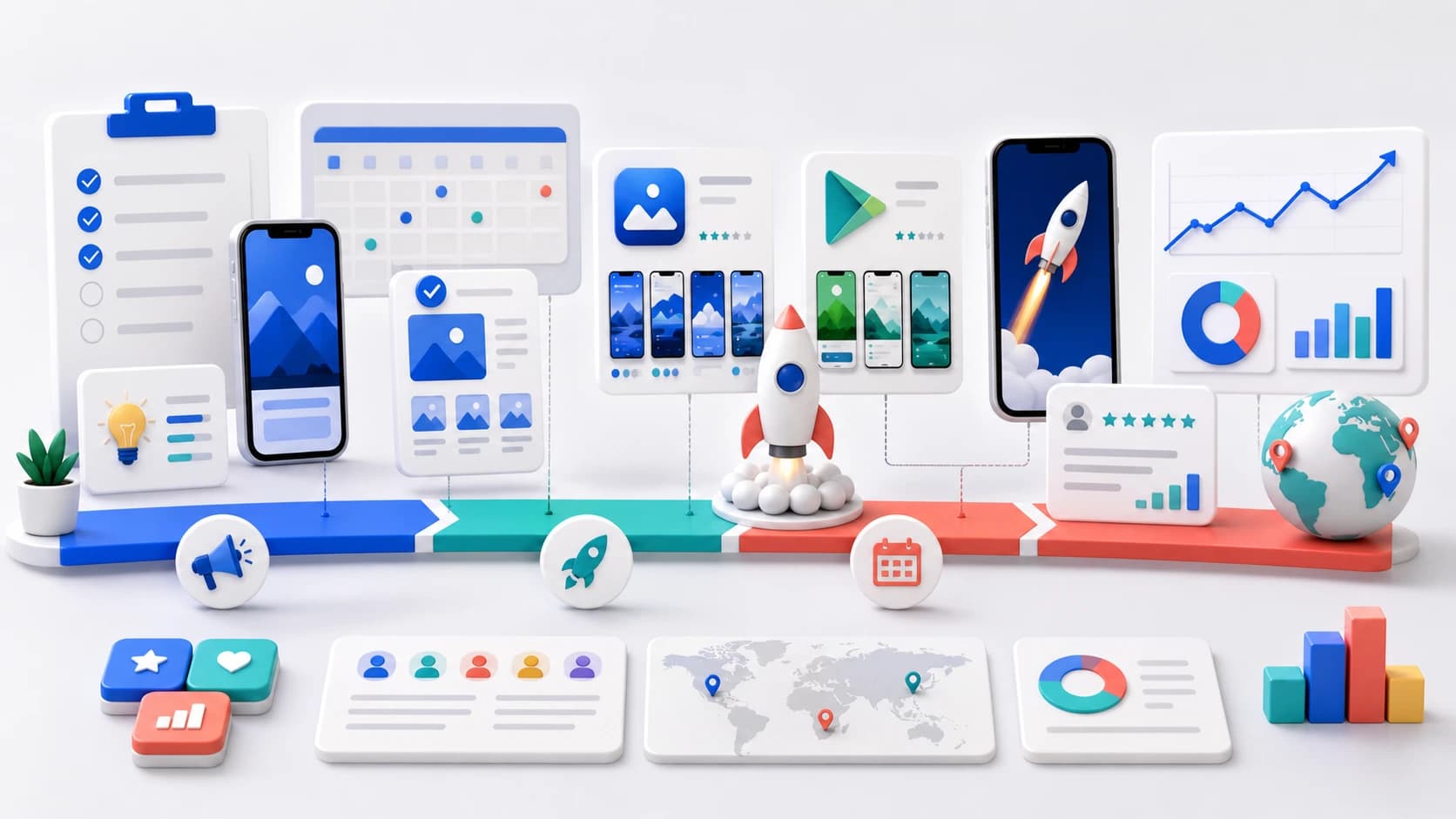
Most launches underperform not because the app is weak, but because the strategy is improvised. The fix is to treat the launch as three connected phases — each with its own goal — and to have your store assets ready before you need them. If you want the tactical task list, pair this with our App Launch Checklist 2026.
Four-week launch system
Sequence proof, distribution, and learning
A useful strategy assigns each week one outcome instead of treating launch day as the entire campaign.
Prove the promise
Validate audience, core journey, store message, and activation before broad traffic.
Concentrate demand
Coordinate channels around a short window with one message and one destination.
Protect learning
Annotate changes, monitor guardrails, and improve one bottleneck at a time.
Pre-launch
Build positioning, keywords, store assets, and an audience before you ship.
Launch week
Concentrate attention: directories, communities, and press in a tight window.
Post-launch
Iterate on conversion, keywords, and creatives based on real store data.
Phase 1 — Pre-launch: positioning and assets
The work that decides your launch happens before it. Define a single, clear positioning statement — who the app is for and the one problem it solves — and let it drive your store listing, screenshots, and copy. Vague positioning produces vague screenshots, and vague screenshots do not convert.
In parallel, do your keyword research so your name, subtitle, and keyword field are intentional from day one, and prepare your App Store screenshots and a promo video before submission. Assets built under launch-week pressure are the ones that look rushed.
Recruit beta users from the same audience and acquisition channels you plan to use after launch. Friends can find crashes, but they rarely validate positioning or willingness to pay. Ask testers to complete the core job without guidance, explain what they expected from the store page, and identify the first moment that delivered value. Use TestFlight for iOS and Play Console test tracks for Android, then keep feedback tied to build number and user segment.
Choose a launch wedge
A launch wedge is the narrow audience and use case most likely to understand the app immediately. “Productivity users” is too broad. “Freelance designers who lose client feedback across chat threads” is specific enough to shape screenshots, outreach, and onboarding. Win clarity with that group first, then expand the message using evidence from activation and retention.
Phase 2 — Launch week: concentrate attention
Launch momentum is about density, not duration. Rather than spreading announcements over a month, concentrate them: a launch on Product Hunt, posts in the communities where your users actually spend time, and any press or newsletter coverage you have lined up — all in the same short window. A spike of relevant traffic and downloads signals quality to the stores and to algorithms.
Make sure every entry point uses consistent, high-quality visuals. The same screenshot system should appear on your store listing, your launch posts, and your social graphics so the product reads as one coherent thing.
Give every channel a job. Search captures existing intent, communities create conversations, creators or newsletters transfer trust, paid campaigns accelerate a tested message, and product-led invitations turn early users into distribution. Do not publish identical copy everywhere. Preserve the same promise while adapting the proof and call to action to the audience on that channel.
| Timing | Primary objective | Evidence | Decision |
|---|---|---|---|
| T-28 to T-14 | Validate audience and core journey | Beta completion, interviews, activation | Refine wedge, product, or onboarding |
| T-14 to T-3 | Freeze store story and operations | Asset QA, review readiness, tracking | Submit, localize, and prepare support |
| T-2 to T+3 | Concentrate qualified attention | Source, store conversion, activation | Shift effort toward working channels |
| T+4 to T+28 | Improve the largest bottleneck | Cohorts, stability, reviews, experiments | Scale, revise, or narrow the message |
Phase 3 — Post-launch: iterate on data
The launch is the start of optimization, not the end. Watch which keywords you rank for, which screenshots convert, and where users drop off. Then run A/B tests on your first screenshot and refine your App Store Optimization continuously — small, data-driven changes compound over months.
Use cohorts rather than one blended launch average. Compare users by platform, country, acquisition source, store page, and launch week. A channel that sends fewer installs but stronger activation can be more valuable than a large spike with weak retention. Keep product quality guardrails beside growth metrics so the team does not optimize a store conversion problem into an onboarding problem.
- Track target keywords weekly and reinvest in the ones that move.
- Test the first screenshot — it carries most of the conversion weight.
- Localize into your top markets to expand reach and keyword coverage.
- Refresh creatives around major updates and seasonal moments.
Decide whether to scale, iterate, or pause
Scale when qualified acquisition, activation, stability, and the revenue signal move in the same direction. Iterate when traffic reaches the page but one step clearly underperforms. Pause when a critical product or trust problem makes additional traffic destructive. Write these rules before the campaign so launch excitement does not override the agreed guardrails.
Scale
Message converts, users activate, and quality guardrails remain healthy.
Iterate
One measurable bottleneck dominates the otherwise healthy journey.
Pause
Crashes, payment risk, trust failures, or severe expectation mismatch appear.
App launch strategy FAQ
How long should an app launch campaign run?
Plan at least two weeks of preparation, a concentrated launch window, and two to four weeks of structured follow-up. The campaign can continue, but each phase should have a distinct decision rather than one permanent launch state.
Which channel should an indie app launch with?
Start where the narrow launch audience already discusses the problem. That may be a community, newsletter, creator, search campaign, existing waitlist, or product-led invitation. Choose one primary channel and use the others as support.
Is a large download spike the goal?
Not by itself. A useful launch attracts people who understand the promise, complete the core journey, and produce retention or revenue signals without damaging stability, ratings, refunds, or support.
Official sources
Keep reading
Work through the tactical App Launch Checklist, then sharpen your store presence with the ASO 2026 Guide and App Store Keyword Research.