Yannick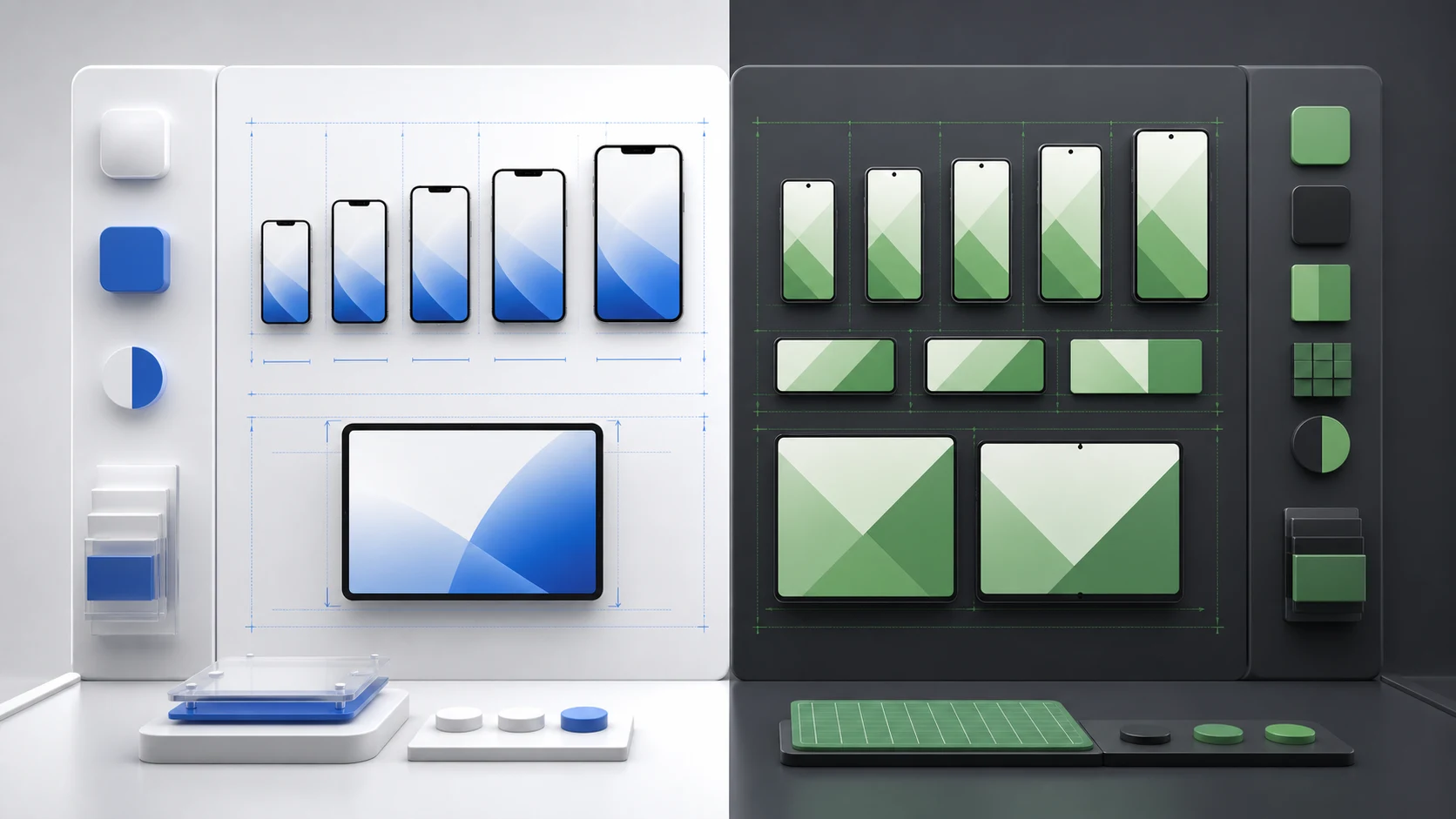
Apple expects screenshots for specific display classes; Google Play accepts a broader size range but applies device, aspect-ratio, and promotional-content rules. Do not stretch one master canvas across both stores. Capture the same product story, then export and review a native set for each platform.
Platform split
One story, two store-specific deliveries
Keep the value proposition consistent while adapting the capture, frame, text fit, and export to each storefront.
Apple
Design around the required iPhone or iPad display class and upload up to ten images per supported device family.
Google Play
Work within the accepted pixel and aspect-ratio range, then provide the device-specific sets your listing needs.
Shared QA
Use accurate UI, readable claims, current devices, localized copy, and a final thumbnail review.
Why the platform differences matter
- Avoiding rejection: Wrong sizes or misleading content can delay your release.
- Boosting conversion: Proper sizes and clear visuals ensure your screenshots look sharp on every device.
- Preserving credibility: A visible iPhone frame on Google Play, stale UI, or stretched artwork makes the listing feel reused rather than deliberate.
Apple App Store Screenshot Requirements (2026)
- Dimensions: Apple accepts screenshots for named display classes. Current iPhone deliveries commonly start with the largest required portrait class, while App Store Connect can scale accepted screenshots down to smaller displays. Confirm the current pixel list before every release because supported devices change.
- Quantity: Up to 10 screenshots per device type. The first three are most important in search views.
- Orientation: Portrait is the norm unless your app is landscape-only.
- Content rules: Screenshots must show real app UI, not just marketing banners.
- Device frames: If you use a frame, keep the device and operating system consistent with the actual app experience.
- File format: PNG or JPEG, with no transparency and sRGB color profile.
Need a checklist for sizes and device coverage? Use our store size requirements tool to validate your exports quickly.
Google Play Screenshot Requirements (2026)
- Dimensions: Google accepts JPEG or 24-bit PNG files from 320 px to 3840 px, with the longest side no more than twice the shortest side. Higher-resolution assets are usually safer for merchandising eligibility and modern devices.
- Quantity: Upload at least two screenshots to publish a store listing and up to eight per supported device type. Tablet, Chromebook, Wear OS, and TV surfaces have their own eligibility and asset guidance.
- Promotional eligibility: Google recommends at least four high-resolution screenshots for games and other apps that want eligibility for additional Play surfaces.
- Content rules: Must reflect real app UI; no misleading or unrelated imagery.
- File format: PNG or JPEG only, no alpha transparency, max 8MB per image.
iOS vs. Android: Key Differences at a Glance
| Category | Apple App Store | Google Play |
|---|---|---|
| Max screenshots | 10 per device type | 8 for phones |
| Sizing | Accepted pixel sizes by display class | 320–3840 px with a maximum 2:1 side ratio |
| Orientation norm | Portrait preferred | Portrait common, landscape flexible |
| Device frames | Match the represented Apple device and UI | Allowed, but avoid iPhone frames |
A production workflow that avoids duplicate design work
- Write one story: define the promise, proof sequence, and final action before choosing canvas sizes.
- Capture native UI: use current iOS and Android builds so status bars, navigation, fonts, and platform controls are authentic.
- Create platform variants: keep captions and brand hierarchy linked, but independently adjust device frames, crop, spacing, and safe areas.
- Localize before export: allow longer text to reflow instead of baking English captions into a flattened image.
- Validate the delivered files: check dimensions, format, orientation, file size, thumbnail readability, and correspondence with the current app.
If capture is automated, connect this process to the Fastlane screenshot workflow. It separates repeatable UI capture from the creative layout layer, which makes every later release and locale cheaper to update.
Do’s and Don’ts (Quick Checklist)
Apple App Store
- Do show real iOS UI and keep text readable.
- Do keep orientation consistent for the set.
- Don’t use Android devices or off-platform status bars.
- Don’t rely on marketing banners without UI.
Google Play checklist
- Do keep aspect ratios within 16:9–9:16.
- Do highlight features with short, readable copy.
- Don’t use iPhone frames or iOS UI elements.
- Don’t exceed 8MB or use transparent PNGs.
Tools & Tips to Ensure Compliance
- Screenshot validators: Use free checkers to validate dimensions and file formats before upload. The App Store screenshot specification guide maintains the iPhone and iPad delivery checklist.
- Fastlane snapshot: Automate screenshot capture for all device sizes.
- Design templates: Use prebuilt frames and guides in Figma or a dedicated screenshot builder.
- Localization support: Consider localized sets. Pair this with our mobile app localization guide to scale globally.
iOS vs Google Play screenshot FAQ
Can I upload the same screenshots to both stores?
You can reuse the story and brand system, but export separate files. Platform-specific UI, device frames, accepted dimensions, and listing surfaces make a single flattened set a fragile shortcut.
How many screenshots should I prepare?
Prepare enough images to communicate the core promise in the first three positions and support the remaining objections afterward. Apple permits up to ten per device family; Google Play permits up to eight per device type.
Do screenshots need to show real app UI?
Yes. Design elements and captions may frame the experience, but the product shown should accurately represent the current app. Misleading functionality or off-platform UI can create policy and conversion problems.
Should localized screenshots use the same layout?
Keep the visual system, but allow text length, line breaks, culturally relevant proof, and sometimes the screenshot order to change. Review each locale at its final export size.
Official screenshot guidance
Conclusion
Apple’s guidelines are precise and device-specific, while Google Play is more flexible but still strict on aspect ratio and authenticity. Use this comparison as your checklist, then build screenshot sets that convert. For design strategy, revisit our complete screenshot guide or explore broader optimization in the ASO 2026 guide.
Want a faster way to stay compliant? Try AppLaunchFlow’s screenshot generator to auto-format screenshots for iOS and Google Play with compliance checks built in.